Enhance your document managing with Profit loss Balance Sheet Templates

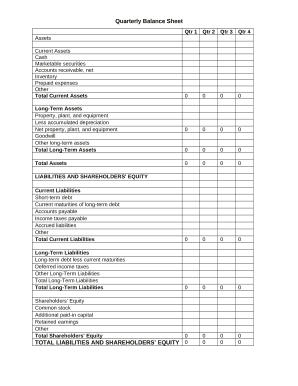
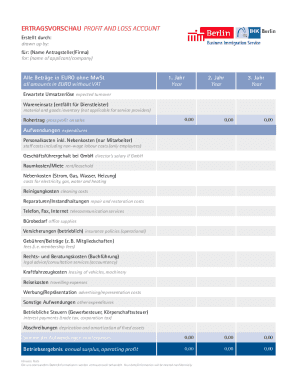
Your workflows always benefit when you are able to locate all of the forms and documents you need on hand. DocHub supplies a a huge collection of document templates to ease your day-to-day pains. Get a hold of Profit loss Balance Sheet Templates category and easily discover your form.

Start working with Profit loss Balance Sheet Templates in several clicks:

  1. Access Profit loss Balance Sheet Templates and get the document you require.
  2. Click Get Form to open it in our editor.
  3. Start changing your file: add fillable fields, highlight sentences, or blackout sensitive facts.
  4. The application saves your modifications automatically, and once you are all set, you can download or share your file with other contributors.

Enjoy effortless file management with DocHub. Check out our Profit loss Balance Sheet Templates online library and discover your form right now!


Video Guide on Profit loss Balance Sheet Templates management

video background

Commonly Asked Questions about Profit loss Balance Sheet Templates

If you open up Excel and then use the relevant keyword in the Search All Templates box, you should be able to find a basic template that will fit your needs. For example, Excel has an inbuilt profit and loss statement template, business expenses budget template, budget planner template, and more.
Yes, there is a profit and loss template in Excel that you can use to create your own statement. The template includes formulas to calculate revenue, expenses, and net income. You can enter your own data to get started.
Creating a budgeting plan for your household can feel overwhelming and hard, but Excel can help you get organized and on track with a variety of free and premium budgeting templates.
How to Create a Profit and Loss Statement in Excel Download, Open, and Save the Excel Template. Input Your Company and Statement Dates. Calculate Gross Profit. Input Sales Revenue to Calculate Gross Revenue. Input the Cost of Goods Sold (COGS) Calculate the Net Income. Input Your Business Expenses.
Add all revenue earned over the accounting period. Add all expenditures made throughout the accounting period. Subtract total expenses from total revenue to know the difference. If the value is positive, it represents profit; if it is negative, it represents a loss.
Heres the basic process. Step 1: Choose a timeframe. Step 2: Gather your financial information. Step 3: Use a PL Statement template. Step 4: List your revenues. Step 5: List your cost of goods sold. Step 6: List your expenses. Step 7: List interest, taxes, depreciation, and amortization. Step 8: Calculate net income or loss.
Maintaining a profit and loss account in Excel allows you to make informed business decisions that improve your chances of profitability over time. Keep an extended record of each reporting period by creating a column for each month or quarter. Statement maintenance is crucial to monitoring finance trends over time.
A: Yes. Excel has a range of financial templates, including income statements, cash flow statements, and balance sheets.