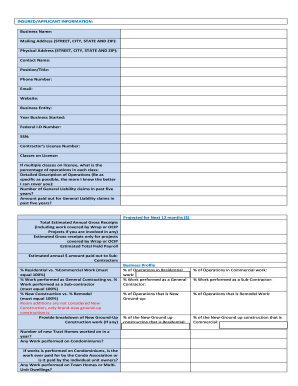
Product Balance Sheet Templates - Page 2

Personalize Product Balance Sheet Templates online with DocHub flexible adjustment capabilities. Develop and organize your financial statements all in one location without jeopardizing your data and security.

Handle Product Balance Sheet Templates easily online

Document managing can stress you when you can’t discover all of the documents you need. Luckily, with DocHub's considerable form library, you can discover all you need and promptly take care of it without the need of changing among software. Get our Product Balance Sheet Templates and start utilizing them.

How to use our Product Balance Sheet Templates using these easy steps:

  1. Browse Product Balance Sheet Templates and select the form you need.
  2. Review the template and then click Get Form.
  3. Wait for it to open in the online editor.
  4. Alter your document: add new information and pictures, and fillable fields or blackout certain parts if required.
  5. Fill out your document, preserve modifications, and prepare it for sending.
  6. When ready, download your form or share it with your contributors.

Try out DocHub and browse our Product Balance Sheet Templates category with ease. Get your free profile today!


Video Guide on Product Balance Sheet Templates management

video background

Commonly Asked Questions about Product Balance Sheet Templates

The Balance Sheet Template for Excel is a pre-designed spreadsheet that allows users to enter their companys financial information, including assets, liabilities, and equity. This template is useful for businesses of all sizes, as it can be customized to fit each companys specific needs.
Balance sheet items represent specific categories of assets, liabilities, and shareholders equity reported on a companys balance sheet. Common balance sheet items include cash, accounts receivable, inventory, property, plant, equipment (PPE), accounts payable, long-term debt, common stock, and retained earnings.
The QuickBooks Online balance sheet template makes it easy The difference between assets and liabilities is displayed at the bottom as the equity or net worth of the business. Simply choose Reports Balance Sheet in QuickBooks Online and the pre-installed template is populated with your data in seconds.
General sequence of accounts in a balance sheet Current asset accounts include cash, accounts receivable, inventory, and prepaid expenses, while long-term asset accounts include long-term investments, fixed assets, and intangible assets.
A balance sheet is a financial statement that reports a companys assets, liabilities, and shareholder equity. The balance sheet is one of the three core financial statements that are used to evaluate a business. It provides a snapshot of a companys finances (what it owns and owes) as of the date of publication.
You can create a personal balance sheet by completing the following steps, including getting all relevant documents, listing your assets and liabilities, and calculating your net worth.
Answer. The items found on a balance sheet are Assets, Liabilities, and Stockholders Equity.