
Cash flow profit and loss Balance Sheet Templates - Page 2
Boost your efficiency and business document accuracy with DocHub's Cash flow profit and loss Balance Sheet Templates. Stay compliant and complete your financial statements online.

- 1
-
2
Improve your form administration with Cash flow profit and loss Balance Sheet Templates
Your workflows always benefit when you can easily get all of the forms and files you will need at your fingertips. DocHub offers a wide array of templates to ease your everyday pains. Get a hold of Cash flow profit and loss Balance Sheet Templates category and easily discover your form.
Begin working with Cash flow profit and loss Balance Sheet Templates in a few clicks:
- Access Cash flow profit and loss Balance Sheet Templates and get the document you need.
- Click Get Form to open it in our online editor.
- Start changing your document: add more fillable fields, highlight sentences, or blackout sensitive information.
- The application saves your modifications automatically, and after you are all set, you can download or share your file with other contributors.
Enjoy easy file managing with DocHub. Explore our Cash flow profit and loss Balance Sheet Templates category and discover your form right now!
Video Guide on Cash flow profit and loss Balance Sheet Templates management

Commonly Asked Questions about Cash flow profit and loss Balance Sheet Templates
Does Excel have a PL template?
Yes, there is a profit and loss template in Excel that you can use to create your own statement. The template includes formulas to calculate revenue, expenses, and net income. You can enter your own data to get started.
What is the formula for profit and loss account format in Excel?
Calculating profit in Excel can be done using a simple formula. Subtract the total expenses from the total revenue to obtain the profit. You can use the formula = Total Revenue - Total Expenses in an Excel cell to calculate the profit.
What is the difference between PL cash flow and balance sheet?
Heres the main one: The balance sheet reports the assets, liabilities, and shareholder equity at a specific point in time, while a PL statement summarizes a companys revenues, costs, and expenses during a specific period.
How do I create a simple income and expense sheet in Excel?
Step 1: Download the Excel budget template. The first thing you need to do is to download the budget template. Step 2: Enter your income in your budget template. To enter your income, go to the Income sheet. Step 3: Enter your expenses in your budget template. Step 4: Add extra columns to your budget template.
Does Excel have a profit and loss template free download?
#2 Annual Profit and Loss Template (PL Template) This template is ideal for any size business and can easily be changed by adding or removing line items (rows) as necessary. It is also useful for performing year-over-year (YoY) analysis. Fill out the form above to download the free annual PL template Excel file.
How to prepare a PL and balance sheet?
Heres a general step-by-step guide to creating a profit and loss statement: Choose a reporting period. Gather financial statements and information. Add up revenue. List your COGS. Record your expenses. Figure your EBITDA. Calculate interest, taxes, depreciation, and amortization. Determine net income.
How do I create a pl in Excel?
How to Create a Profit and Loss Statement in Excel Download, Open, and Save the Excel Template. Input Your Company and Statement Dates. Calculate Gross Profit. Input Sales Revenue to Calculate Gross Revenue. Input the Cost of Goods Sold (COGS) Calculate the Net Income. Input Your Business Expenses.
What is the 3 statement model?
A three-statement financial model is an integrated model that forecasts an organizations income statements, balance sheets and cash flow statements. The three core elements (income statements, balance sheets and cash flow statements) require that you gather data ahead of performing any financial modeling.
What comes first, balance sheet or cash flow?
The three core financial statements are 1) the income statement, 2) the balance sheet, and 3) the cash flow statement. These three financial statements are intricately linked to one another. Analyzing these three financial statements is one of the key steps when creating a financial model.
How to do a PL statement template?
Heres the basic process. Step 1: Choose a timeframe. Step 2: Gather your financial information. Step 3: Use a PL Statement template. Step 4: List your revenues. Step 5: List your cost of goods sold. Step 6: List your expenses. Step 7: List interest, taxes, depreciation, and amortization. Step 8: Calculate net income or loss.
Related Templates

Los testator deputy
The document is a notice from the Superior Court of California, County of Los Angeles, regarding the location of a joint ...
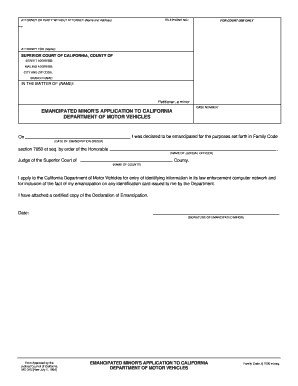
Emancipated application
The document is an application form for an emancipated minor to request the California Department of Motor Vehicles to e ...
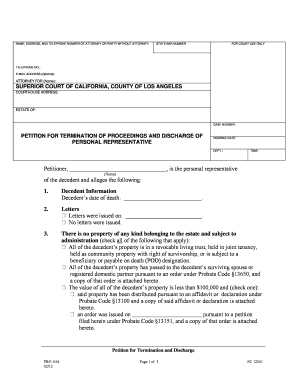
Pro 054
The document is a legal petition for the termination of probate proceedings and discharge of a personal representative i ...
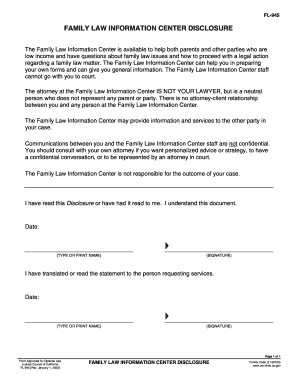
Fl 945 family form
The document is a disclosure from the Family Law Information Center, outlining its role in assisting low-income individu ...

Florida military service
The document provides instructions for using the Florida Supreme Court Approved Family Law Form 12.912(a), which is a Me ...
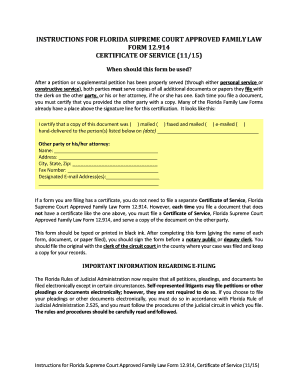
Certificate of service
The document provides instructions for using Florida Supreme Court Approved Family Law Form 12.914, Certificate of Servi ...

Judgment injunction
The document is a Final Judgment of Injunction for Protection Against Dating Violence issued by a Florida Circuit Court. ...

Alaska pub stwd courts trial
The document outlines educational programs offered by the Alaska Court System to teach students about the judiciary's ro ...


