Type text, add images, blackout confidential details, add comments, highlights and more.
02. Sign it in a few clicks
Draw your signature, type it, upload its image, or use your mobile device as a signature pad.
03. Share your form with others
Send it via email, link, or fax. You can also download it, export it or print it out.
How to use or fill out cbp requirement with our platform
Ease of Setup
DocHub User Ratings on G2
Ease of Use
DocHub User Ratings on G2
Click ‘Get Form’ to open it in the editor.
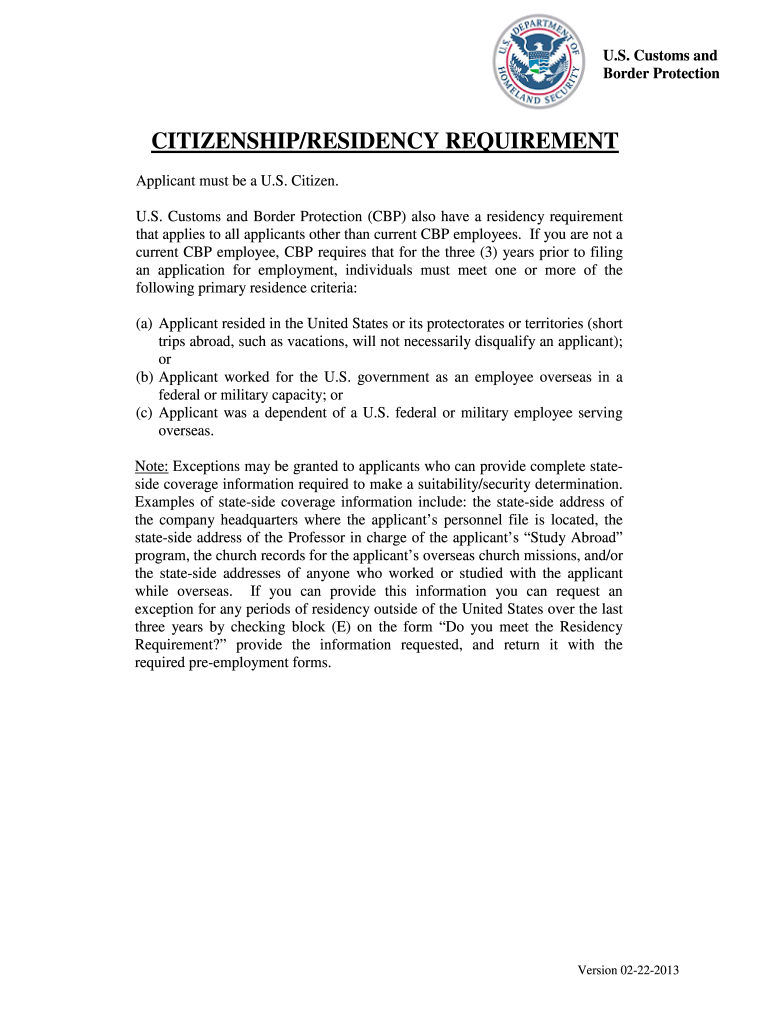
Begin by reviewing the residency requirement section. You must determine if you meet the criteria based on your residency in the U.S. or overseas employment.
In the form, check one of the boxes under 'Do you meet the residency requirement?' Select option A, B, C, D, or E based on your situation.
If you select option E to request an exception, provide detailed information about your stateside company or organization and include a contact person and their telephone number.
List all countries where you resided, worked, or studied in the past three years. Include dates and a brief explanation for each country.
Finally, print your name and last four digits of your SSN, sign and date the form before submission.
Start using our platform today to easily complete your cbp requirement form for free!
How to Become a CBP Officer: Criminal Justice Careers
Candidates either need to have a bachelors degree from an accredited university, three years of relevant work experience, or a combination of post-high schoolRead more
CBP Officer | CBP Careers - U.S. Customs and Border Protection
Have resided in the U.S. for at least three of the last five years (Residency Requirement Exceptions) The FOA provides basic and advanced training to addressRead more
CBP was also required to release the names of the authors and recipients of the Reports, to the extent that they are agency heads or high-level subordinates.
Cookie consent notice
This site uses cookies to enhance site navigation and personalize your experience.
By using this site you agree to our use of cookies as described in our Privacy Notice.
You can modify your selections by visiting our Cookie and Advertising Notice.