




Here's how it works



How to use or fill out form preschool related printable with our platform

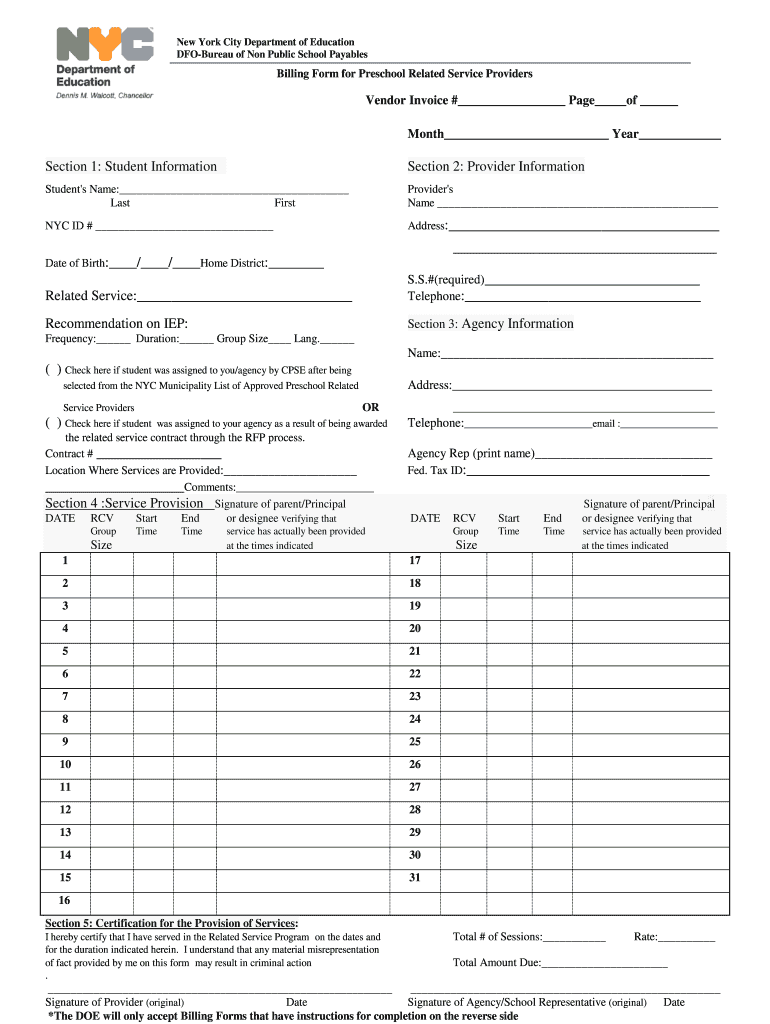
- Click ‘Get Form’ to open the Billing Form for Preschool Related Service Providers in the editor.
- Begin with Section 1: Student Information. Fill in the student's name, NYC ID number, date of birth, and home district. Specify the related service provided and check the appropriate box regarding student assignment.
- Move to Section 2: Provider Information. Enter your name, address, social security number, and telephone number as required.
- In Section 3: Agency Information, provide your agency's name, address, telephone number, and federal tax ID. Ensure that an agency representative's name is printed clearly.
- Proceed to Section 4: Service Provision. Document the dates services were provided along with group size, start and end times for each session. Obtain signatures from a parent or principal verifying service provision.
- Finally, complete Section 5: Certification for Provision of Services by signing and dating where indicated. Ensure all information is accurate before submission.
Start using our platform today to streamline your form completion process for free!
It's free
Got questions?
How do I sign my form parents on iOS?
With DocHub, you can rapidly sign your form parents or any other document on iOS, even without setting up additional applications. You can access your DocHub account from any web-connected browser and fill out and sign your form in any preferred method with just a couple of clicks.
How do you get iep service for my state?
If you are searching for a state-specific iep service sample, you can find it in our DocHub Forms & Templates catalog. Use the search field, key in your form’s name, and search through the results for your state. You can also filter out irrelevant results while searching our catalog by categories.
Security and compliance
At DocHub, your data security is our priority. We follow HIPAA, SOC2, GDPR, and other standards, so you can work on your documents with confidence.
Learn more




