Type text, add images, blackout confidential details, add comments, highlights and more.

02. Sign it in a few clicks
Draw your signature, type it, upload its image, or use your mobile device as a signature pad.

03. Share your form with others
Send it via email, link, or fax. You can also download it, export it or print it out.

How to Use or Fill Out Incident Report with Our Platform
Ease of Setup
DocHub User Ratings on G2
Ease of Use
DocHub User Ratings on G2
Click ‘Get Form’ to open the incident report in the editor.
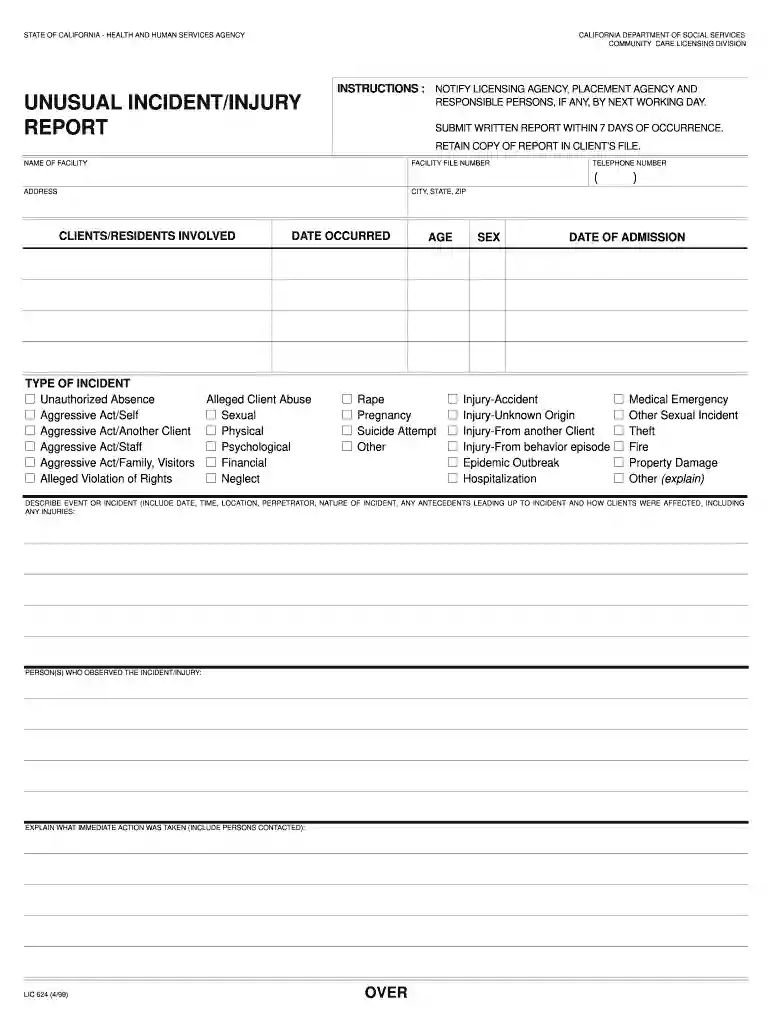
Begin by entering the 'Name of Facility' and 'Facility File Number' at the top of the form. Ensure accuracy as this information is crucial for identification.
In the 'Describe Event or Incident' section, provide a detailed account including date, time, location, and nature of the incident. Be thorough to ensure all relevant details are captured.
List any individuals who observed the incident in the designated field. This helps in corroborating accounts and understanding perspectives.
Document any immediate actions taken following the incident, including persons contacted. This is vital for accountability and follow-up procedures.
Select the type of incident from the provided options. This categorization aids in proper reporting and response.
If medical treatment was necessary, indicate 'Yes' or 'No' and provide details about the treatment if applicable.
Complete sections regarding notifications made to agencies or individuals, ensuring all required parties are informed as per guidelines.
Finally, review your entries for accuracy before submitting. Retain a copy for your records as required by regulations.
Start filling out your incident report today using our platform for free!
Three Incident Report Samples Type of incident (injury, near miss, property damage, or theft) Location (Address) Date/time of incident. Name. Name of supervisor. Description of the incident, including specific job site location, the sequence of events, and the results of the event. Whether or not proper PPE was being used.
What is the incident report?
Incident reporting is capturing and documenting information about a specific incident or event. It can include data such as who was involved, what happened, when it happened, where it happened, what caused it to happen, and any other relevant details.
What are the 5 rules of incident reporting?
What are the five rules of incident report writing? Timeliness: Always report the incident as soon as possible. Accuracy: Make sure all information provided is accurate and detailed. Completeness: Be thorough and provide all important details. Confidentiality: Handle sensitive and personal information carefully.
How do I write an incident report?
How to write a workplace incident report Gather essential information. Describe the incident. Include injuries and damages. Interview witnesses. Identify contributing factors. Review company policies and procedures. Attach supporting documents. Maintain objectivity.
What are the 5 elements of an incident report?
It should include: the names and positions of the people involved. the names of any witnesses. the exact location and/or address of the incident. the exact time and date of the occurrence. a detailed and clear description of what exactly happened. a description of the injuries.
This form is used to report student behavior that causes docHub disruption to a class such that it substantially interferes with the normal operations of
The confidentiality of an incident report may be very important to an organization, depending on the information it may contain. Our platform provides layers of
Cookie consent notice
This site uses cookies to enhance site navigation and personalize your experience.
By using this site you agree to our use of cookies as described in our Privacy Notice.
You can modify your selections by visiting our Cookie and Advertising Notice.