Right click on the PDF file. Select Open with. Select Choose program. Select Adobe Acrobat Reader.
How to open CIC PDF forms?
PDF forms must be opened with Adobe Acrobat Reader if youre using Windows or Adobe Reader on Mac OS. If you dont have the right software, download it from Adobeits free.
How to open PDF forms?
A common way to view a PDF form is in a web browser, for example, when you follow a link on a website. If the form doesnt contain interactive fields, you can use the Fill Sign tools to fill out the form. Save the form on your computer, and then open it directly in Acrobat or Acrobat Reader.
What all documents are required for a work permit in Canada?
Which Documents Are Required for Canada Work Permit Application? Completed application forms. Labour Market Impact Assessment (LIMA) A written job offer from your employer. Copy of your academic credentials. Proof of certifications and membership in professional bodies in your field. Proof of visa application fees payment.
Why wont my PDF form open?
Here are some of the most common culprits to consider: Your laptop doesnt have a PDF reader installed. Your PDF reader or preferred program is out of date and needs an update. Your PDF application is potentially damaged or needs to be rebooted.
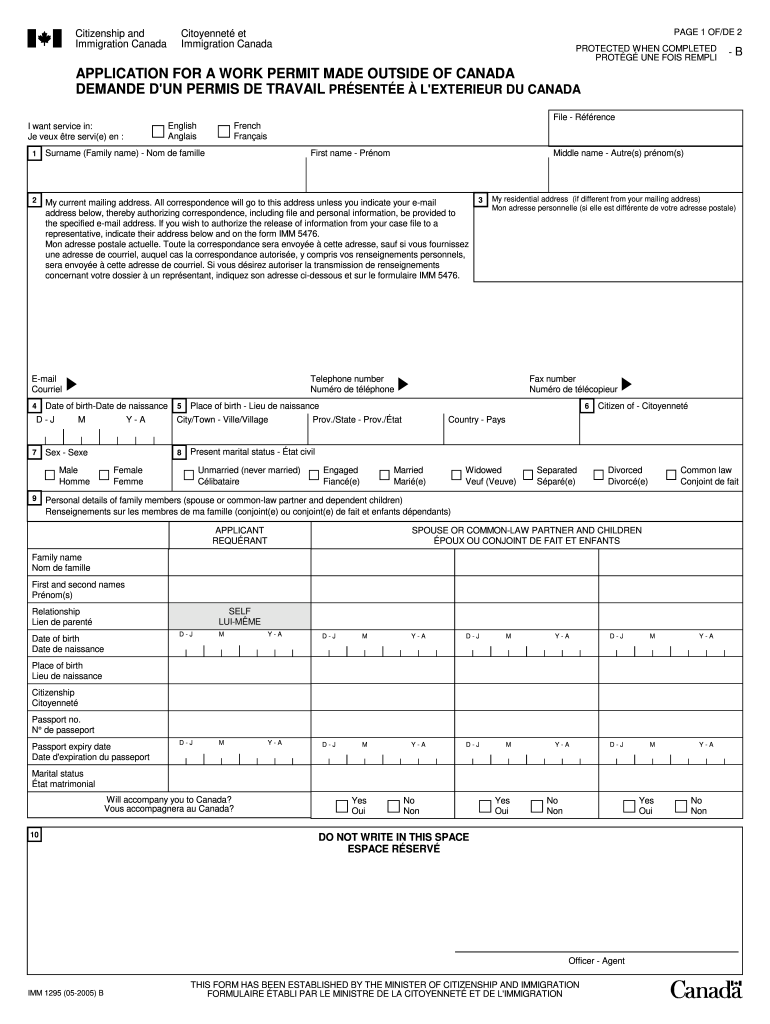
download imm 1295 form
IMM 1295 form 2023 PDF downloadIMM 1295 form free downloadIMM 1295 sample formImm 1295 download1295 form downloadImm 1295 latest formIMM 1294IMM 5707
Security and compliance
At DocHub, your data security is our priority. We follow HIPAA, SOC2, GDPR, and other standards, so you can work on your documents with confidence.
Download the PDF and open it in Adobe Acrobat or Acrobat Reader. Right-click (Windows) or command + click (macOS) the link to the PDF file to open the context menu. Choose the appropriate save or download option for your browser: (Chrome, Edge, Firefox) Save Link As.
What is imm1295e?
The Canada IMM 1295 E form is needed by individuals applying for a study permit or who are applying for a work permit in Canada. 02. Foreign national students or professionals seeking to work or study in Canada must complete this form as part of their application process.
What is the fastest work permit in Canada?
Obtaining a temporary work permit is the fastest option. You can be in Canada within a few weeks of submitting your application, if not sooner.
imm 1295
SJI and National Judicial Network Training Materials
A unique position to provide information and assistance to noncitizens who have been victims of violence, human trafficking, or certain crimes.Read more
knowledge and belief, it is true, correct, and complete. Declaration of preparer (other than officer) is based on all information of which preparer has.
Cookie consent notice
This site uses cookies to enhance site navigation and personalize your experience.
By using this site you agree to our use of cookies as described in our Privacy Notice.
You can modify your selections by visiting our Cookie and Advertising Notice.