
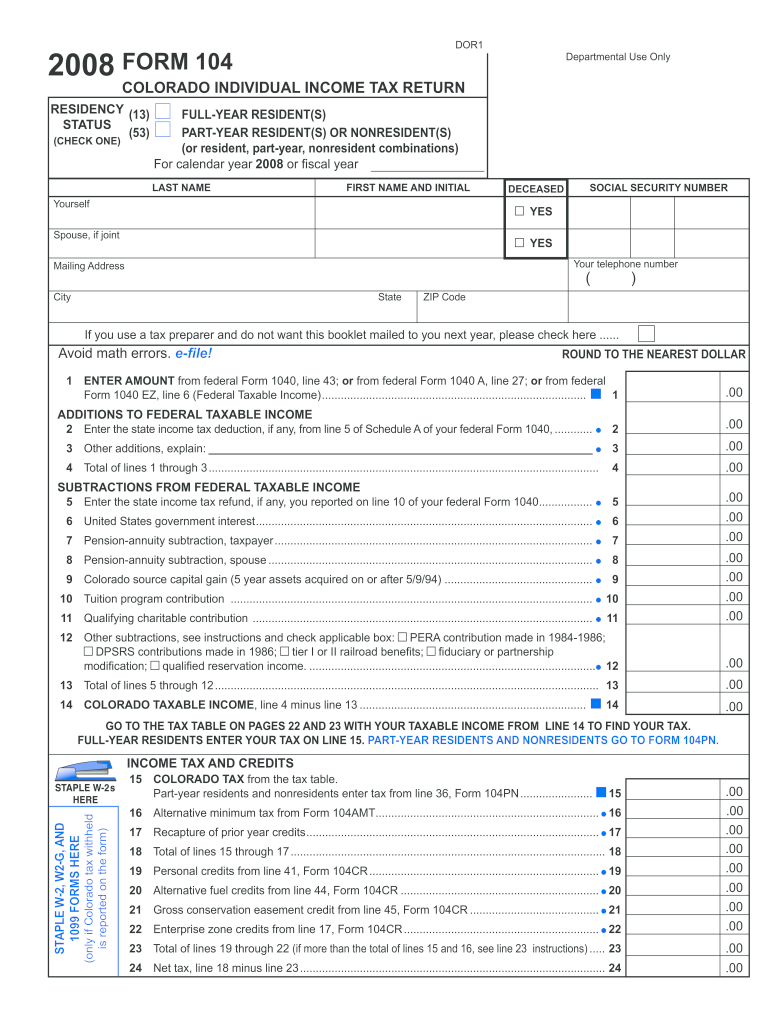







Definition and Meaning
The Colorado Payment Voucher Form is a critical document used for remitting tax payments to the Colorado Department of Revenue. Officially designated as a payment voucher, it enables taxpayers to submit additional payments outside their regular filing and ensures that the payment is recorded accurately against their account. This form is commonly used to accompany estimated tax payments, extension payments, and any other due amounts. Understanding its function helps taxpayers maintain compliance with state tax obligations, making it an essential part of financial management for many individuals and businesses in Colorado.
How to Use the Colorado Payment Voucher Form
The form can be utilized for multiple purposes, primarily involving tax payments. To use the form effectively:
-
Complete Identification Information: Begin by filling in your personal identification details, such as your name, address, and taxpayer identification number (TIN). Accuracy is crucial to ensure correct application of your payment.
-
Specify Payment Details: Clearly state the tax year and the type of tax payment (for instance, estimated or an extension). This helps the Department of Revenue apply your payment correctly.
-
Calculate Payment Amount: Determine the appropriate amount to be paid and ensure it matches your records. Double-check to avoid overpayment or underpayment.
-
Submission Method: Decide whether you will submit the form online, via mail, or in person. Each method has specific instructions and timelines.
-
Include Additional Information if Necessary: If attaching this payment to a formal return or specific tax report, indicate these details on the form for proper processing.
Steps to Complete the Colorado Payment Voucher Form
Completing the form requires careful attention to detail to ensure all fields are accurately filled. Here's a step-by-step guide:
-
Gather Necessary Information: Collect your taxpayer ID, contact details, and any related tax documentation.
-
Fill Out Identification Fields: Enter your full legal name, address, and TIN accurately.
-
Specify the Tax Year: Record the specific year for which the payment is intended.
-
Indicate the Payment Type: Use the designated section to select the type of payment, such as estimated tax or payment with an extension.
-
Compute the Payment Amount: Enter the exact amount you intend to pay. Cross-reference with any tax calculation done prior to form completion.
-
Select the Payment Method: Determine how you will submit your payment—online, by mail, or in person.
-
Review and Sign: Double-check all entries for accuracy. Sign the form if required for validation purposes.
-
Submit the Form: Follow the instructions for submission according to your selected method. Keep a copy of the form and any related documents for your records.
Required Documents
To complete the Colorado Payment Voucher Form, you will need access to several documents, such as:
- Current Taxable Income Records: Including W-2s, 1099s, or any documents detailing current year income.
- Past Tax Returns: For validation and comparison with current estimated payments.
- Tax Calculation Worksheets: Any documents used to estimate the tax payment amount.
- Personal Identification Documents: Information like TIN or Social Security Number for verification.
Having these documents handy ensures accuracy and expedites the completion process.
Form Submission Methods
The Colorado Payment Voucher Form can be submitted through various channels, each with its own procedures:
-
Online Submission: Convenient and fast, use the official Colorado tax payment portal to digitally submit your form and payment. Ensure internet security measures are in place to protect your information.
-
Mail Submission: For those who prefer traditional methods, mail the completed form along with your check or money order. Use a reliable mail service to confirm delivery.
-
In-Person Submission: Schedule a visit to a local Colorado Department of Revenue office, where you can submit your form and payment directly to a representative. Be sure to confirm office hours and any requirements in advance.
Legal Use of the Colorado Payment Voucher Form
The form is legally mandated for certain tax payment scenarios and must be used in compliance with Colorado tax laws. Legal use ensures:
-
Proper Recording and Crediting: Payments are tracked against the correct taxpayer account, preventing any potential disputes or errors.
-
Compliance with State Regulations: Utilizing the form as required by the Colorado Department of Revenue fulfills legal obligations and avoids penalties.
-
Accurate and Timely Payments: Ensures payments are applied to the intended tax year and type, maintaining good standing with tax authorities.
Failing to use the form correctly may result in payment misapplication, potential fines, or penalties.
State-Specific Rules for the Colorado Payment Voucher Form
The Colorado Payment Voucher Form is governed by specific state rules, which include:
-
Resident and Non-Resident Filings: Instructions for use may vary slightly based on your residency status, so verify the applicable rules before submission.
-
Different Tax Categories: While primarily used for individual income tax, confirm if any modifications apply based on other tax categories unique to Colorado, like business or specialty taxes.
-
Due Dates and Penalties: Adhere to the state's established deadlines to avoid late fees. The dates correspond with estimated tax periods and extensions.
Knowing these state-specific guidelines helps ensure compliance and accurate payment allocation.
Important Terms Related to Colorado Payment Voucher Form
- Taxpayer Identification Number (TIN): A unique identifier for tax purposes.
- Estimated Tax Payment: Advance payments towards expected annual tax.
- Tax Year: The year for which the tax payment is applicable.
- Remittance: The act of sending payment.
Familiarity with these terms assists in understanding the form's requirements and facilitates a smoother process when completing it.




