




01. Edit your colorado state tax online
Type text, add images, blackout confidential details, add comments, highlights and more.

Type text, add images, blackout confidential details, add comments, highlights and more.

Draw your signature, type it, upload its image, or use your mobile device as a signature pad.

Send fillable w2 form 2015 via email, link, or fax. You can also download it, export it or print it out.
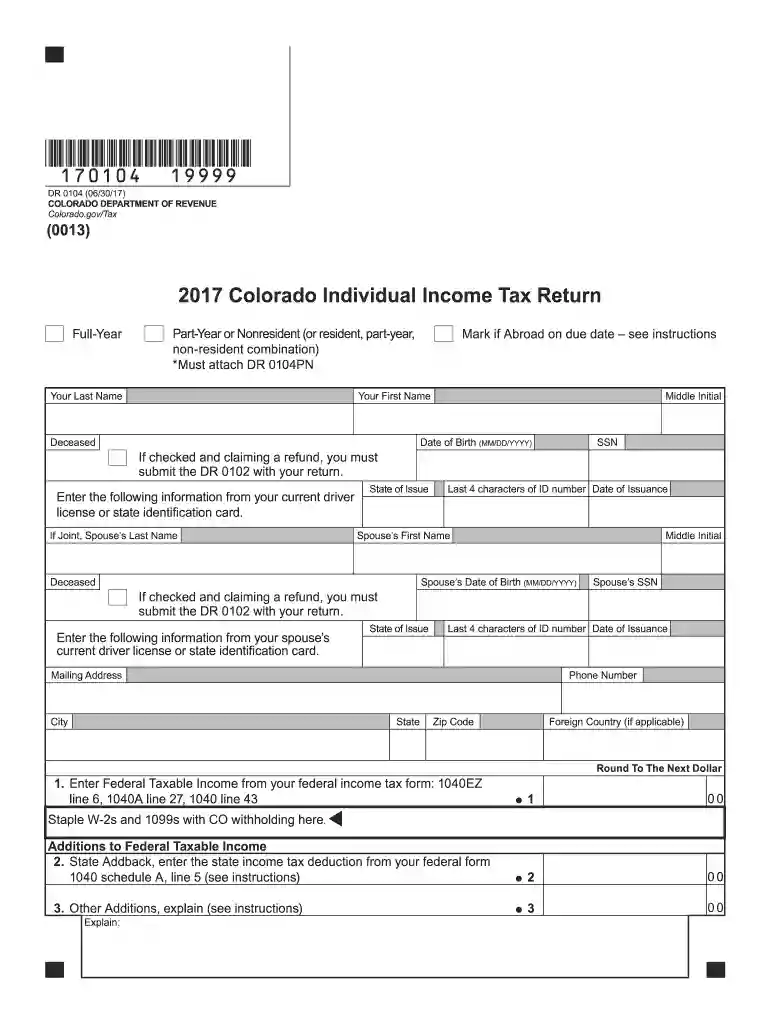
The 2015 Colorado Form 104 is the official tax document used by residents of Colorado to report their individual income for the 2015 tax year to the state government. It encompasses sections for entering personal information, calculating income, detailing subtractions, claiming available tax credits, and specifying payment details. Understanding this form is essential for accurate tax filing and ensuring compliance with state tax regulations.
Residents can obtain the 2015 Colorado Form 104 through multiple avenues. The form is accessible on the Colorado Department of Revenue’s official website, where it can be downloaded and printed. Alternatively, taxpayers can procure it by visiting regional tax offices or requesting it by mail for those who prefer physical copies. Ensuring you have the correct form is essential for accurate and timely tax filing.
To accurately complete the Colorado Form 104 for the 2015 tax year, follow these steps:
Ensure you keep a copy of the completed form for your records before submission.
When preparing to complete the 2015 Colorado Form 104, gather the necessary documents:
Having these documents on hand streamlines the filing process and helps avoid mistakes.
For the 2015 tax year, the filing deadline for the Colorado Form 104 was April 18, 2016, aligning with the federal tax deadline for that period due to a holiday extension. Taxpayers should aim to file by this date to avoid penalties. If an extension was needed, the request had to be submitted by the same deadline, granting additional time for completing the form.
Failure to file the Colorado Form 104 by the specified deadline can result in penalties. Taxpayers may incur fines, interest on unpaid taxes, and late filing fees. It's crucial to comply with all deadlines to avoid additional financial burdens, which can escalate if the issue remains unaddressed.
Many taxpayers rely on tax preparation software like TurboTax or QuickBooks to assist with their Colorado Form 104. These platforms are compatible with the form and can guide users through the filing process, calculating deductions, and ensuring all areas are filled correctly. Utilizing such software can enhance accuracy and efficiency in the tax filing process.
Different taxpayer scenarios affect the completion of the 2015 Colorado Form 104:
Acknowledging your specific scenario can maximize deductions and reduce tax liabilities effectively.


We've got more versions of the colorado state tax form. Select the right colorado state tax version from the list and start editing it straight away!
| Versions | Form popularity | Fillable & printable |
|---|---|---|
| 2025 | 4.9 Satisfied (37 Votes) | |
| 2024 | 4.8 Satisfied (44 Votes) | |
| 2023 | 4.9 Satisfied (33 Votes) | |
| 2022 | 4.6 Satisfied (49 Votes) | |
| 2021 | 4.8 Satisfied (166 Votes) | |
| 2020 | 4.4 Satisfied (113 Votes) | |
| 2019 | 4.4 Satisfied (65 Votes) | |
| 2018 | 4.4 Satisfied (101 Votes) | |
| 2016 | 4.1 Satisfied (78 Votes) | |
| 2015 | 4 Satisfied (22 Votes) | |
| 2014 | 4 Satisfied (58 Votes) | |
| 2013 | 4 Satisfied (27 Votes) | |
| 2011 | 4.2 Satisfied (55 Votes) | |
| 2009 | 4.8 Satisfied (44 Votes) | |
| 2008 | 4 Satisfied (31 Votes) |
At DocHub, your data security is our priority. We follow HIPAA, SOC2, GDPR, and other standards, so you can work on your documents with confidence.
This document was prepared by the U.S. Environmental Protection Agencys Technology Innovation Office under. EPA Contract Number 68-W-99-003.Read more
CC Forms ; 100, Company Transfer Request ; 103, Commandants Board Report Form ; 104, Request for Work for Punishment Credit ; 107A, Visitor Sign In/Out Sheet.Read more


