Type text, add images, blackout confidential details, add comments, highlights and more.
02. Sign it in a few clicks
Draw your signature, type it, upload its image, or use your mobile device as a signature pad.
03. Share your form with others
Send ckc goldendoodle registration via email, link, or fax. You can also download it, export it or print it out.
How to use or fill out paw registration with our platform
Ease of Setup
DocHub User Ratings on G2
Ease of Use
DocHub User Ratings on G2
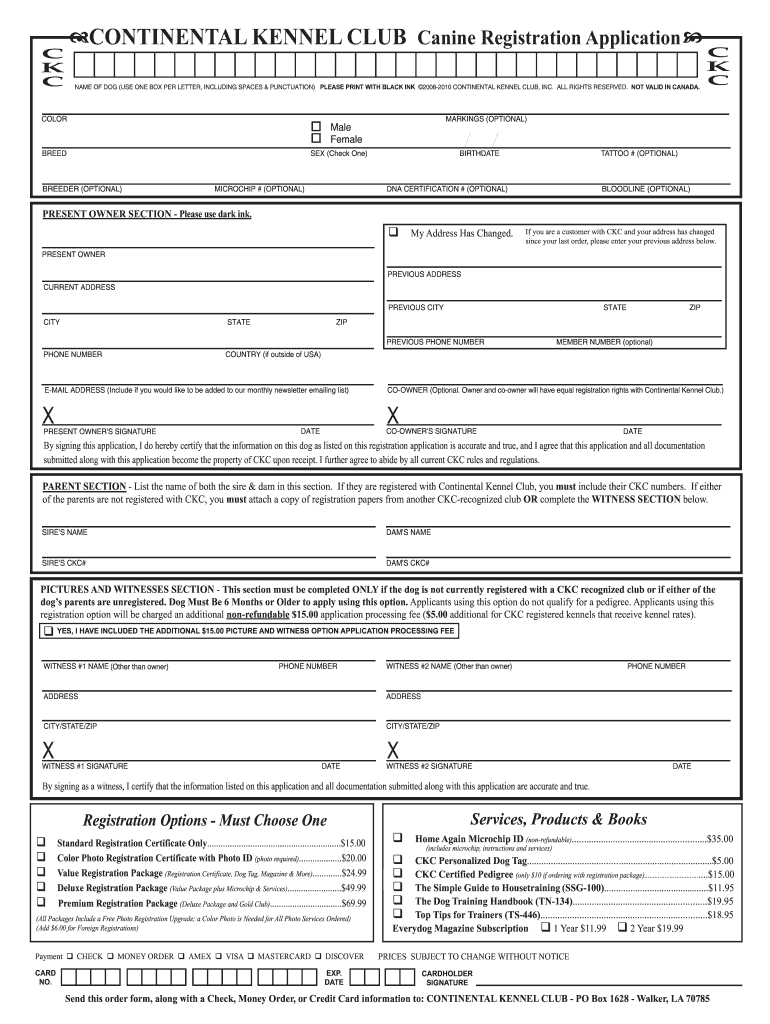
Click ‘Get Form’ to open the paw registration application in the editor.
Begin by filling in the 'NAME OF DOG' section. Use one box per letter, including spaces and punctuation, ensuring clarity.
Indicate the dog's 'SEX' by checking either 'Male' or 'Female'. Next, provide details about the dog's 'BREED', 'COLOR', and any optional 'MARKINGS'.
In the 'PRESENT OWNER SECTION', enter your current address and contact information. If your address has changed, include your previous address as well.
Complete the 'PARENT SECTION' by listing both the sire and dam's names along with their CKC numbers if applicable.
If using the Pictures and Witnesses option, ensure you follow all guidelines for submitting photographs and witness signatures.
Finally, select your preferred registration option from the list provided and complete the payment section before submitting your application.
Start your paw registration today for free on our platform!
Oct 6, 2025 Faculty and staff are invited to join in the festivities for Homecoming week, Oct. 20 through 24. Office and Door Decorating Contests.Read more
Apr 18, 2026 The Guild is a feature where players can register themselves and their cats to a team. A guild is essential for Errands. Contents. 1Read more
Cookie consent notice
This site uses cookies to enhance site navigation and personalize your experience.
By using this site you agree to our use of cookies as described in our Privacy Notice.
You can modify your selections by visiting our Cookie and Advertising Notice.