




Here's how it works

01. Edit your delta travelnet online
Type text, add images, blackout confidential details, add comments, highlights and more.

02. Sign it in a few clicks
Draw your signature, type it, upload its image, or use your mobile device as a signature pad.

03. Share your form with others
Send deltatravelnet via email, link, or fax. You can also download it, export it or print it out.
How to use or fill out delta travelnet with our platform

- Click ‘Get Form’ to open the delta travelnet in the editor.
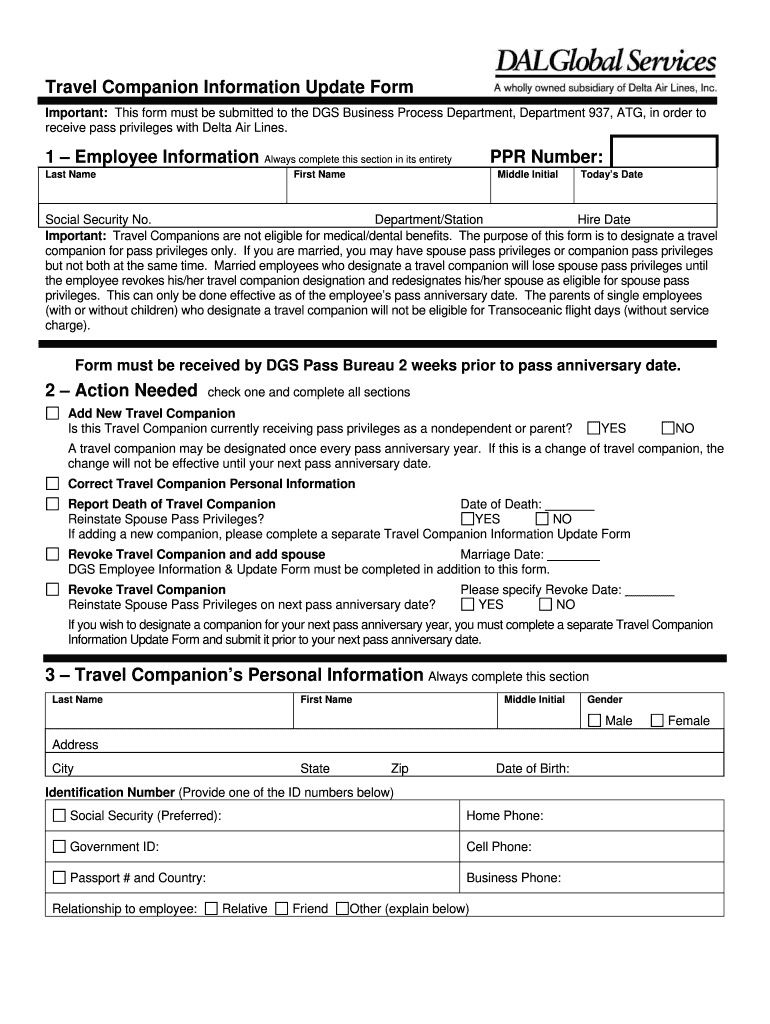
- Begin with the Employee Information section. Fill in your last name, first name, middle initial, today's date, social security number, department/station, and hire date. Ensure all fields are completed accurately.
- In the Action Needed section, select one option: Add New Travel Companion, Correct Travel Companion Personal Information, Report Death of Travel Companion, Revoke Travel Companion, or Reinstate Spouse Pass Privileges. Complete all relevant fields based on your selection.
- Proceed to the Travel Companion’s Personal Information section. Enter their last name, first name, middle initial, gender, address details (city, state, zip), date of birth, identification number (preferably social security), and contact numbers.
- Sign in the Employee’s Signature section to certify that you have informed your travel companion about the rules governing non-revenue travel. Ensure you understand your responsibilities regarding their conduct.
- Finally, have your travel companion sign in their designated area to confirm their agreement with the provided information and rules.
Start using our platform today for free to streamline your document editing and form completion!
Fill out delta travelnet online
It's free
Got questions?
We have answers to the most popular questions from our customers. If you can't find an answer to your question, please contact us.
Contact us
Is Delta affected by the IT outage?
An unrelated Microsoft Azure outage, affecting services such as Microsoft 365, compounded airlines problems. However, while other airlines quickly recovered operations, Delta Air Lines did not. More than 8 million Windows-based computers were affected globally.
How to use Delta TravelNet?
The easiest way to do this is through Travelnet on Deltanet. Go to Deltanet and click on Travelnet in the upper right corner. Fill out the airport codes in FROM and TO and select either one-way or round-trip. Select the departure and/or arrival date and click search
How does travel Net work with Delta?
Delta TravelNet is a dedicated portal for Delta Airlines employees, offering a seamless way to book travel, check flight statuses, and manage bookings on the go. This system underscores Deltas emphasis on employee welfare, providing a convenient and efficient solution for non-revenue travel.
How do I use Delta TravelNet?
Listing Procedure Go to Deltanet and click on Travelnet in the upper right corner. Fill out the airport codes in FROM and TO and select either one-way or round-trip. Select the departure and/or arrival date and click search A list of possible flight options will appear sorted by departure time.
What if I have trouble logging into Deltanet?
You can reset your own account by clicking the Trouble Signing In? button on the Deltanet Sign In page. http:// Click here for instructions. Print them out and keep them handy. If you need additional technical support please select the appropriate drop down menu for your issue.
Security and compliance
At DocHub, your data security is our priority. We follow HIPAA, SOC2, GDPR, and other standards, so you can work on your documents with confidence.
Learn more


Related forms

Jammin jensen vendors
The document outlines the application and guidelines for vendors wishing to participate in the Jammin' Jensen event, man ...

Soccer sign up sheet
The document is a sign-up sheet for the Calgary Corporate Challenge soccer event, requiring teams of 6-16 players with a ...
Download Form - Phonenomena
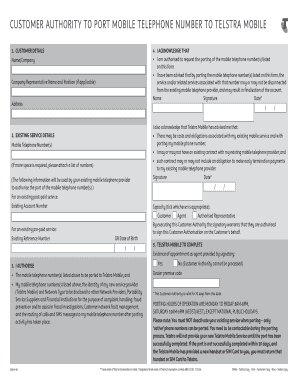
The document is a Customer Authority form for porting a mobile telephone number to Telstra Mobile. It outlines the custo ...

Bank telex copy
The document is an annexure for a Telex Transfer/Wire Transfer application intended for prospective students of the Univ ...

Sustainable Population Australia: Home
The document is a membership application form for Sustainable Population Australia Inc. (SPA), an environmental NGO focu ...
Particulars of the documents required to be submitted along with the fully completed application for
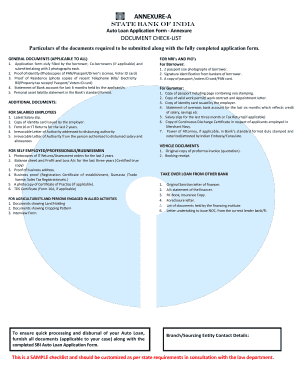
Particulars of the documents required to be submitted along with the fully completed application for
The document is a checklist for the State Bank of India's Auto Loan Application, detailing the required general and addi ...

Carroll University Student Scholarly Travel Fund Request Spring 2012
The document outlines the application process for the Carroll University Student Scholarly Travel Fund for Spring 2012, ...

Through the use of freehand sketching and Computer Aided Drafting (CAD), the student will learn the
Through the use of freehand sketching and Computer Aided Drafting (CAD), the student will learn the
The document outlines the requirements and structure for a Technical Certificate in Manufacturing Technology with a spec ...
People also ask
Does Deltanet have an app?
0:31 5:49 So on your mobile. Device go to the Delta.et now the Delta is all mobile responsive. Already. So umMoreSo on your mobile. Device go to the Delta.et now the Delta is all mobile responsive. Already. So um you know everything will work as it is on your mobile. Device.
Can I access Deltanet on my phone?
1:55 5:36 Device. Now it is also available on the iphone or the ios app store so you can find it much the sameMoreDevice. Now it is also available on the iphone or the ios app store so you can find it much the same way youll just open up your app store and your apple. Device. And search for deltanet.