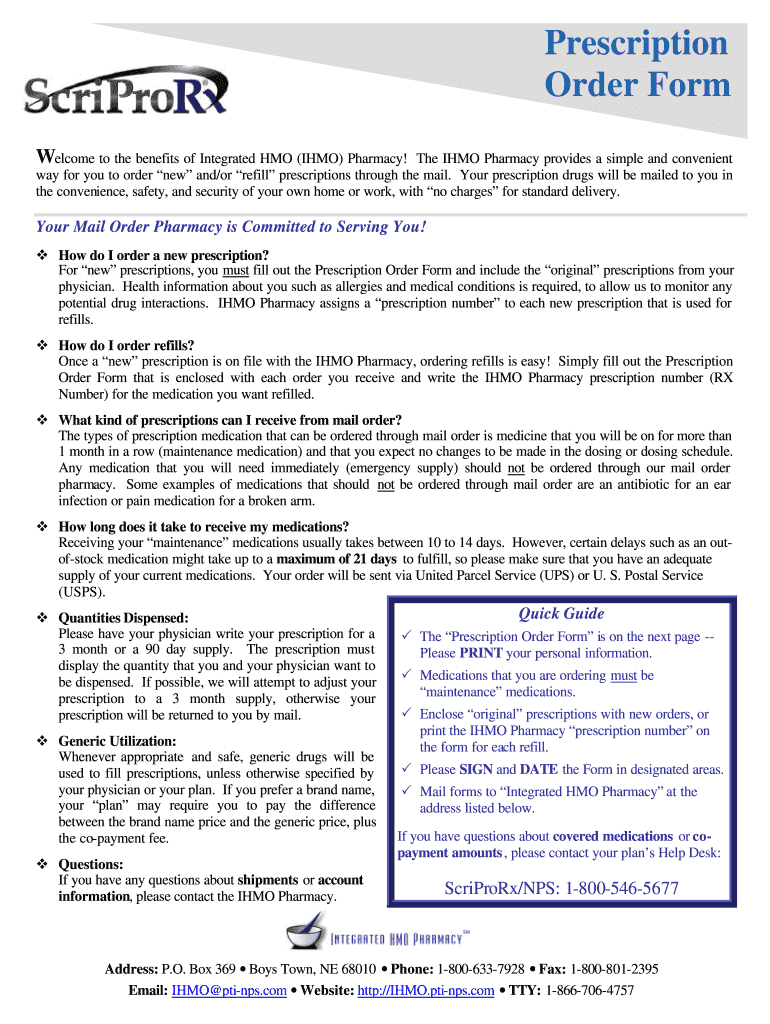
Type text, add images, blackout confidential details, add comments, highlights and more.
02. Sign it in a few clicks
Draw your signature, type it, upload its image, or use your mobile device as a signature pad.
03. Share your form with others
Send it via email, link, or fax. You can also download it, export it or print it out.
How to use or fill out lksd pharmacy search with our platform
Ease of Setup
DocHub User Ratings on G2
Ease of Use
DocHub User Ratings on G2
Click ‘Get Form’ to open the lksd pharmacy search in the editor.
Begin by entering your personal information in the 'PATIENT INFORMATION' section. Fill in your ID number, plan number, name, date of birth, and contact details accurately.
In the 'HEALTH INFORMATION' section, indicate any known allergies and medical conditions. This is crucial for monitoring potential drug interactions.
For new prescriptions, check the appropriate boxes and attach the original prescriptions from your physician. Ensure you provide all necessary details.
If you are requesting refills, write down the Integrated HMO Pharmacy prescription numbers in the designated area.
Finally, review all entered information for accuracy, sign and date the form in the specified areas before submitting it through mail.
Start using our platform today to streamline your prescription ordering process for free!
Board Certified Pharmacist lookupPharmacist search by nameHow to check if a pharmacy is licensedPharmacy NCPDP number lookupFDA Pharmacy listU.S. pharmacy listNABP pharmacy LookupLink Pharmacy semaglutide reviews
Security and compliance
At DocHub, your data security is our priority. We follow HIPAA, SOC2, GDPR, and other standards, so you can work on your documents with confidence.
Illinois Historic Route 66 interpretive master plan
Watt Brothers Pharmacy. ▻. First open in 1938, Watt Bros. is the oldest pharmacy in the Springfield area. Located on the north side of the city, near the IllRead more
Cookie consent notice
This site uses cookies to enhance site navigation and personalize your experience.
By using this site you agree to our use of cookies as described in our Privacy Notice.
You can modify your selections by visiting our Cookie and Advertising Notice.