Type text, add images, blackout confidential details, add comments, highlights and more.
02. Sign it in a few clicks
Draw your signature, type it, upload its image, or use your mobile device as a signature pad.
03. Share your form with others
Send it via email, link, or fax. You can also download it, export it or print it out.
How to use or fill out fillable mvt 5 13 with our platform
Ease of Setup
DocHub User Ratings on G2
Ease of Use
DocHub User Ratings on G2
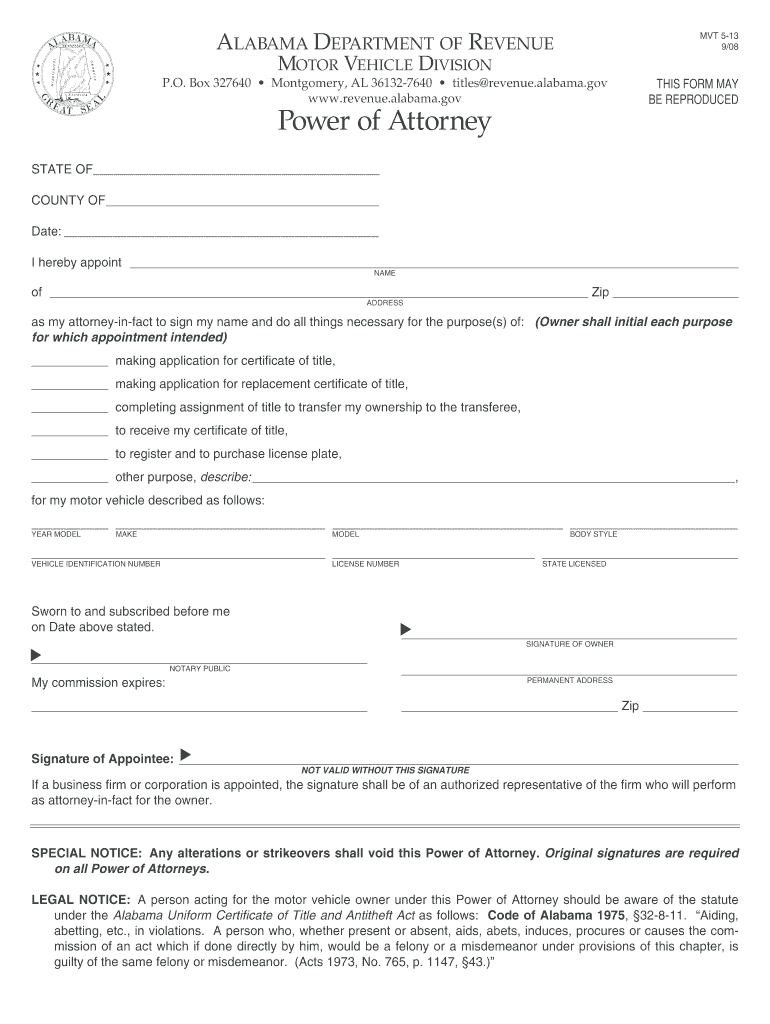
Click ‘Get Form’ to open the MVT 5-13 in the editor.
Begin by filling in the 'STATE OF' and 'COUNTY OF' sections at the top of the form. This identifies where the Power of Attorney is being executed.
Enter the date on which you are completing this form in the designated area.
In the 'NAME' field, provide the full name of your appointed attorney-in-fact. Then, fill in their address and zip code accurately.
Next, specify each purpose for which you are granting power of attorney by initialing next to each applicable option, such as making applications for title or registration.
Describe your motor vehicle by entering details like year, make, model, body style, vehicle identification number (VIN), and license number.
Ensure that both you and your appointee sign in the appropriate sections. The signature of a notary public is also required for validation.
Start using our platform today to easily complete your MVT 5-13 form online for free!
How to fill out a Georgia secure power of attorney form?
A California vehicle power of attorney can be used to appoint an agent to represent the principal with transactions involving the Department of Motor Vehicles, including transferring title. This form must be docHubd by the vehicles owner for it to be effective.
How much does it cost to get a power of attorney in Georgia?
A straightforward POA may cost as little as $200, while more complex arrangements can rise to $600 or more. Its crucial to understand the difference between the types of POA: durable, medical, springing, and financial, among others.
Does a POA have to be docHubd in GA?
To put your POA into effect in Georgia, you must meet the states signing requirements. Signing requirements: The POA must be docHubd by a notary public and witnessed by at least one mentally competent adult as per Georgia law (10-6B-5).
How to get power of attorney for an elderly parent in GA?
These can be obtained online or through an attorney. Proper execution: The principal must sign the POA in the presence of at least one witness and a notary public. For an advance directive for healthcare, the principals sign in the presence of two witnesses (no notary needed).
Related Searches
Fillable mvt 5 13 templateFillable mvt 5 13 pdfFillable mvt 5 13 alabamaFillable mvt 5 13 form pdfFillable mvt 5 13 formMVT 5-13 pdfForm MVT 5 1Alabama power of attorney form
Security and compliance
At DocHub, your data security is our priority. We follow HIPAA, SOC2, GDPR, and other standards, so you can work on your documents with confidence.
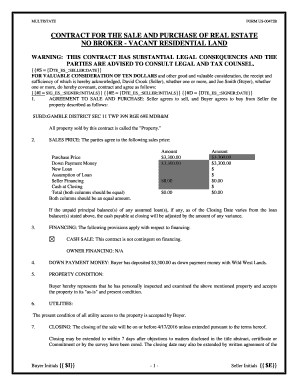
MULTISTATE FORM US00472B CONTRACT FOR THE SALE AND PURCHASE OF REAL ESTATE NO BROKER VACANT RESIDENTIAL LAND WARNING: THIS CONTRACT HAS SUBSTANTIAL LEGAL CONSEQUENCES AND THE PARTIES ARE ADVISED TO CONSULT LEGAL AND TAX COUNSEL
MULTISTATE FORM US00472B CONTRACT FOR THE SALE AND PURCHASE OF REAL ESTATE NO BROKER VACANT RESIDENTIAL LAND WARNING: THIS CONTRACT HAS SUBSTANTIAL LEGAL CONSEQUENCES AND THE PARTIES ARE ADVISED TO CONSULT LEGAL AND TAX COUNSEL
The document is a real estate contract for the sale and purchase of vacant residential land between Seller David Crook a ...
Instructions ------. Who must submit this form? 1. Applicants seeking a Medical Certificate are required to complete this form and submit all 10Read more
MVT 5-13. 4/21. As my attorney-in-fact to sign my name and do all things necessary for the following purpose(s):. 6 Title application, transfer or lien filing.Read more
Cookie consent notice
This site uses cookies to enhance site navigation and personalize your experience.
By using this site you agree to our use of cookies as described in our Privacy Notice.
You can modify your selections by visiting our Cookie and Advertising Notice.