Type text, add images, blackout confidential details, add comments, highlights and more.

02. Sign it in a few clicks
Draw your signature, type it, upload its image, or use your mobile device as a signature pad.

03. Share your form with others
Send city of carson business license via email, link, or fax. You can also download it, export it or print it out.

How to use or fill out Yard Sale Permit Application - City of Carson with our platform
Ease of Setup
DocHub User Ratings on G2
Ease of Use
DocHub User Ratings on G2
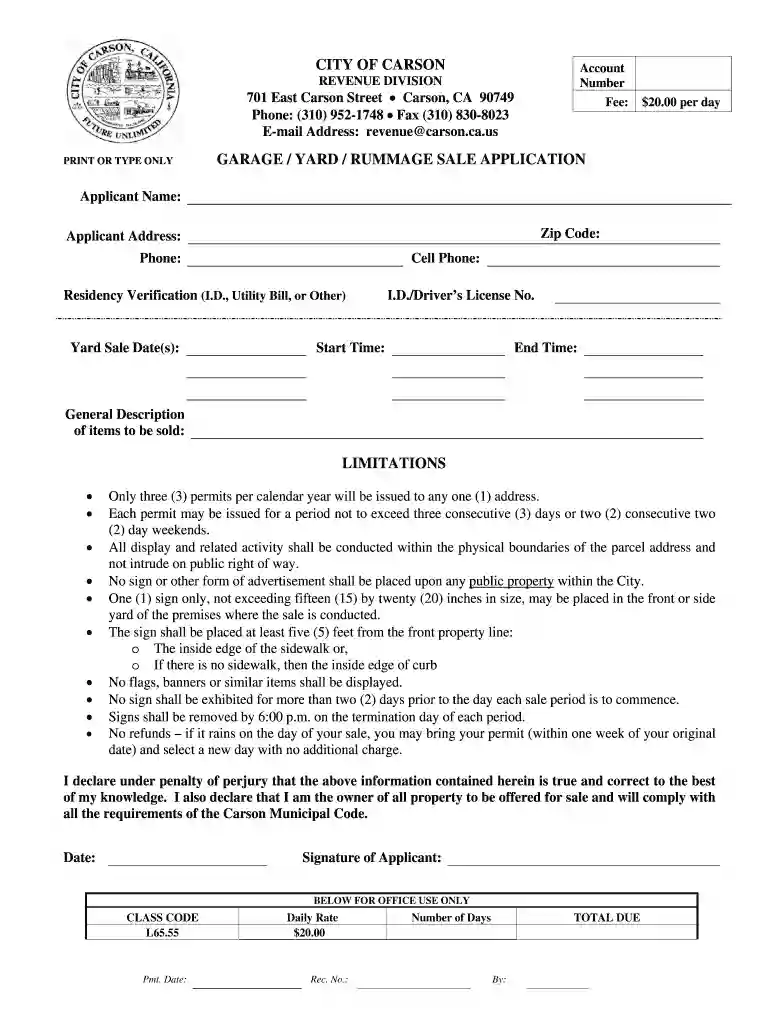
Click ‘Get Form’ to open the Yard Sale Permit Application in the editor.
Begin by entering your personal information in the 'Applicant Name', 'Social Security No.', and 'Driver's Lic. No.' fields. Ensure all details are accurate for processing.
Fill in your 'Date of Birth' and contact information, including 'Phone' and 'Cell Phone'. This is essential for any communication regarding your application.
Provide your complete address, including 'City', 'State', and 'Zip'. This helps identify where the yard sale will take place.
Specify the dates for your yard sale in the 'Yard Sale Date(s)' section, along with the start and end times to comply with local regulations.
In the 'General Description of items to be sold' field, list all items you plan to sell. Be clear and concise to avoid any issues during approval.
Review all entered information for accuracy before signing at the bottom of the form. Your signature confirms that you agree to comply with city regulations.
Start filling out your Yard Sale Permit Application today using our platform for free!
Fill out Yard Sale Permit Application - City of Carson online It's free
City of Carson UtilitiesCarson City websiteCity of Carson eventsCity of Carson Parks and RecreationCity of Carson jobs openingsCarson State of the CityCity of Carson directoryCarson, CA STREET SWEEPING holidays
Security and compliance
At DocHub, your data security is our priority. We follow HIPAA, SOC2, GDPR, and other standards, so you can work on your documents with confidence.
As a current history student at the University at Buffalo, you are part of an active scholarly community. This page collects key resources, policies andRead more
Please contact the Revenue Division at (310) 952-1748 if you have any further questions regarding the citys licensing requirements. Sub Menu. Schedule ofRead more
Cookie consent notice
This site uses cookies to enhance site navigation and personalize your experience.
By using this site you agree to our use of cookies as described in our Privacy Notice.
You can modify your selections by visiting our Cookie and Advertising Notice.