




Here's how it works

01. Edit your as sdsu online
Type text, add images, blackout confidential details, add comments, highlights and more.

02. Sign it in a few clicks
Draw your signature, type it, upload its image, or use your mobile device as a signature pad.

03. Share your form with others
Send health e connect sdsu via email, link, or fax. You can also download it, export it or print it out.
How to use or fill out Health Screening Report - as sdsu with our platform

- Click ‘Get Form’ to open it in the editor.
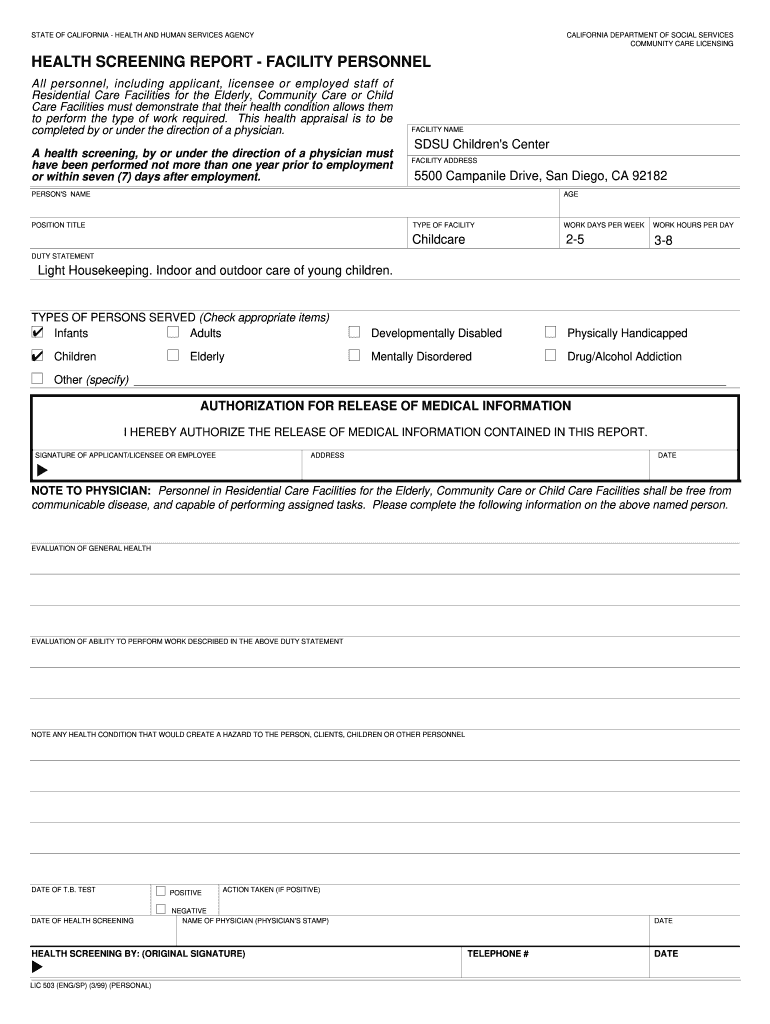
- Begin by entering the 'Date of Health Screening' at the top of the form. This is essential for tracking compliance with health regulations.
- Fill in the 'Name of Physician' and ensure to include their stamp for verification. This section confirms that a qualified professional has conducted the screening.
- Indicate the type of health screening performed by checking appropriate boxes for categories such as Infants, Adults, Elderly, etc. This helps categorize the personnel being screened.
- Complete personal details including 'Facility Name', 'Facility Address', and individual’s 'Name', 'Age', and 'Position Title'. These fields are crucial for identifying who is being assessed.
- In the 'Authorization for Release of Medical Information' section, ensure that the applicant or licensee signs and dates this area to allow sharing of medical data.
- Finally, have a physician evaluate general health and ability to perform work duties. They should note any health conditions that may pose risks.
Start using our platform today to easily complete your Health Screening Report online for free!
Fill out Health Screening Report - as sdsu online
It's free
It's free
Security and compliance
At DocHub, your data security is our priority. We follow HIPAA, SOC2, GDPR, and other standards, so you can work on your documents with confidence.
Learn more




