




Here's how it works



How to use or fill out mckelvey referral form printable with our platform

- Click ‘Get Form’ to open the mckelvey referral form in the editor.
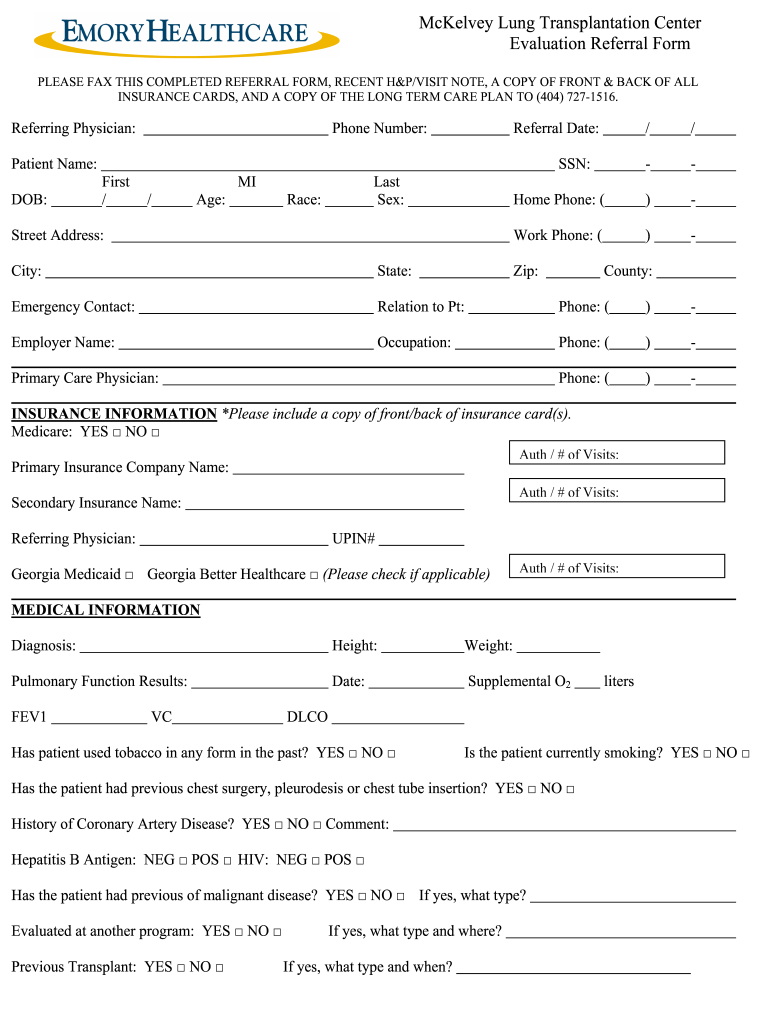
- Begin by filling in the 'Referring Physician' section, including your name and contact information. Ensure accuracy for seamless communication.
- Next, complete the 'Patient Information' section. Enter the patient's name, date of birth, age, sex, and race. This information is crucial for identification.
- In the 'Insurance Information' section, indicate whether Medicare is applicable and provide details about primary and secondary insurance companies. Attach copies of insurance cards as required.
- Proceed to the 'Medical Information' section. Fill in diagnosis details, height, weight, and pulmonary function results. Answer all yes/no questions regarding medical history accurately.
- Finally, review all entries for completeness and accuracy before saving your work. Once done, you can easily fax or email the completed form directly from our platform.
Start using our platform today to fill out your mckelvey referral form quickly and efficiently!
It's free
Got questions?
What do I need to sign my mckelvey referral form printable electronically?
Electronic document approval demands a software solution that works in compliance with data security and eSignature regulations. DocHub is a great tool for that, since it meets all the above mentioned requirements. Whatever method you prefer to sign your mckelvey referral form printable in DocHub, your eSignature will be legally binding and court-admissible.
How do you get mckelvey referral form printable for my state?
If you are looking for a state-specific mckelvey referral form printable sample, you will find it in our DocHub Forms & Templates catalog. Use the search field, enter your form’s name, and search through the results for your state. You may also filter out irrelevant results while searching our catalog by groups.
Security and compliance
At DocHub, your data security is our priority. We follow HIPAA, SOC2, GDPR, and other standards, so you can work on your documents with confidence.
Learn more




