Type text, add images, blackout confidential details, add comments, highlights and more.
02. Sign it in a few clicks
Draw your signature, type it, upload its image, or use your mobile device as a signature pad.
03. Share your form with others
Send ma trench via email, link, or fax. You can also download it, export it or print it out.
How to use or fill out ma trench permit with our platform
Ease of Setup
DocHub User Ratings on G2
Ease of Use
DocHub User Ratings on G2
Click ‘Get Form’ to open the ma trench permit in the editor.
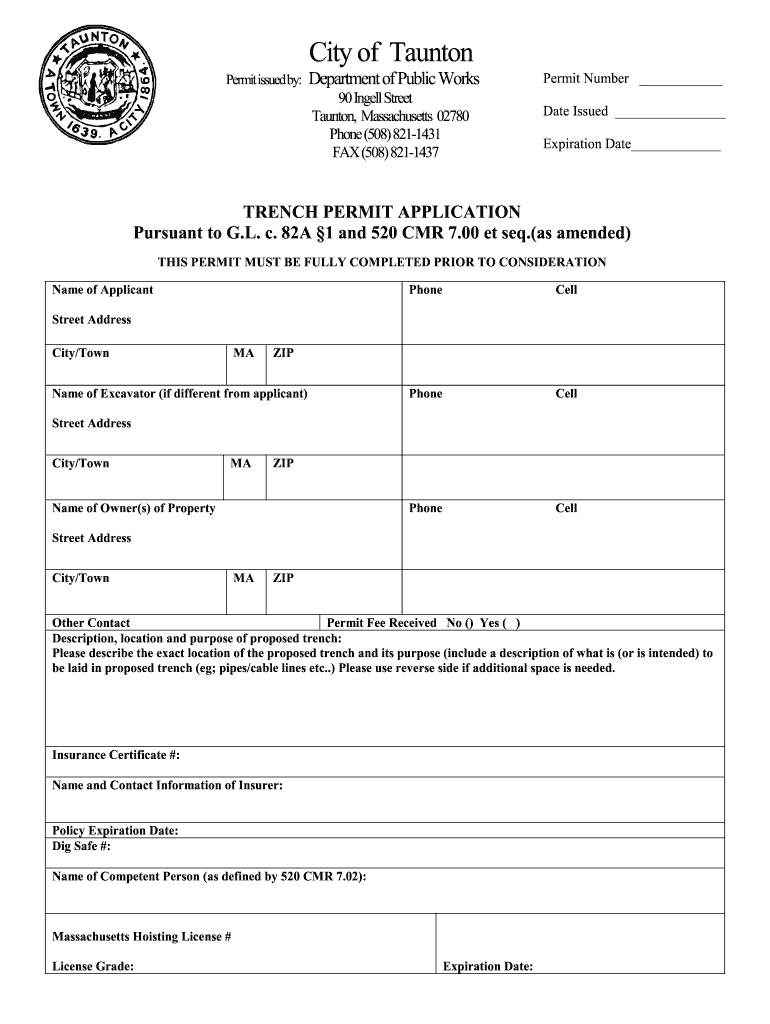
Begin by filling in the 'Permit Number', 'Date Issued', and 'Expiration Date' at the top of the form. Ensure these fields are accurate for proper tracking.
In the 'Name of Applicant' section, provide your full name along with your contact numbers. If applicable, include a secondary contact number.
Next, enter the 'Street Address', 'City/Town', and 'ZIP' code for both the applicant and excavator if different. This information is crucial for identification.
Describe the proposed trench's location and purpose in detail. Specify what will be laid in the trench (e.g., pipes or cables) to ensure clarity.
Complete sections regarding insurance details, including 'Insurance Certificate #' and insurer contact information. This is vital for compliance.
Finally, ensure all signatures are obtained from the applicant, excavator, and property owner before submission. This confirms acknowledgment of regulations.
Start using our platform today to fill out your ma trench permit easily and efficiently!
Ma trench permit requirementsMa trench permit onlineMa trench permit applicationMa trench permit costTrench permit BostonAshfield ma trench permitMassachusetts trench safety lawDo you need a permit for French drain
Security and compliance
At DocHub, your data security is our priority. We follow HIPAA, SOC2, GDPR, and other standards, so you can work on your documents with confidence.
All excavators must obtain a permit prior to the creation of a trench made for a construction-related purpose on public or private land or rights-of-way.Read more
520 CMR, 14.03 - Permitting Requirements | State Regulations
No person shall, except in an emergency, make a trench excavation, in any public way, public property, or privately owned land until a permit is obtained.Read more
by RT Wilkin The application of PRBs involves the excavation of a trench or pit in the flow path of contaminated ground water. The excavated volume is then filled withRead more
Cookie consent notice
This site uses cookies to enhance site navigation and personalize your experience.
By using this site you agree to our use of cookies as described in our Privacy Notice.
You can modify your selections by visiting our Cookie and Advertising Notice.