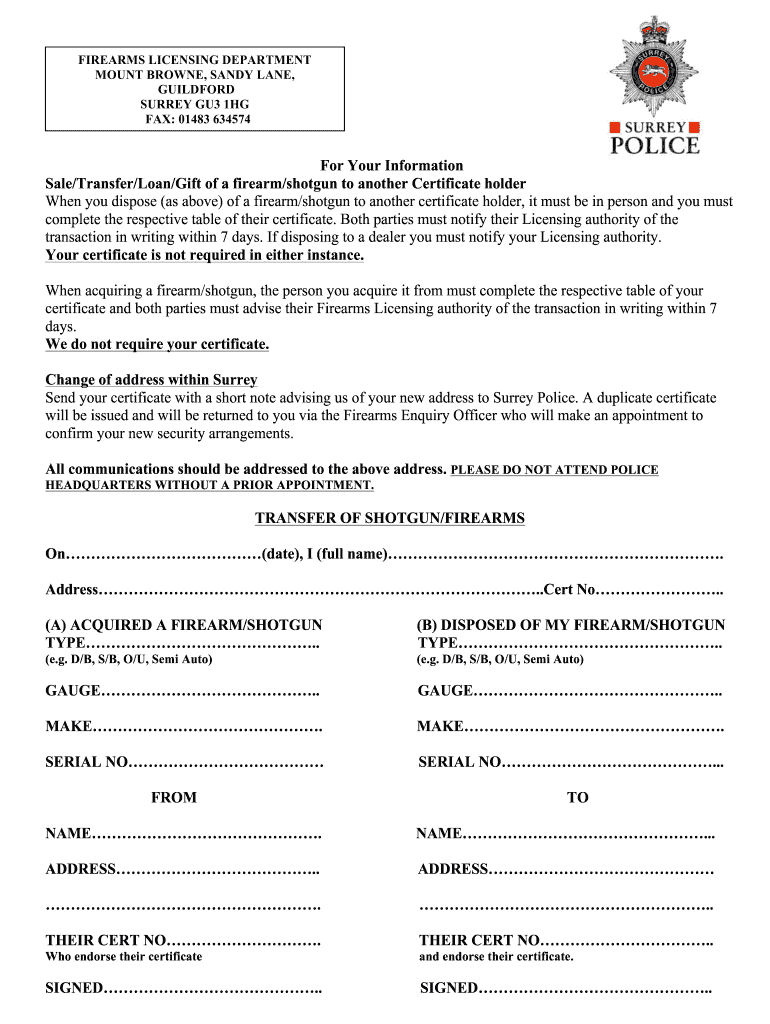




Here's how it works



How to use or fill out surrey firearms licensing with our platform

- Click ‘Get Form’ to open the Surrey Firearms Licensing document in the editor.
- Begin by filling in your full name and address at the top of the form. Ensure that all details are accurate to avoid any processing delays.
- In the section labeled 'TRANSFER OF SHOTGUN/FIREARMS', indicate whether you are acquiring or disposing of a firearm/shotgun by checking the appropriate box.
- For acquisition, provide details such as type, gauge, make, and serial number of the firearm/shotgun you are acquiring. Repeat this for disposal if applicable.
- Fill in the names and addresses of both parties involved in the transaction, along with their certificate numbers. This is crucial for compliance with licensing regulations.
- Finally, ensure both parties sign where indicated to validate the transaction before submitting your completed form.
Start using our platform today to streamline your Surrey firearms licensing process for free!
It's free
Got questions?
Can I fill out and sign my surrey firearms licensing online?
Yes, and it’s really easy! DocHub is an online PDF editor with advanced document management capabilities that allow you promptly modify your forms, complete empty fields and insert new ones for other people to fill out, and create electronic signatures in several ways. Upload your surrey firearms licensing, give information as requested, and decide how you want to eSign your document - by typing your name, drawing your signature, uploading its picture, or utilizing a QR code.
How do you get surrey firearms licensing?
You can find the latest and most relevant version of the surrey firearms licensing in our DocHub forms collection. Search it by categories or utilize the search field to find the exact template that fits your case. You can open this form for editing after you find it.
What is the background check for guns in Canada?
What disqualifies you from getting a gun license in Canada?
What are the Canadian requirements for gun ownership?
Security and compliance
At DocHub, your data security is our priority. We follow HIPAA, SOC2, GDPR, and other standards, so you can work on your documents with confidence.
Learn more