Type text, add images, blackout confidential details, add comments, highlights and more.
02. Sign it in a few clicks
Draw your signature, type it, upload its image, or use your mobile device as a signature pad.
03. Share your form with others
Send femostop removal protocol via email, link, or fax. You can also download it, export it or print it out.
How to use or fill out femostop checklist with our platform
Ease of Setup
DocHub User Ratings on G2
Ease of Use
DocHub User Ratings on G2
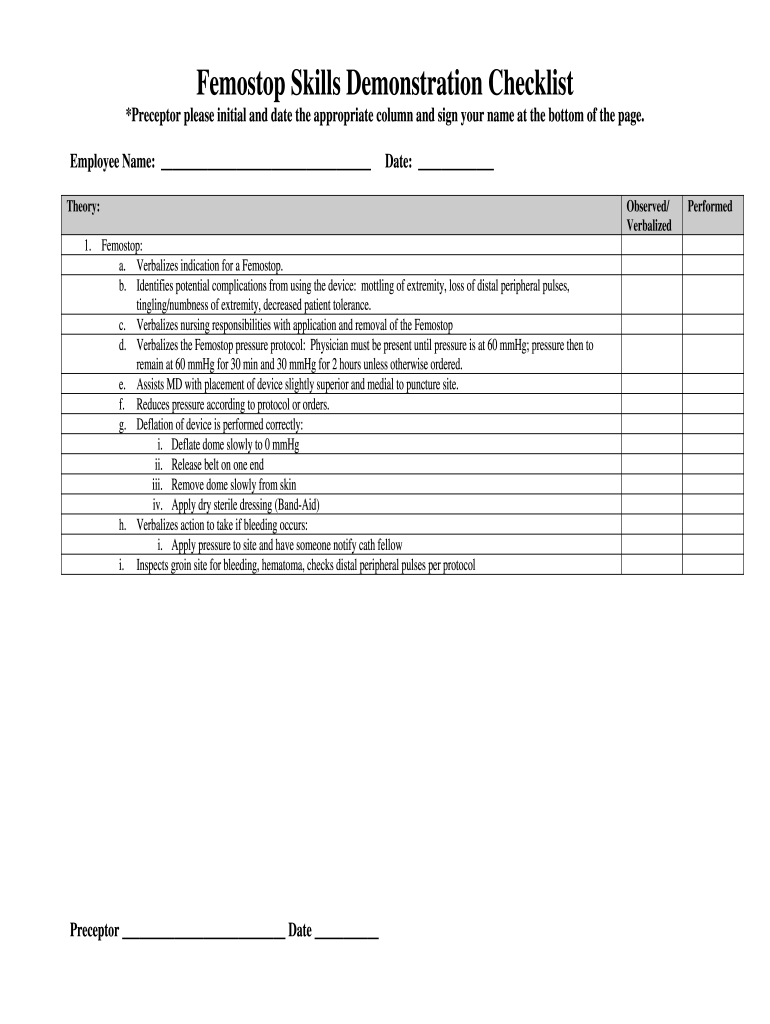
Click ‘Get Form’ to open the femostop checklist in the editor.
Begin by entering the Employee Name and Date at the top of the form. This information is essential for tracking and accountability.
In the Theory section, review each item carefully. For each component, ensure that you check off whether it has been observed or verbalized by the employee.
For items a through i, provide initials and dates in the appropriate columns as you assess each skill related to Femostop usage.
At the bottom of the page, have the preceptor sign their name and date to confirm completion of the checklist.
Start using our platform today to easily fill out your femostop checklist online for free!
Comparison of the FemoStop device and manual pressure
Oct 10, 2025 This study compares the effectiveness of the FemoStop device versus manual pressure in reducing groin puncture site complications followingRead more
Best practices for vascular arterial access and closure - PMC
by M Eltelbany 2024 Cited by 20 Best practices for vascular arterial access and closure: a contemporary guide for the cardiac catheterization laboratory Femostop (Radi Medical System) andRead more
Cookie consent notice
This site uses cookies to enhance site navigation and personalize your experience.
By using this site you agree to our use of cookies as described in our Privacy Notice.
You can modify your selections by visiting our Cookie and Advertising Notice.