




Here's how it works



How to use or fill out the Pacific Life Direct Deposit Form with Our Platform

- Click ‘Get Form’ to open the Pacific Life Direct Deposit Form in our editor.
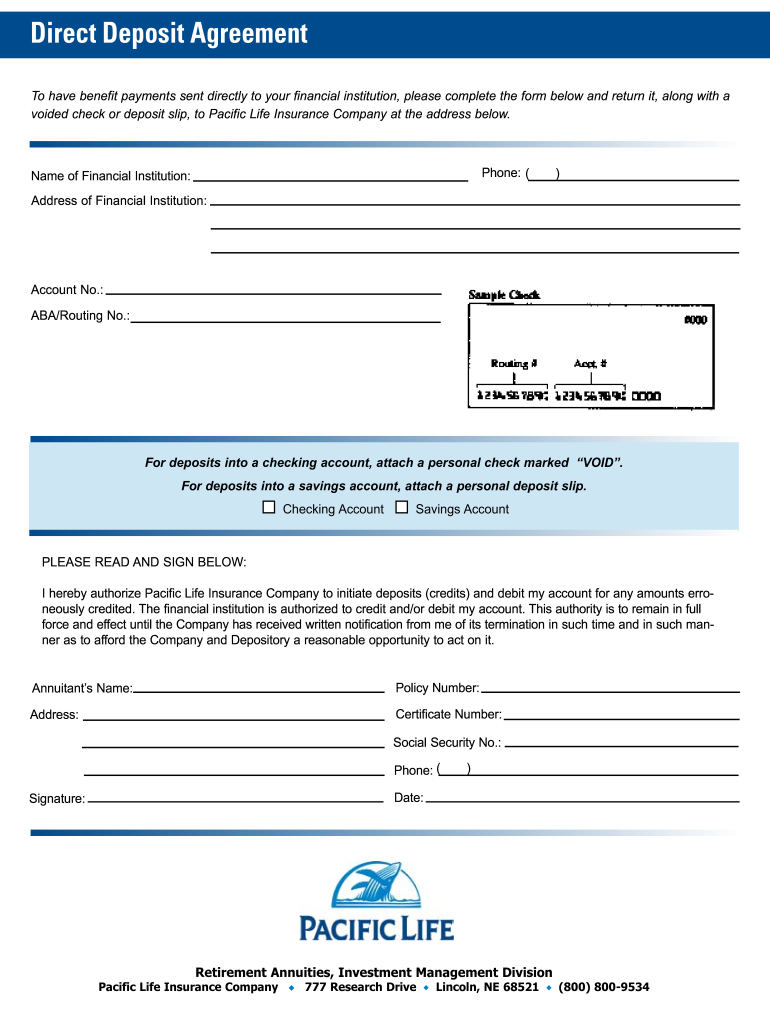
- Begin by entering the 'Name of Financial Institution' where you want your payments deposited. Ensure this is accurate to avoid any delays.
- Next, fill in the 'Address of Financial Institution' to provide complete details for processing your direct deposit.
- Input your 'Account No.' and 'ABA/Routing No.' carefully. These numbers are crucial for directing funds correctly.
- Select whether you are depositing into a 'Checking Account' or a 'Savings Account'. Attach a voided check or deposit slip as required.
- Complete the authorization section by filling in your name, policy number, address, certificate number, social security number, and phone number.
- Finally, sign and date the form to authorize Pacific Life Insurance Company to process your direct deposits.
Start using our platform today for free to streamline your document editing and signing experience!
It's free
Got questions?
How can I create an electronic signature on my pacific life forms from Google Chrome?
Managing your documentation with DocHub this way is extremely straightforward after you have downloaded its extension for Google Chrome. Go to the Chrome Web Store and install DocHub - Sign PDF from Gmail to obtain it. Give our tool access to your Google account, and then open an email containing pacific life forms as an attachment and point to the file with your cursor - the DocHub extension button will automatically show up there. Click on it to open your document in our editor. Make any essential edits, fill out the blanks, and click Sign to create your legally-binding electronic signature.
What browser do I need to edit pacific life payment online?
If you need to edit your pacific life payment on the internet quickly, it does not matter what internet browser you use. DocHub’s simple editing instruments are accessible using any internet browser. Simply open the appropriate tab in the editor, add your document, and fill it out without stress.
Security and compliance
At DocHub, your data security is our priority. We follow HIPAA, SOC2, GDPR, and other standards, so you can work on your documents with confidence.
Learn more




