Trustline registry in ca form 2026

Get Form
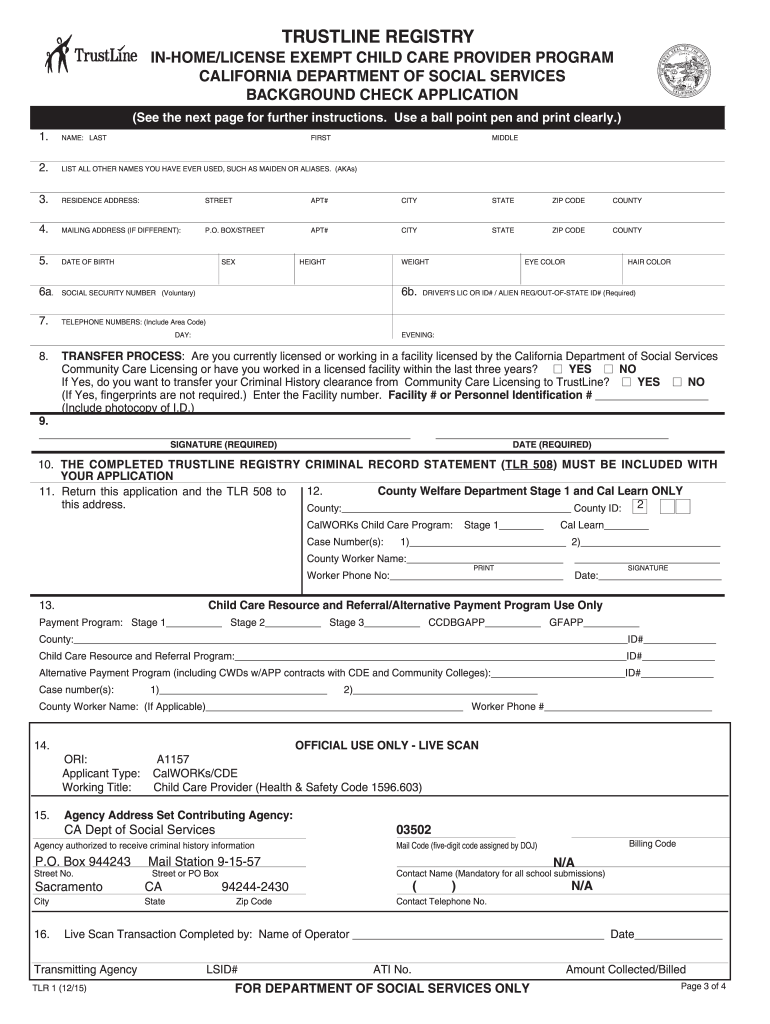
trustline certified Preview on Page 1

Here's how it works

01. Edit your trustline certified online
Type text, add images, blackout confidential details, add comments, highlights and more.
02. Sign it in a few clicks
Draw your signature, type it, upload its image, or use your mobile device as a signature pad.
03. Share your form with others
Send how to get trustline certification via email, link, or fax. You can also download it, export it or print it out.

How to use or fill out trustline registry in ca form with DocHub

Form edit decoration
9.5
Ease of Setup
DocHub User Ratings on G2
9.0
Ease of Use
DocHub User Ratings on G2
  1. Click ‘Get Form’ to open the TrustLine Registry application in our editor.
  2. Begin by entering your full legal name in the designated fields. Ensure that it matches your identification documents.
  3. List any other names you have used, such as maiden names or aliases, in the provided section.
  4. Fill out your residence address completely, including city, state, and zip code. If your mailing address differs, provide that information as well.
  5. Input your date of birth, sex, height, weight, eye color, and hair color accurately. Remember that you must be at least 18 years old to apply.
  6. Provide a daytime and evening telephone number for contact purposes.
  7. If applicable, indicate whether you are transferring from another licensed facility by checking the appropriate boxes.
  8. Sign and date the application at the bottom to validate it before submission.
  9. Ensure that you include the TrustLine Registry Criminal Record Statement (TLR 508) with your application before sending it off.

Start using our platform today to complete your TrustLine Registry application easily and for free!

be ready to get more

Complete this form in 5 minutes or less

Get form

Got questions?

We have answers to the most popular questions from our customers. If you can't find an answer to your question, please contact us.
Contact us
In order for a child care provider applicant to become registered on TrustLine Registry, they must 1) pass the fingerprint based background check, and 2) complete the TrustLine Registry application.
How long does it take to get TrustLine Certified? Once you have sent in all the required paperwork and completed your fingerprinting, it can take up to 2 weeks to process your application if you live in the state of California and up to 6 weeks if you live out of state.
Nanny, Driver, Visitation Monitor, Etc. TrustLine Application process $43.00 $64.00 (Fingerprint imaging fee varies by site.)
TrustLine was created by the California Legislature to offer parents, employment agencies, child care resource and referral programs, and child care providers access to a background check conducted by the California Department of Social Services (CDSS).

Security and compliance

At DocHub, your data security is our priority. We follow HIPAA, SOC2, GDPR, and other standards, so you can work on your documents with confidence.

Learn more
ccpa2
pci-dss
gdpr-compliance
hipaa
soc-compliance
be ready to get more

Complete this form in 5 minutes or less

Get form