Sample of examination supervision report 2026

Get Form
sample of examination supervision report Preview on Page 1

Here's how it works

01. Edit your sample of examination supervision report online
Type text, add images, blackout confidential details, add comments, highlights and more.
02. Sign it in a few clicks
Draw your signature, type it, upload its image, or use your mobile device as a signature pad.
03. Share your form with others
Send supervisor report template via email, link, or fax. You can also download it, export it or print it out.

How to use or fill out sample of examination supervision report with our platform

Form edit decoration
9.5
Ease of Setup
DocHub User Ratings on G2
9.0
Ease of Use
DocHub User Ratings on G2
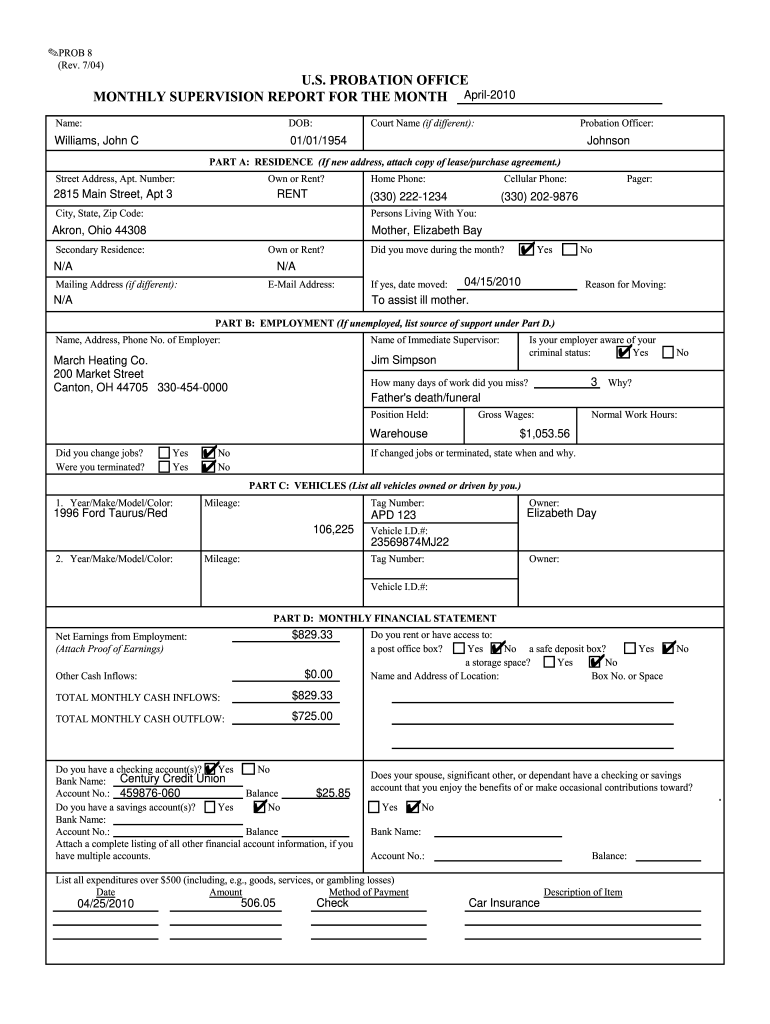
  1. Click ‘Get Form’ to open the sample of examination supervision report in the editor.
  2. Begin by entering your name and date of birth in the designated fields at the top of the form. Ensure accuracy as this information is crucial for identification.
  3. In Part A, provide your current residence details. If you have a new address, attach a copy of your lease or purchase agreement. Indicate whether you own or rent your home.
  4. Complete Part B by detailing your employment status. Include your employer's name, address, and phone number, along with any missed workdays and reasons for absence.
  5. In Part C, list all vehicles you own or drive. Fill in the year, make, model, color, mileage, tag number, and owner information for each vehicle.
  6. Part D requires you to summarize your monthly financial statement. Input net earnings from employment and other cash inflows while attaching proof of earnings.
  7. Finally, complete Part E by answering questions regarding compliance with supervision conditions. Be honest and thorough to avoid any repercussions.

Start using our platform today to easily fill out your examination supervision report for free!

be ready to get more

Complete this form in 5 minutes or less

Get form

Got questions?

We have answers to the most popular questions from our customers. If you can't find an answer to your question, please contact us.
Contact us

Yes, a typed name is accepted as a legitimate electronic signature when you create it on your document utilizing a compliant solution like DocHub. Simply add your supervision report example to our editor, click Sign in the top tool pane → Create your signature → Type your name in the proper tab, and choose how it will appear on your document.

You can find the latest and most relevant version of the examination report example in our DocHub forms collection. Search it by categories or use the search field to get the exact template that fits your case. You may open this form for editing after you find it.

Security and compliance

At DocHub, your data security is our priority. We follow HIPAA, SOC2, GDPR, and other standards, so you can work on your documents with confidence.

Learn more
ccpa2
pci-dss
gdpr-compliance
hipaa
soc-compliance