




01. Edit your ust monthly compliance inspection checklist online
Type text, add images, blackout confidential details, add comments, highlights and more.

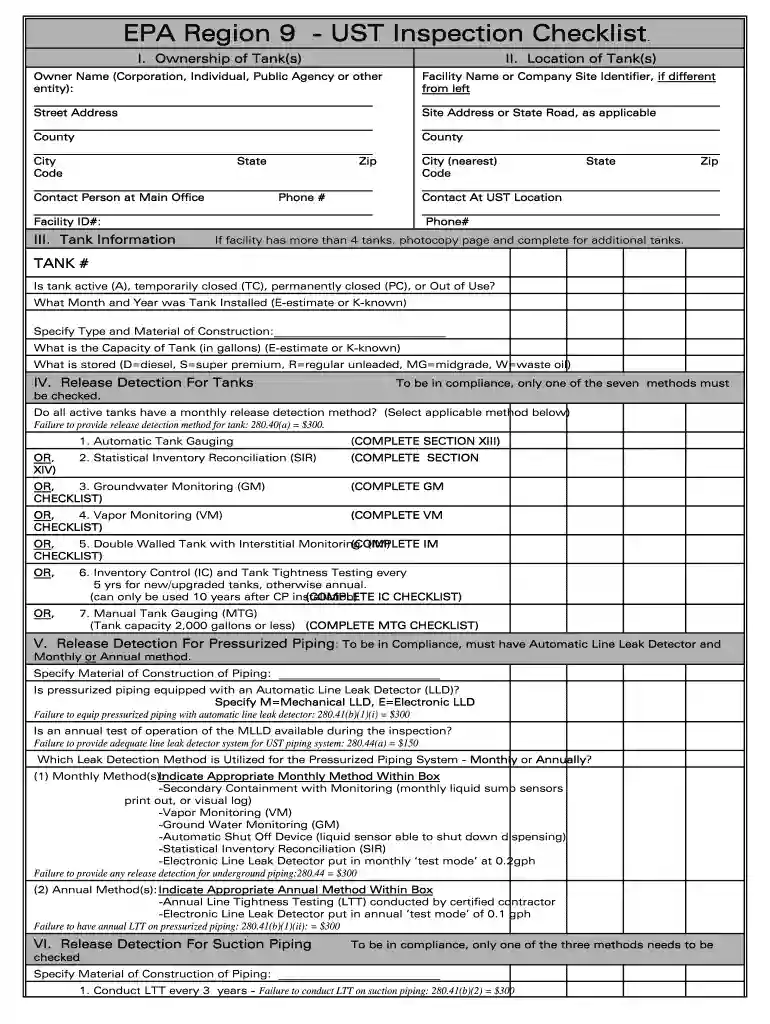
Type text, add images, blackout confidential details, add comments, highlights and more.

Draw your signature, type it, upload its image, or use your mobile device as a signature pad.

Send epa inspection checklist via email, link, or fax. You can also download it, export it or print it out.

Start filling out your UST Monthly Compliance Inspection Checklist today for free with our user-friendly editor!
Electronic document signing demands a software solution that complies with data protection and eSignature laws. DocHub is a great tool for that, since it fulfills all the above mentioned requirements. Whatever method you prefer to sign your ust checklist in DocHub, your eSignature will be legally binding and court-admissible.
You can easily edit fill out your water leak inspection checklist on any iOS gadget. Open an internet browser of your choice, visit the DocHub website, authorize or create a new account, upload your file for editing, and make your desired changes. Our service is mobile-friendly, so using its features on your smartphone will be a no-brainer, even on the first try.
At DocHub, your data security is our priority. We follow HIPAA, SOC2, GDPR, and other standards, so you can work on your documents with confidence.
Is the automatic tank gauge system functioning properly and indicating an accurate fuel level for the product in the tank? 2. Is the tanks high level alarmRead more
Jun 2, 2015 This document presents current technical recommendations of the U.S. Environmental. Protection Agency (EPA) based on our currentRead more


