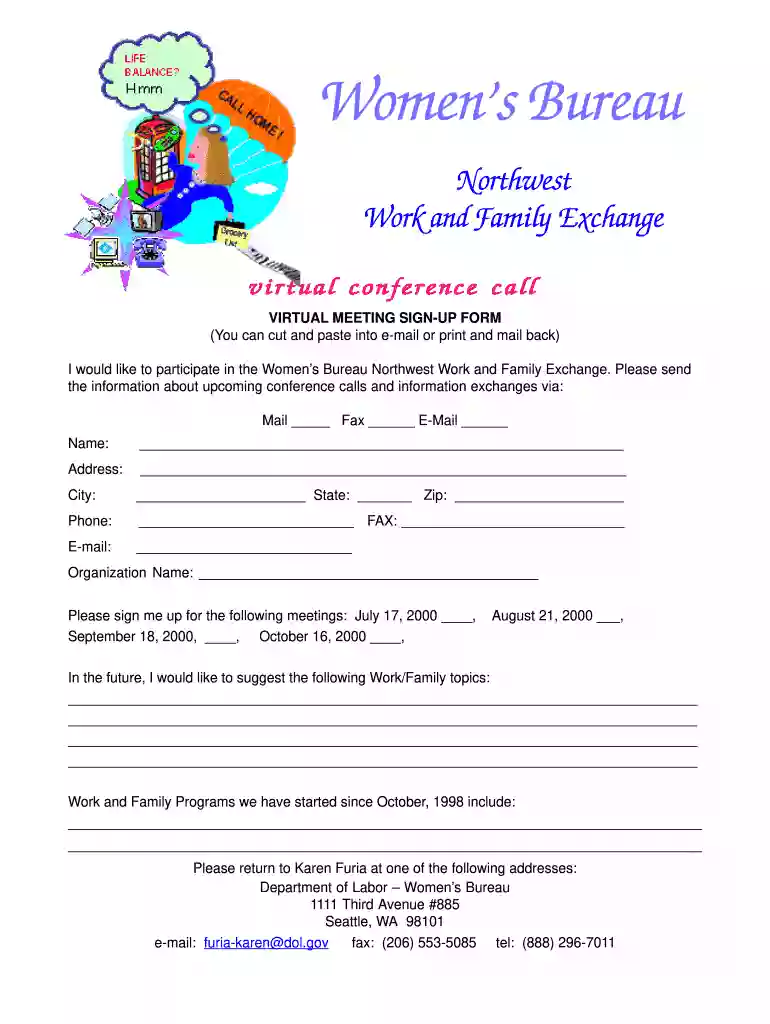
dochub sign up Preview on Page 1

Sign-up. sign-up - dol 2026

Here's how it works

  • 01. Edit your dochub sign up online

    Type text, add images, blackout confidential details, add comments, highlights and more.

  • 02. Sign it in a few clicks

    Draw your signature, type it, upload its image, or use your mobile device as a signature pad.

  • 03. Share your form with others

    Send license express login via email, link, or fax. You can also download it, export it or print it out.

How to use or fill out Sign-up. sign-up - dol with our platform

Form edit decoration
9.5
Ease of Setup
DocHub User Ratings on G2
9.0
Ease of Use
DocHub User Ratings on G2
  1. Click ‘Get Form’ to open it in the editor.
  2. Begin by entering your name in the designated field. This is essential for identifying your registration.
  3. Fill in your address, including city, state, and zip code. Accurate information ensures you receive all relevant materials.
  4. Provide your phone number and fax number if applicable. This allows for direct communication regarding the conference calls.
  5. Enter your email address to receive updates and information about upcoming meetings.
  6. Indicate your organization name to help us understand who you represent during these exchanges.
  7. Select the meetings you wish to attend by marking the appropriate boxes next to each date listed.
  8. If you have topics you'd like to suggest for future discussions, please write them in the provided space.
  9. Lastly, review all entered information for accuracy before submitting the form via email or fax as indicated at the bottom of the document.

Start filling out your Sign-up form today on our platform for free!

be ready to get more

Complete this form in 5 minutes or less

Got questions?

We have answers to the most popular questions from our customers. If you can't find an answer to your question, please contact us.

New employers with private, agriculture, and domestic employment can submit an Online Employer Tax Registration () and obtain a GDOL account number, if liable, upon submission.
You can also docHub us by telephone at 1-866 4 US WAGE (1-866-487-9243), Monday to Friday 8:00 a.m. to 4:30 p.m. local time. Hours vary by region. If you are deaf, hard of hearing, or have a speech disability, please dial 7-1-1 to access telecommunications relay services. An (*) indicates a required field.
Go to and click on the Create Account button.

Security and compliance

At DocHub, your data security is our priority. We follow HIPAA, SOC2, GDPR, and other standards, so you can work on your documents with confidence.

Related links

Register and Login | EFILE.DOL.GOV

Register and Login Support Home eFile and eServe works optimally with Google Chrome, Mozilla, Safari, Edge Internet Explorer is not supported.Read more

Learn more
Registering New Registered Apprenticeship Standard - AACC

Utilize the Registered Apprenticeship Partners Information Data System (RAPIDS) system for registration, oversight, and tracking of apprentice progress andRead more

Learn more
Degrees of Lewdity Mods

This website contains sexually explicit, pornographic material intended for adults only. By clicking I am 18 or older, you confirm that:.Read more

Learn more
If you believe that this page should be taken down, please follow our DMCA take down process here