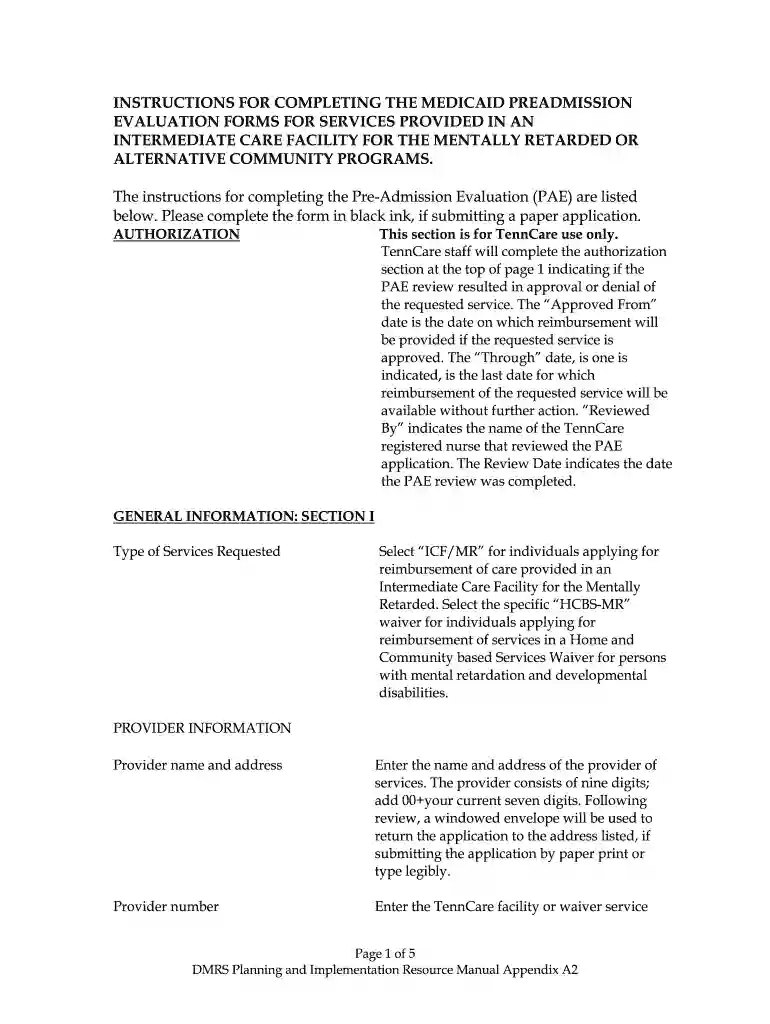
Pre admission evaluation tennessee 2026

Get Form
pre admission evaluation tennessee Preview on Page 1

Here's how it works

01. Edit your pre admission evaluation tennessee online
Type text, add images, blackout confidential details, add comments, highlights and more.

02. Sign it in a few clicks
Draw your signature, type it, upload its image, or use your mobile device as a signature pad.

03. Share your form with others
Send tn pae scoring via email, link, or fax. You can also download it, export it or print it out.

How to use or fill out pre admission evaluation tennessee with our platform

Form edit decoration
9.5
Ease of Setup
DocHub User Ratings on G2
9.0
Ease of Use
DocHub User Ratings on G2
  1. Click ‘Get Form’ to open the pre admission evaluation tennessee in the editor.
  2. Begin with the AUTHORIZATION section, which is for TennCare use only. This will be completed by TennCare staff after your submission.
  3. In SECTION I, GENERAL INFORMATION, select the type of services requested: either 'ICF/MR' or 'HCBS-MR'. Ensure you provide accurate details about the provider's name, address, and phone number.
  4. Proceed to indicate the REASON FOR PREADMISSION EVALUATION by checking the appropriate box.
  5. Fill out RECIPIENT INFORMATION with the applicant’s personal details including name, address, sex, date of birth, age, telephone number, Medicaid ID number, and social security number.
  6. In SECTION II, PSYCHOLOGICAL EVALUATION, check the level of mental retardation and enter IQ test scores as required. Attach a psychological examination report if necessary.
  7. Complete SECTION III by assessing capabilities and needs. Provide detailed responses for each assessment perimeter and include any necessary documentation for behavior intervention.
  8. Finally, in SECTION IV, MEDICAL EVALUATION, list applicable diagnoses and current medications. Ensure that all signatures are provided where required before submitting your form.

Start using our platform today to easily complete your pre admission evaluation tennessee form online for free!

be ready to get more

Complete this form in 5 minutes or less

Get form

Got questions?

We have answers to the most popular questions from our customers. If you can't find an answer to your question, please contact us.
Contact us
Preadmission Screening and Resident Review (PASRR) is a federal requirement to help ensure that individuals are not inappropriately placed in nursing homes for long term care.
Pre-Admission Screening is a formal assessment process conducted before a patient enters a healthcare facility or program to determine the appropriate level of care needed.
CHOICES Group 1 is for people of all ages who receive nursing home care. CHOICES Group 2 is for adults (age 21 and older) with a physical disability and seniors (age 65 and older) who qualify to receive nursing home care but choose to receive home care services instead.
Income Asset Limits for Eligibility 2025 Tennessee Medicaid / TennCare Long-Term Care Eligibility for Seniors Type of MedicaidSingle Income Limit Asset Limit Institutional / Nursing Home Medicaid $2,901 / month* $2,000 Medicaid Waivers / Home and Community Based Services $2,901 / month $2,0001 more row Jun 5, 2025

Security and compliance

At DocHub, your data security is our priority. We follow HIPAA, SOC2, GDPR, and other standards, so you can work on your documents with confidence.

Learn more
ccpa2
pci-dss
gdpr-compliance
hipaa
soc-compliance
be ready to get more

Complete this form in 5 minutes or less

Get form