




Here's how it works

01. Edit your bupa claim form 2024 online
Type text, add images, blackout confidential details, add comments, highlights and more.

02. Sign it in a few clicks
Draw your signature, type it, upload its image, or use your mobile device as a signature pad.

03. Share your form with others
Send bupa claim form via email, link, or fax. You can also download it, export it or print it out.
How to use or fill out bupa clinical claim form with DocHub

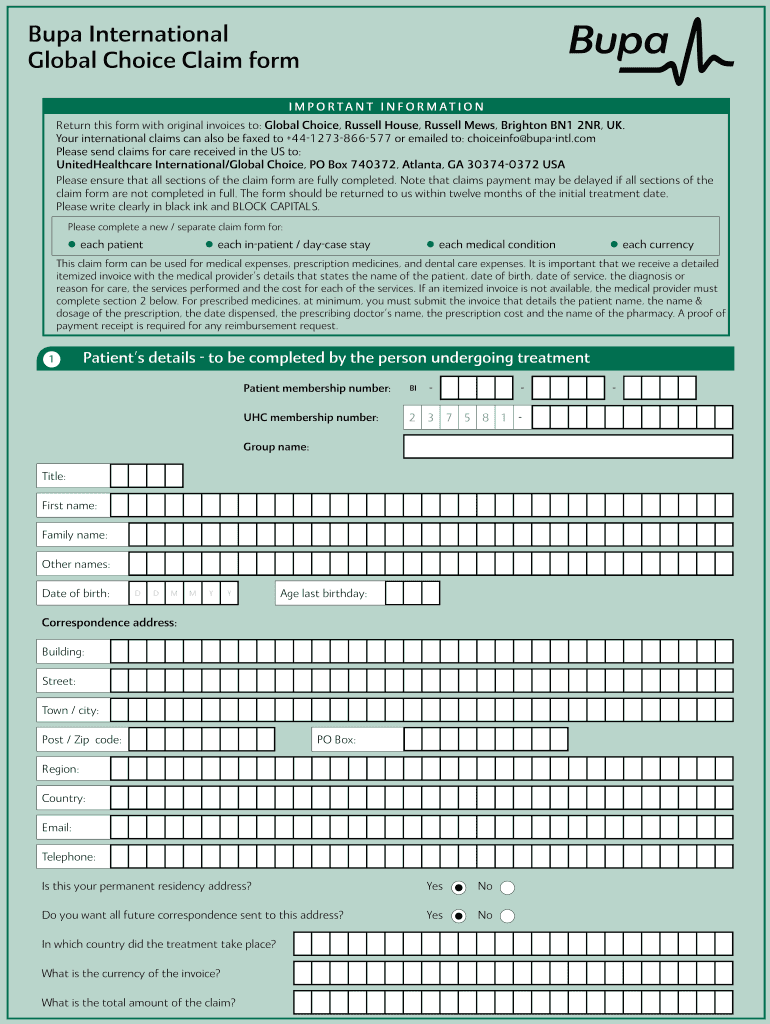
- Click ‘Get Form’ to open the bupa clinical claim form in our editor.
- Begin by filling out the Patient’s details section. Ensure you provide accurate information such as the patient membership number, name, date of birth, and correspondence address. Use BLOCK CAPITALS for clarity.
- Next, complete the Medical details section. This part must be filled out by the medical practitioner overseeing the treatment. Include diagnosis, treatment dates, and any relevant medical history.
- Proceed to Payment details. Choose whether you want payment via cheque or electronic funds transfer. Fill in all required banking information if opting for a transfer.
- In the consent section, read carefully and sign to authorize Bupa to obtain necessary medical reports. Make sure to indicate if you wish to see these reports before they are sent.
- Finally, review all sections for completeness and accuracy before submitting your claim along with original invoices.
Start using our platform today to fill out your bupa clinical claim form easily and for free!
Fill out bupa clinical claim form online
It's free
It's free
Security and compliance
At DocHub, your data security is our priority. We follow HIPAA, SOC2, GDPR, and other standards, so you can work on your documents with confidence.
Learn more




