Type text, add images, blackout confidential details, add comments, highlights and more.
02. Sign it in a few clicks
Draw your signature, type it, upload its image, or use your mobile device as a signature pad.
03. Share your form with others
Send it via email, link, or fax. You can also download it, export it or print it out.
How to use or fill out 3400 188 Wisconsin DNR No Exposure with our platform
Ease of Setup
DocHub User Ratings on G2
Ease of Use
DocHub User Ratings on G2
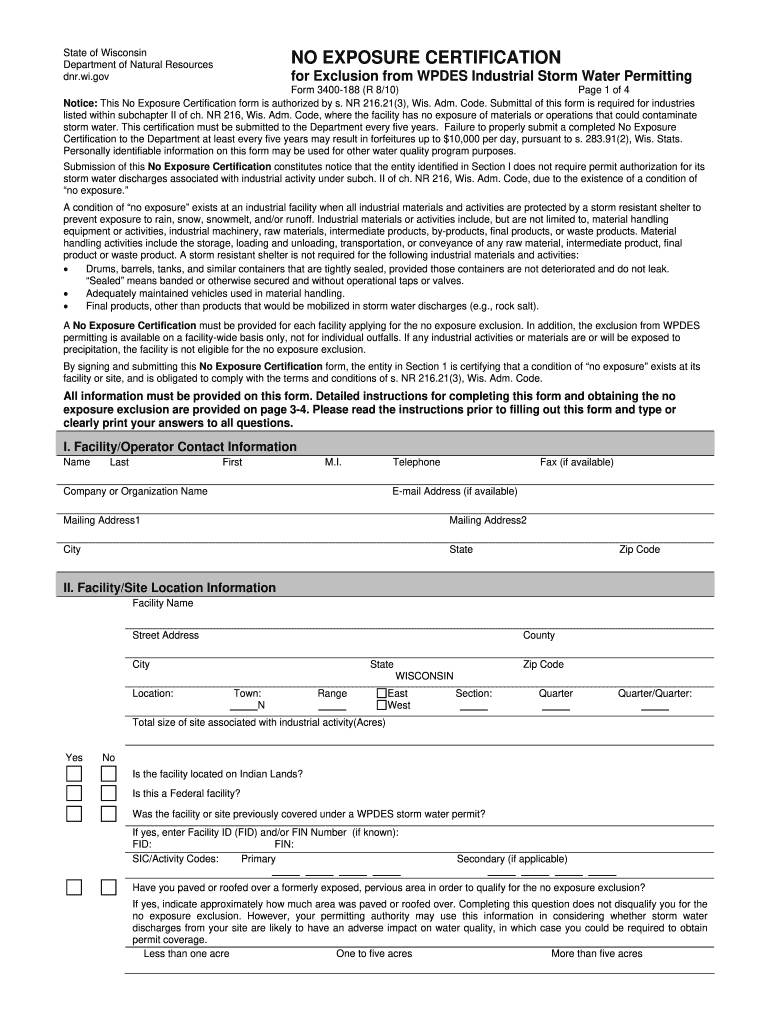
Click ‘Get Form’ to open the 3400 188 Wisconsin DNR No Exposure Certification in the editor.
Begin by filling out Section I, which requires your Facility/Operator Contact Information. Ensure you provide the legal name, telephone number, and mailing address clearly.
Proceed to Section II for Facility/Site Location Information. Enter the facility name, street address, and geographical details accurately to avoid any discrepancies.
In Section III, complete the Exposure Checklist by checking 'Yes' or 'No' for each item regarding materials or activities exposed to precipitation. This is crucial for determining eligibility for no exposure exclusion.
Finally, sign and date Section IV. Ensure that an authorized representative completes this section as per the requirements outlined in the instructions.
Start using our platform today to streamline your form completion process for free!
Fill out 3400 188 wisconsin dnr no exposure online It's free
Sep 2, 2020 Wisconsin Department of Natural. Resources (DNR) and begin implementing any updates no later than March 31, 2021. UW-Madison met thatRead more
Industrial storm water permit overview | | Wisconsin DNR
To request the no exposure exclusion, an appropriate representative of the facility must file the DNR No Exposure Certification Form #3400-188 found on theRead more
ECOS is the national, non- profit, nonpartisan association representing the state and territorial environmental commissioners. Its mission is to serve as aRead more
Cookie consent notice
This site uses cookies to enhance site navigation and personalize your experience.
By using this site you agree to our use of cookies as described in our Privacy Notice.
You can modify your selections by visiting our Cookie and Advertising Notice.