Type text, add images, blackout confidential details, add comments, highlights and more.

02. Sign it in a few clicks
Draw your signature, type it, upload its image, or use your mobile device as a signature pad.

03. Share your form with others
Send it via email, link, or fax. You can also download it, export it or print it out.

How to use or fill out lsq funding form online with our platform
Ease of Setup
DocHub User Ratings on G2
Ease of Use
DocHub User Ratings on G2
Click ‘Get Form’ to open the lsq funding form in the editor.
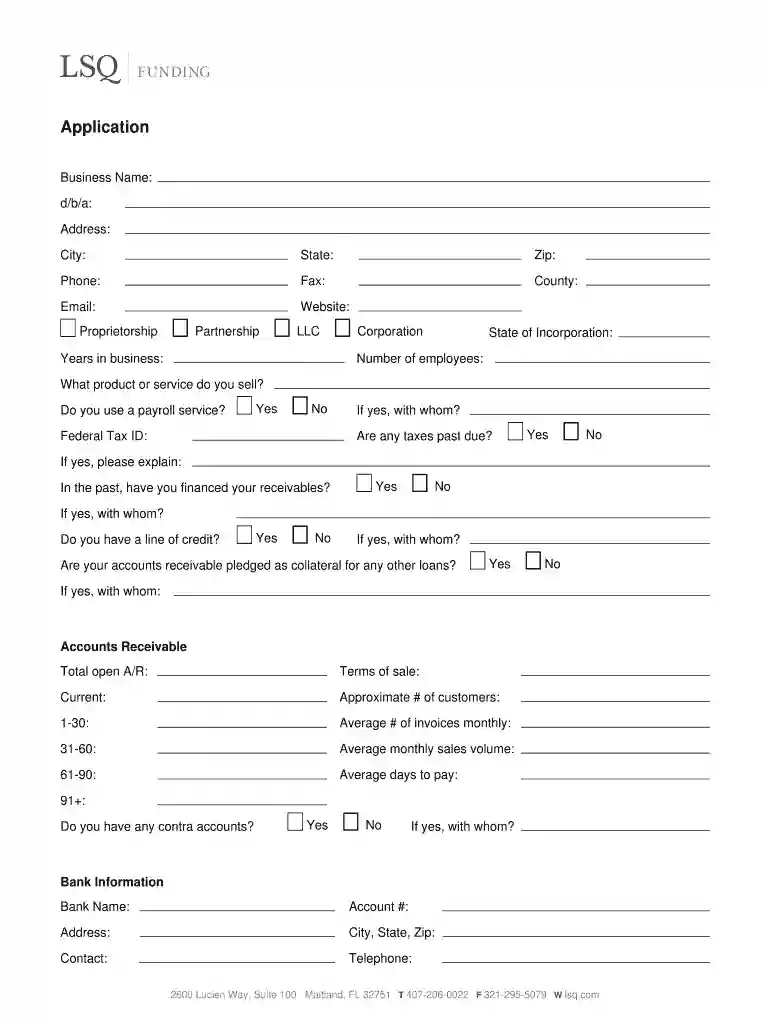
Begin by entering your Business Name and d/b/a (doing business as) if applicable. Fill in your Address, City, State, Zip, Phone, Fax, County, Email, and Website.
Indicate your business structure by selecting Proprietorship, Partnership, LLC, Corporation, or other options. Provide the Years in business and State of Incorporation.
Complete the section on employees by entering the Number of employees and detailing the product or service you sell. Indicate whether you use a payroll service and provide your Federal Tax ID.
Answer questions regarding past due taxes and financing receivables. If applicable, provide details about any lines of credit or accounts receivable pledged as collateral.
Fill out the Accounts Receivable section with Total open A/R, Terms of sale, Current customers count, Average monthly sales volume, and Average days to pay.
Provide Bank Information including Bank Name, Account #, Address, Contact details. Ensure all owners/officers' information is filled accurately.
Attach required additional information such as customer lists and financial statements before submitting your application.
Start filling out your lsq funding form online for free today using our platform!
Cookie consent notice
This site uses cookies to enhance site navigation and personalize your experience.
By using this site you agree to our use of cookies as described in our Privacy Notice.
You can modify your selections by visiting our Cookie and Advertising Notice.