Type text, add images, blackout confidential details, add comments, highlights and more.
02. Sign it in a few clicks
Draw your signature, type it, upload its image, or use your mobile device as a signature pad.
03. Share your form with others
Send mb ca via email, link, or fax. You can also download it, export it or print it out.
How to use or fill out CPCA National Membership Application - Canadian Professional Counsellors Association
Ease of Setup
DocHub User Ratings on G2
Ease of Use
DocHub User Ratings on G2
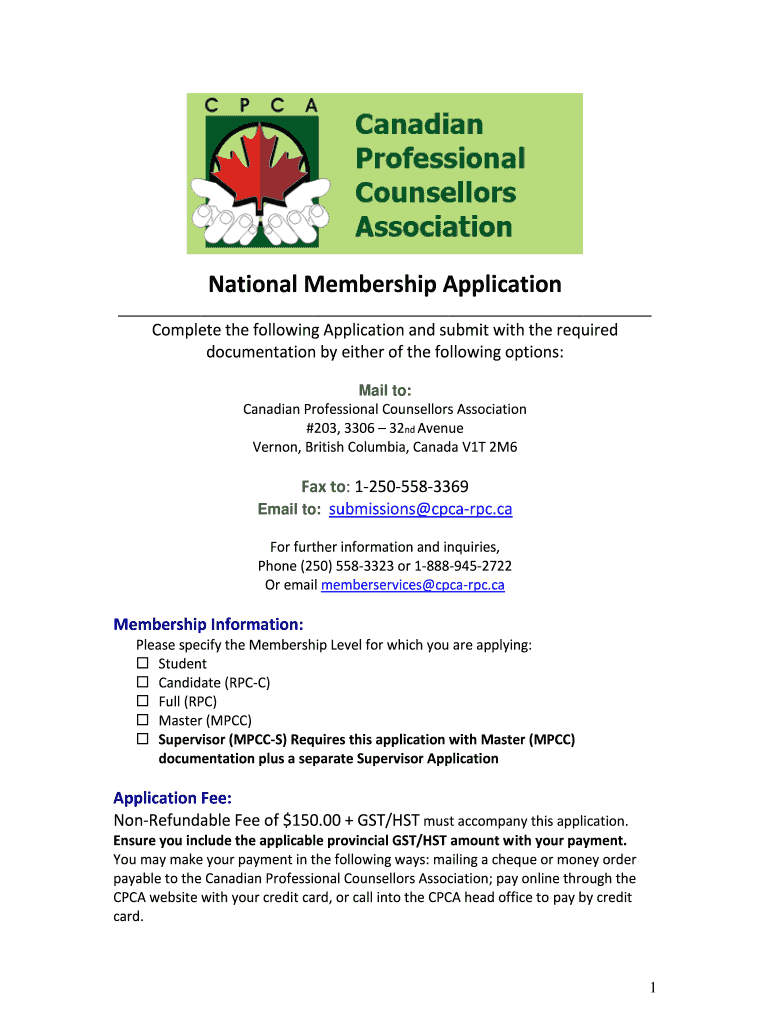
Click ‘Get Form’ to open the CPCA National Membership Application in our editor.
Begin by selecting your desired Membership Level from the options provided: Student, Candidate (RPC-C), Full (RPC), Master (MPCC), or Supervisor (MPCC-S).
Fill in your Personal Data, including First Name, Last Name, Mailing Address, and Contact Information. Ensure all details are clear and accurate.
In the Professional Data section, provide information about your organization or private practice, including work address and professional email.
Complete the Relevant Education, Training & Certification section by listing your current program and any degrees or certificates obtained.
Review the application checklist at the end of the form to ensure you have included all necessary documentation before submission.
Start filling out your application today for free using our platform!
Fill out CPCA National Membership Application - Canadian Professional ... online It's free
Cpca national membership application canadian professional pdfCPCA CanadaCPCA MembershipRegistered professional Counsellor vs Registered Clinical CounsellorCPCA counsellingMPCC counsellingCPCA Code of EthicsCPCA insurance
Security and compliance
At DocHub, your data security is our priority. We follow HIPAA, SOC2, GDPR, and other standards, so you can work on your documents with confidence.
by B Dalton This paper documents the advent of compacts in a number of countries -- with particular emphasis on England and Canada -- as well as in supranational entities,Read more
Canadian Cardiovascular Society affiliates - PMC - NIH
by C de Montral 2009 Any physician with an interest in pediatric heart disease is eligible for membership in the CPCA if he or she is a member of the CCS. The mission of the CPCA isRead more
Cookie consent notice
This site uses cookies to enhance site navigation and personalize your experience.
By using this site you agree to our use of cookies as described in our Privacy Notice.
You can modify your selections by visiting our Cookie and Advertising Notice.