




Here's how it works



How to use or fill out 13 State Street LLC with our platform

- Click ‘Get Form’ to open the 13 State Street LLC document in the editor.
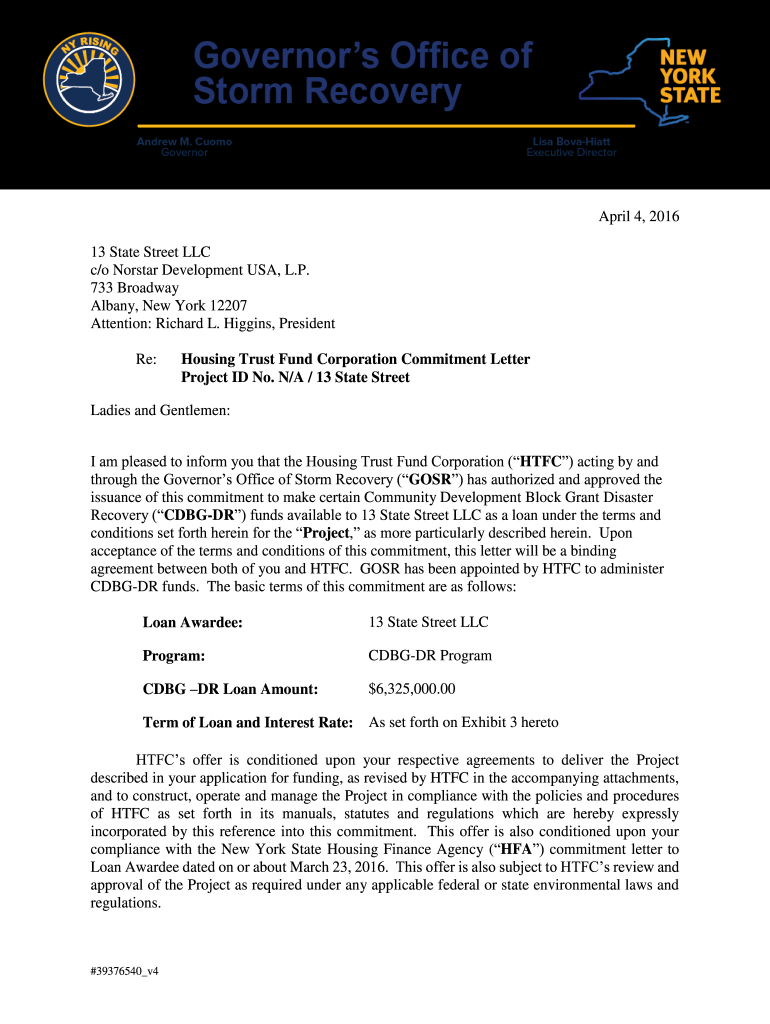
- Begin by reviewing the header section, which includes essential information such as the project name and address. Ensure that all details are accurate.
- Fill in the Loan Awardee section with '13 State Street LLC' and confirm the Project ID number is correctly noted as N/A.
- Proceed to Exhibit sections, starting with Exhibit 1. Provide detailed descriptions of the project and owner, ensuring compliance with all specified requirements.
- Continue through each exhibit, filling out necessary fields regarding income groups served, project financing, and operating economics. Pay close attention to any conditions outlined in each section.
- Once all sections are completed, review your entries for accuracy. Use our platform's tools to highlight any areas that may need further attention or clarification.
- Finally, save your changes and utilize the signing feature to execute the document electronically before submitting it as required.
Start using our platform today for free to streamline your document editing and signing process!
It's free
Got questions?
How do I sign my 13 State Street LLC on iOS?
With DocHub, you can quickly sign your 13 State Street LLC or any other document on iOS, even without installing extra programs. You can access your DocHub account from any web-connected browser and fill out and sign your form in any preferred method with just a couple of clicks.
How do you edit 13 State Street LLC online?
With DocHub, there are several convenient ways to edit your 13 State Street LLC online. You can drag and drop the form and edit it directly at the DocHub website or use our browser extension to fill out your form right away. Additionally, you can edit your PDF on your phone, as DocHub works with all the accessible mobile platforms.
Security and compliance
At DocHub, your data security is our priority. We follow HIPAA, SOC2, GDPR, and other standards, so you can work on your documents with confidence.
Learn more




