Type text, add images, blackout confidential details, add comments, highlights and more.
02. Sign it in a few clicks
Draw your signature, type it, upload its image, or use your mobile device as a signature pad.
03. Share your form with others
Send it via email, link, or fax. You can also download it, export it or print it out.
How to use or fill out STATE & NO with our platform
Ease of Setup
DocHub User Ratings on G2
Ease of Use
DocHub User Ratings on G2
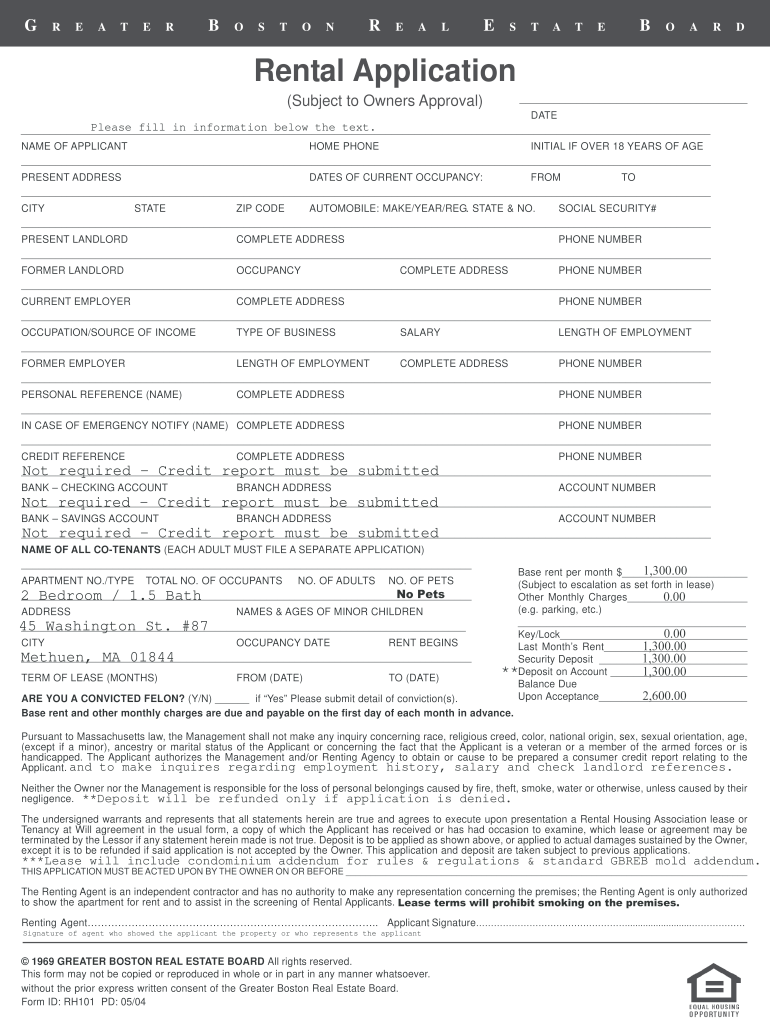
Click ‘Get Form’ to open the Rental Application in the editor.
Begin by entering the 'STATE' and 'NO' in the designated field for your automobile details. This section requires you to specify the make, year, and registration state of your vehicle.
Proceed to fill out your personal information, including your name, home phone number, and current address. Ensure all details are accurate for a smooth application process.
Continue through the form by providing information about your current and former landlords, employment history, and references. Each section is clearly labeled for easy navigation.
Finally, review all entries for accuracy before submitting. Use our platform's features to save or print your completed application as needed.
Start filling out your Rental Application today for free using our editor!
FL DMV license plate checkFlorida Department of State business searchState of Florida phone numberState of Florida loginFlorida vehicle registrationFlorida DMV online registrationState of Florida websiteFlorida license plate options
Security and compliance
At DocHub, your data security is our priority. We follow HIPAA, SOC2, GDPR, and other standards, so you can work on your documents with confidence.
The names of the 50 US states should be spelled out in general text, whether standing alone or in conjunction with a city, town, village or military base.Read more
How do I change my address online? How do I renew my motor vehicle registration online? How can I renew my commercial driver license? Ask the DMVRead more
Cookie consent notice
This site uses cookies to enhance site navigation and personalize your experience.
By using this site you agree to our use of cookies as described in our Privacy Notice.
You can modify your selections by visiting our Cookie and Advertising Notice.