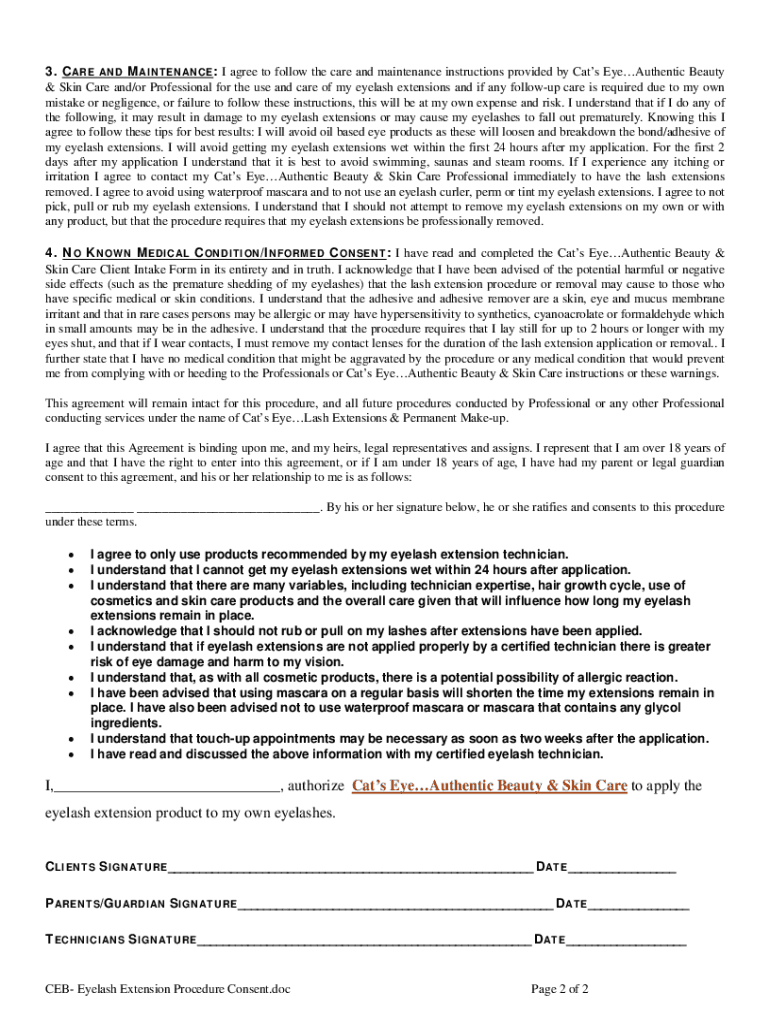
Ceb beauty eyelash get 2026

Get Form
free lash consent form Preview on Page 1

Here's how it works

01. Edit your free lash consent form online
Type text, add images, blackout confidential details, add comments, highlights and more.
02. Sign it in a few clicks
Draw your signature, type it, upload its image, or use your mobile device as a signature pad.
03. Share your form with others
Send ceb beauty eyelash via email, link, or fax. You can also download it, export it or print it out.

How to use or fill out ceb beauty eyelash get with our platform

Form edit decoration
9.5
Ease of Setup
DocHub User Ratings on G2
9.0
Ease of Use
DocHub User Ratings on G2
  1. Click ‘Get Form’ to open it in the editor.
  2. Begin by entering your personal information in the Client Information section. Fill in your name, appointment date and time, address, city, state, zip code, phone number, and email.
  3. Indicate whether this is your first time getting lash extensions by selecting 'Yes' or 'No'. If you select 'No', provide details about where you had them applied and the brand used.
  4. Answer questions regarding previous lash types worn within the last 60 days and any eye conditions. This helps ensure a safe application process.
  5. Review the Waiver of Liability section carefully. Acknowledge understanding of risks associated with lash extensions by signing at the bottom.
  6. Complete the Permission to Use Pictures section if you consent to having your images used for promotional purposes.
  7. Follow through with Care and Maintenance instructions provided in the form to ensure longevity of your eyelash extensions.
  8. Finally, sign and date the form along with a parent or guardian if under 18 years old.

Start using our platform today for free to streamline your eyelash extension experience!

be ready to get more

Complete this form in 5 minutes or less

Get form

Got questions?

We have answers to the most popular questions from our customers. If you can't find an answer to your question, please contact us.
Contact us

Of course, it is possible with DocHub. This trustworthy and compliant online solution has a phone-based signing option. Once you log in to your DocHub account and add your eyelash consultation form pdf free to our editor, fill out all blank fields and utilize the Sign feature on the top barf. Click on Create your signature and select Phone from the available choices. Here, you scan a QR code with your smartphone and draw your signature on your phone screen, as you usually do when approving hard copies. If you access DocHub right from your mobile device, you can electronically sign your paperwork by drawing your electronic signature, adding its photo, or simply with a typed name.

It is a no-brainer on a computer or via a mobile phone to fill out a ceb eyelash download with DocHub. All you need to do is open any installed web browser on your smartphone and go to the DocHub website. Once authenticated, add your file and open it in editing mode. Use our toolbar to make your edits and save modifications. Optionally, keep your document in your files or send it to a recipient immediately.

Security and compliance

At DocHub, your data security is our priority. We follow HIPAA, SOC2, GDPR, and other standards, so you can work on your documents with confidence.

Learn more
ccpa2
pci-dss
gdpr-compliance
hipaa
soc-compliance
be ready to get more

Complete this form in 5 minutes or less

Get form