01. Edit your toefl revised paper delivered test online
Type text, add images, blackout confidential details, add comments, highlights and more.
02. Sign it in a few clicks
Draw your signature, type it, upload its image, or use your mobile device as a signature pad.
03. Share your form with others
Send toefl paper via email, link, or fax. You can also download it, export it or print it out.
How to use or fill out TOEFL Paper with our platform
Ease of Setup
DocHub User Ratings on G2
Ease of Use
DocHub User Ratings on G2
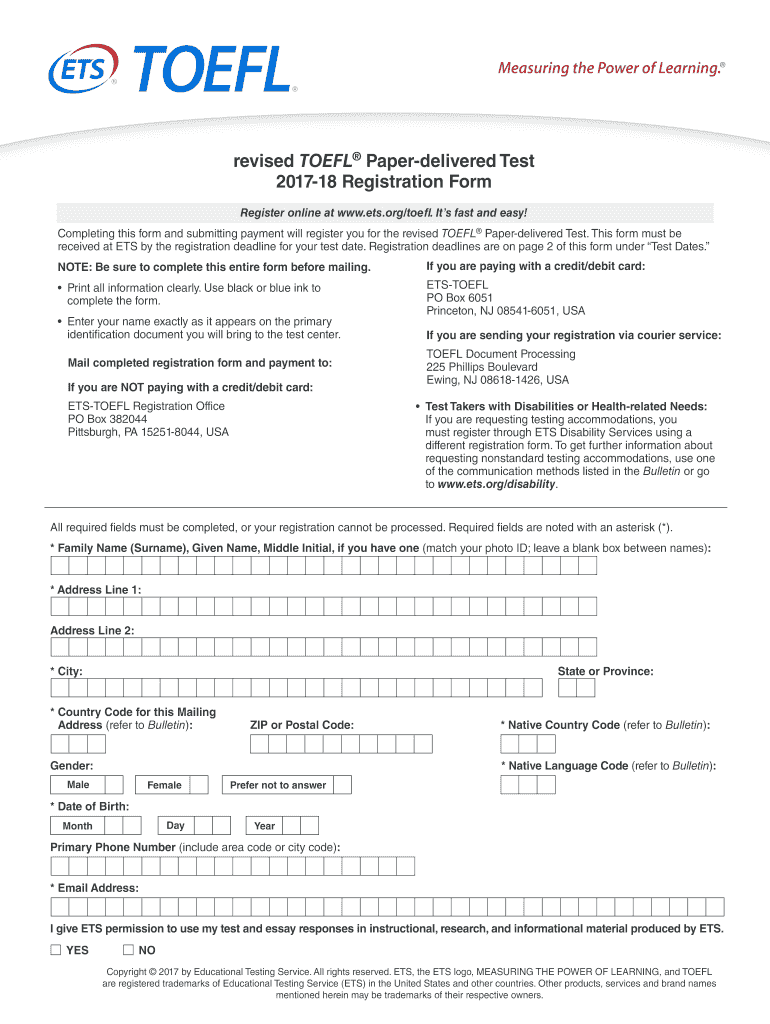
Click ‘Get Form’ to open the TOEFL registration form in the editor.
Begin by filling in your personal information. Ensure that your name matches exactly as it appears on your primary identification document. Complete all required fields marked with an asterisk (*).
Provide your address details clearly, using black or blue ink if you are printing. Include your city, state, country code, and ZIP code.
Select your preferred test centers and dates from the options provided. Make sure to choose only one test date and two test centers in order of preference.
Indicate your payment method. If paying by credit/debit card, enter the card number and expiration date accurately.
Review all entered information for accuracy before submitting the form. Confirm that you have consented to ETS policies and sign where indicated.
Start using our platform today for free to streamline your TOEFL registration process!
TOEFL PBT | TOEFL | Guide to English exams | EF United States
The TOEFL PBT test was discontinued in April 2021. The TOEFL Paper-Based Test was an older version of the TOEFL and was only available in certain countries.Read more
by Y Sawaki 2017 Cited by 3 Since its inception in 1963, the TOEFL has evolved from a paper-based test to a computer-based test and, in 2005, to an Internet-based test, the TOEFL iBTtest.Read more
Cookie consent notice
This site uses cookies to enhance site navigation and personalize your experience.
By using this site you agree to our use of cookies as described in our Privacy Notice.
You can modify your selections by visiting our Cookie and Advertising Notice.