Ahs paf form 2026

Get Form
ahs paf form Preview on Page 1

Here's how it works

01. Edit your form online
Type text, add images, blackout confidential details, add comments, highlights and more.
02. Sign it in a few clicks
Draw your signature, type it, upload its image, or use your mobile device as a signature pad.
03. Share your form with others
Send it via email, link, or fax. You can also download it, export it or print it out.

How to use or fill out ahs paf form with our platform

Form edit decoration
9.5
Ease of Setup
DocHub User Ratings on G2
9.0
Ease of Use
DocHub User Ratings on G2
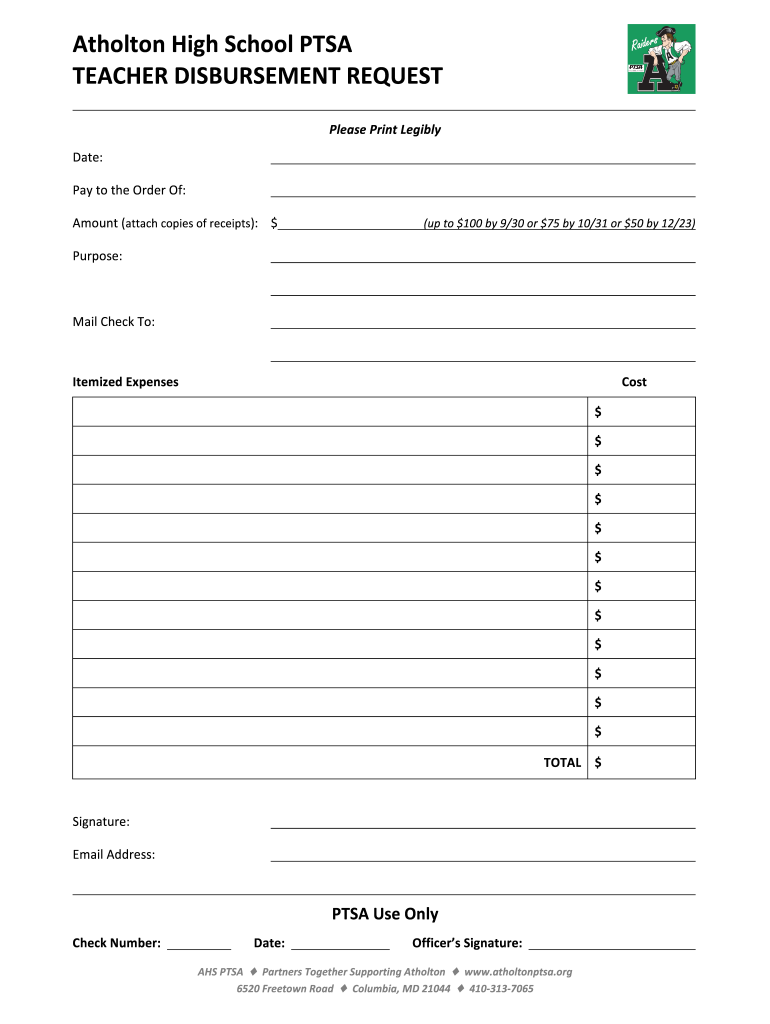
  1. Click ‘Get Form’ to open the ahs paf form in the editor.
  2. Begin by entering the date at the top of the form. Ensure it is legible for processing.
  3. In the 'Pay to the Order Of' section, clearly write the name of the individual or organization receiving payment.
  4. Input the amount requested, ensuring you attach copies of any receipts as required. Remember, amounts vary based on submission dates.
  5. Specify the purpose of the disbursement in the designated field, providing a brief description.
  6. Fill in where you would like the check mailed by completing the 'Mail Check To' section.
  7. List itemized expenses in their respective fields along with their costs, and calculate a total at the bottom.
  8. Sign and provide your email address at the end of the form for confirmation and communication purposes.

Start using our platform today to streamline your ahs paf form completion for free!

be ready to get more

Complete this form in 5 minutes or less

Get form

Got questions?

We have answers to the most popular questions from our customers. If you can't find an answer to your question, please contact us.
Contact us
The Position Action Form (PAF) should be used whenever you are establishing, updating, or delimiting a position. The PAF can be used for supervisor changes, cost coding changes, reallocations and other position updates.
PURPOSE. Personnel Actions are recorded on the Personnel Action Form (PAF), which is a Human Resources document. This form is used to make any employee changes, i.e., address/name, salary, grade/class, title changes, appointment changes, etc.
Personnel Actions are recorded on the Personnel Action Form (PAF), which is a Human Resources document. This form is used to make any employee changes, i.e., address/name, salary, grade/class, title changes, appointment changes, etc.
Personnel Action Form (PAF): A PAF is the form that hires, terminates, transfers, increases or decreases salary, or makes any other changes to an employees job.
Proposal Approval Form It ensures that proposals are in compliance with University and federal regulations and is also a record of the commitment of University resources necessary to carry out a project if it is funded. Note: The PAF can be recycled for changes at any point in the approval process.

Security and compliance

At DocHub, your data security is our priority. We follow HIPAA, SOC2, GDPR, and other standards, so you can work on your documents with confidence.

Learn more
ccpa2
pci-dss
gdpr-compliance
hipaa
soc-compliance
be ready to get more

Complete this form in 5 minutes or less

Get form

People also ask

PAF (Pairwise mApping Format) PAF is the default output format of minimap2. it is TAB-delimited with each line consisting of the following predefined fields: Col. Type. Description.

Related links