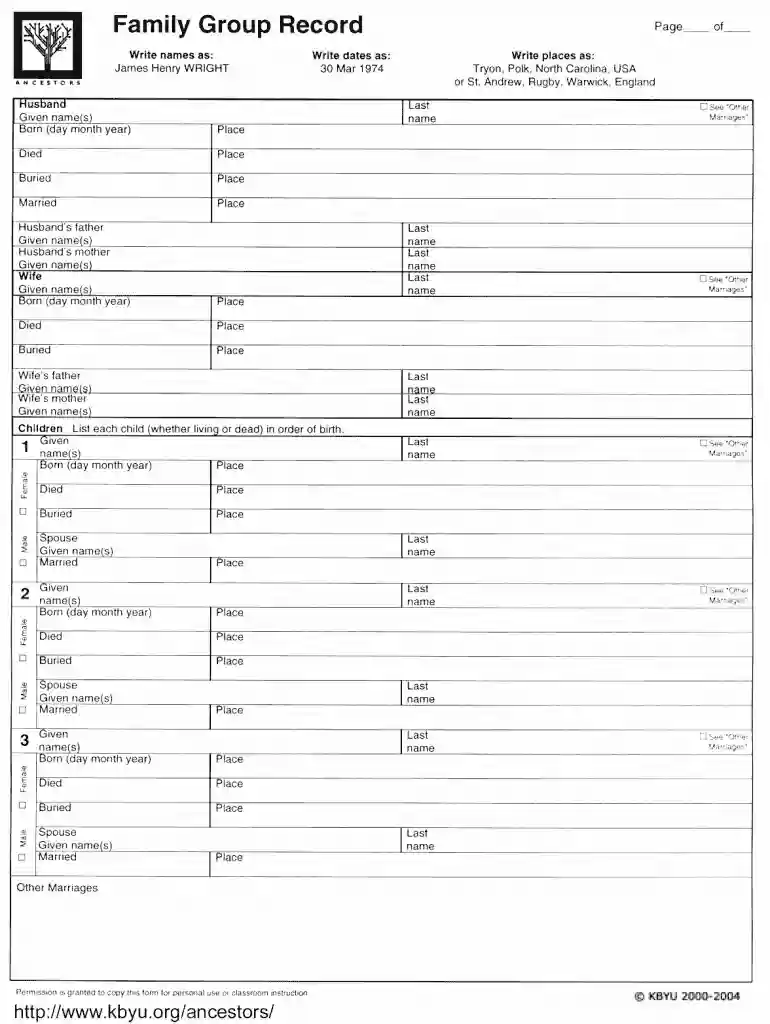
Family record page download 2026

Get Form
family group record form Preview on Page 1

Here's how it works

01. Edit your family group record form online
Type text, add images, blackout confidential details, add comments, highlights and more.

02. Sign it in a few clicks
Draw your signature, type it, upload its image, or use your mobile device as a signature pad.

03. Share your form with others
Send free printable family group sheets via email, link, or fax. You can also download it, export it or print it out.

How to use or fill out family record page download with our platform

Form edit decoration
9.5
Ease of Setup
DocHub User Ratings on G2
9.0
Ease of Use
DocHub User Ratings on G2
  1. Click ‘Get Form’ to open the family record page download in the editor.
  2. Begin by entering your family name in the designated field at the top of the form. This helps to personalize your record.
  3. Next, fill out each family member's details in the provided sections. Include names, birth dates, and any relevant notes for each individual.
  4. If applicable, utilize the checkbox options to indicate relationships or specific statuses within your family structure.
  5. Review all entered information for accuracy. Use our platform’s editing tools to make any necessary adjustments before finalizing.

Start using our platform today to easily complete your family record page download for free!

be ready to get more

Complete this form in 5 minutes or less

Get form

Got questions?

We have answers to the most popular questions from our customers. If you can't find an answer to your question, please contact us.
Contact us
MyHeritage trees document the basics - name, sex, birth, death, spouse, etc - while Ancestry allows users to do detailed genealogy research with access to tens of millions of original records. So, if youre looking to do family research then Ancestry is probably the better company.
Ancestry.com (subscription) and FamilySearch.org (free) have the largest collection of scanned images of original records as well as large collections of transcribed records. Ancestry also bought other sites, such as newspapers.com, fold3.com, and Archives.com but each of those sites has a separate subscription fee.
Search through census records, immigration records, military records, and more. Check out local libraries for genealogy sections or historical societies with archives. Look for newspapers, land records, and other documents that might not be available online. Consider joining local or online genealogy societies.
If you have large numbers of paper files, a document scanner can be helpful. This is a scanner that has a paper feed, which allows you to put from 20 to 50 pages in the feed and have them all scanned automatically. They are more expensive than flatbed scanners, costing a few hundred dollars.
A lot of genealogy research can be done from the comfort of your own home. Ancestry.com: A subscription-based service that searches 6 billion records worldwide. Archives.gov: The federal governments exhaustive database includes U.S. military records, naturalization records, land records and much more.

Security and compliance

At DocHub, your data security is our priority. We follow HIPAA, SOC2, GDPR, and other standards, so you can work on your documents with confidence.

Learn more
ccpa2
pci-dss
gdpr-compliance
hipaa
soc-compliance
be ready to get more

Complete this form in 5 minutes or less

Get form

People also ask

Label and Store Family Photos and Home Videos Keep them in a photo album (Be sure to use acid-free paper.) Keep a storage box or even a shoebox of old snapshots (acid-free boxes). Document people, places, events, and dates on the back of an old photo. Add old photos to a family shadowbox.
Find the Tools section on the right side of the screen, and click Print Options. Click either Family Group Record or Family Group Record with Sources. The chart opens as a PDF in a new tab. Use your browsers print feature to print it.
You can also view or print a completed family group sheet from a family tree by selecting the tree name menu in the top-left corner and selecting Family Group Sheet. Source summary: Create a quick reference to information and sources youve found.

family group sheet pdf