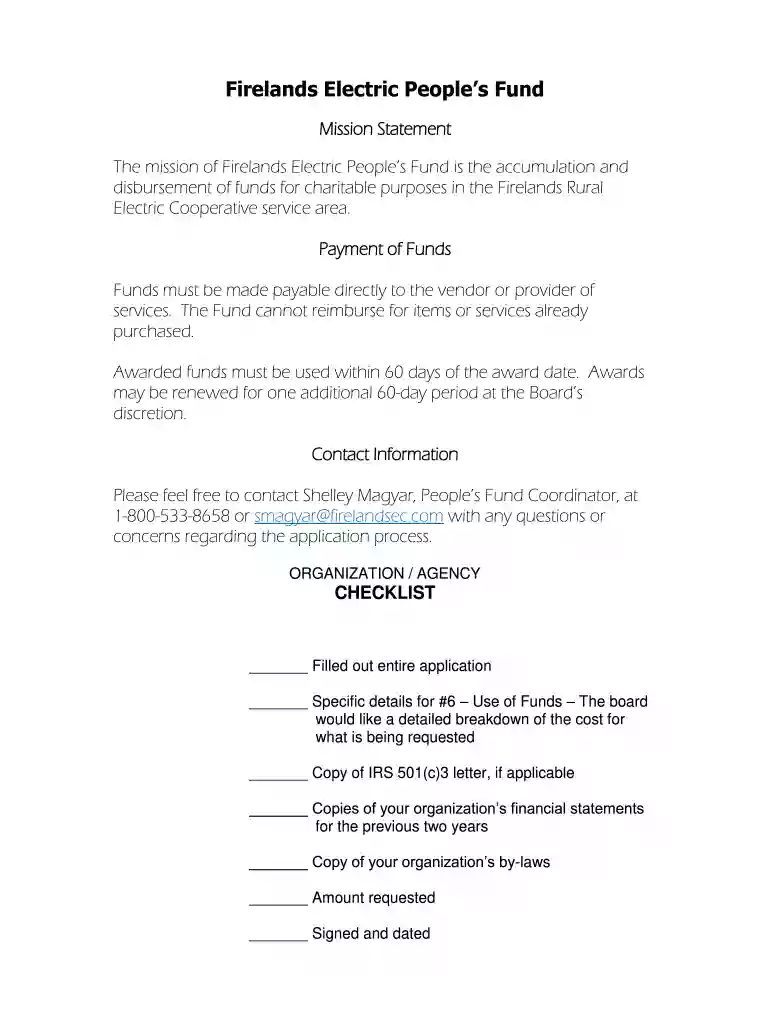
number board Preview on Page 1

Firelands Electric People's Fund - Firelands Electric Cooperative 2026

Here's how it works

  • 01. Edit your number board online

    Type text, add images, blackout confidential details, add comments, highlights and more.

  • 02. Sign it in a few clicks

    Draw your signature, type it, upload its image, or use your mobile device as a signature pad.

  • 03. Share your form with others

    Send member applications via email, link, or fax. You can also download it, export it or print it out.

How to use or fill out Firelands Electric People's Fund - Firelands Electric Cooperative with our platform

Form edit decoration
9.5
Ease of Setup
DocHub User Ratings on G2
9.0
Ease of Use
DocHub User Ratings on G2
  1. Click ‘Get Form’ to open it in the editor.
  2. Begin by entering the name of your organization in the designated field. Ensure that this is accurate as it will be used for all correspondence.
  3. Fill in your organization's address, including city, state, and zip code. This information is crucial for verification purposes.
  4. Provide a contact phone number and email address for follow-up communications regarding your application.
  5. Specify the amount of funding you are requesting in the appropriate field. Be clear and concise.
  6. In the 'Use of Funds' section, detail how you plan to utilize the awarded funds. Include a breakdown of costs as requested by the board.
  7. Attach any necessary documents such as IRS 501(c)3 letters, financial statements from the past two years, and your organization’s by-laws using our platform's upload feature.
  8. Review all sections to ensure completeness before signing and dating the application at the bottom.

Start filling out your application today using our platform for free!

be ready to get more

Complete this form in 5 minutes or less

Got questions?

We have answers to the most popular questions from our customers. If you can't find an answer to your question, please contact us.

With DocHub, you can rapidly sign your grant receive or any other document on iOS, even without setting up extra programs. You can access your DocHub account from any internet-connected browser and fill out and sign your form in any preferred method with just a couple of clicks.

You can find the latest and most relevant version of the firelands electric outage map in our DocHub forms library. Browse it by categories or utilize the search field to find the exact template that fits your case. You can open this form for editing after you find it.

Security and compliance

At DocHub, your data security is our priority. We follow HIPAA, SOC2, GDPR, and other standards, so you can work on your documents with confidence.

Related links

AN ECONOMIC ANALYSIS OF A PROPOSED BGSU-

by PG VanderHart This paper examines the costs and benefits of a proposed wind turbine on the BGSU-Firelands campus. It does so from two perspectives: One is fromRead more

Learn more
Case No. 2023-0464

Aug 9, 2023 In the Matter of the Application of Ohio. ) Power Company for an Increase in Electric ). Case No. 2023-0464. Distribution Rates, et al.Read more

Learn more
If you believe that this page should be taken down, please follow our DMCA take down process here