




Here's how it works

01. Edit your form online
Type text, add images, blackout confidential details, add comments, highlights and more.

02. Sign it in a few clicks
Draw your signature, type it, upload its image, or use your mobile device as a signature pad.

03. Share your form with others
Send it via email, link, or fax. You can also download it, export it or print it out.
How to use or fill out order trespass with our platform

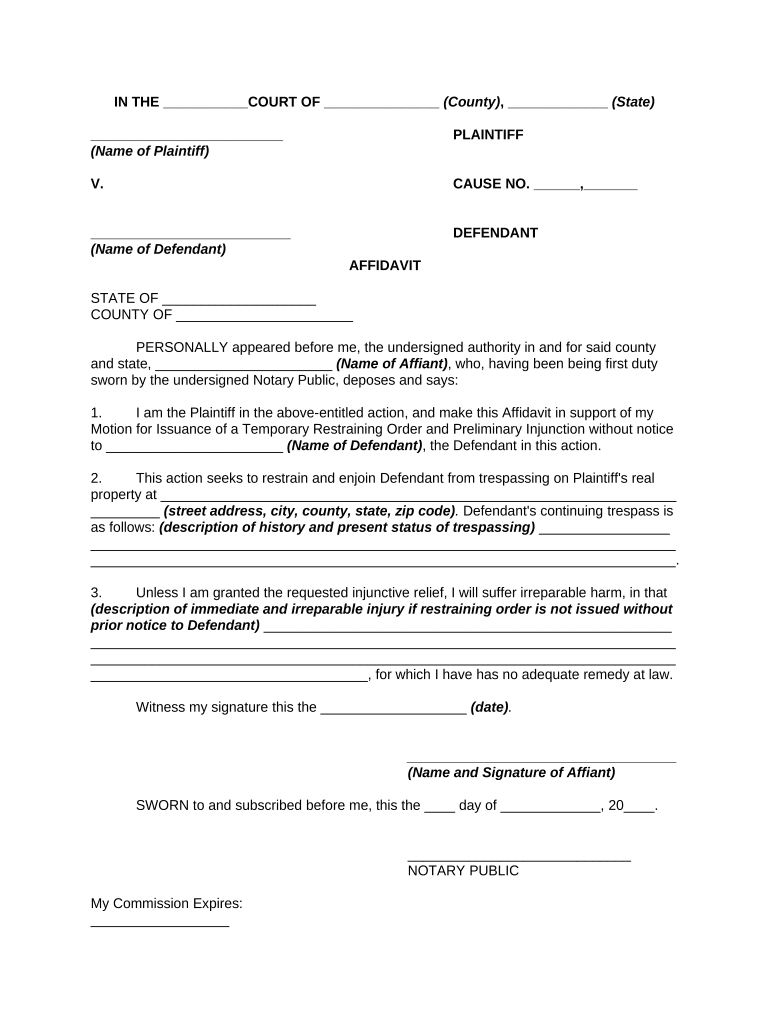
- Click ‘Get Form’ to open the order trespass document in the editor.
- Begin by filling in the court name and county at the top of the form. This identifies where your case will be heard.
- Enter the names of both the Plaintiff and Defendant in their respective fields. Ensure accuracy as this information is crucial for legal proceedings.
- In the affidavit section, provide your name as the Affiant and ensure you are sworn in before a Notary Public.
- Detail the address of the property where trespassing is occurring. Be specific to avoid any confusion.
- Describe the history and current status of the trespassing incident clearly. This helps establish your case for a restraining order.
- Explain how you would suffer irreparable harm if relief is not granted. This section is critical for justifying your request.
- Finally, sign and date the affidavit, ensuring it is witnessed by a Notary Public to validate your document.
Start using our platform today to fill out your order trespass form easily and for free!
Fill out order trespass online
It's free
It's free
Security and compliance
At DocHub, your data security is our priority. We follow HIPAA, SOC2, GDPR, and other standards, so you can work on your documents with confidence.
Learn more




