




Here's how it works

01. Edit your altrincham bayaan academy online
Type text, add images, blackout confidential details, add comments, highlights and more.

02. Sign it in a few clicks
Draw your signature, type it, upload its image, or use your mobile device as a signature pad.

03. Share your form with others
Send it via email, link, or fax. You can also download it, export it or print it out.
How to use or fill out Juvenile face sheet with our platform

- Click ‘Get Form’ to open the Juvenile face sheet in the editor.
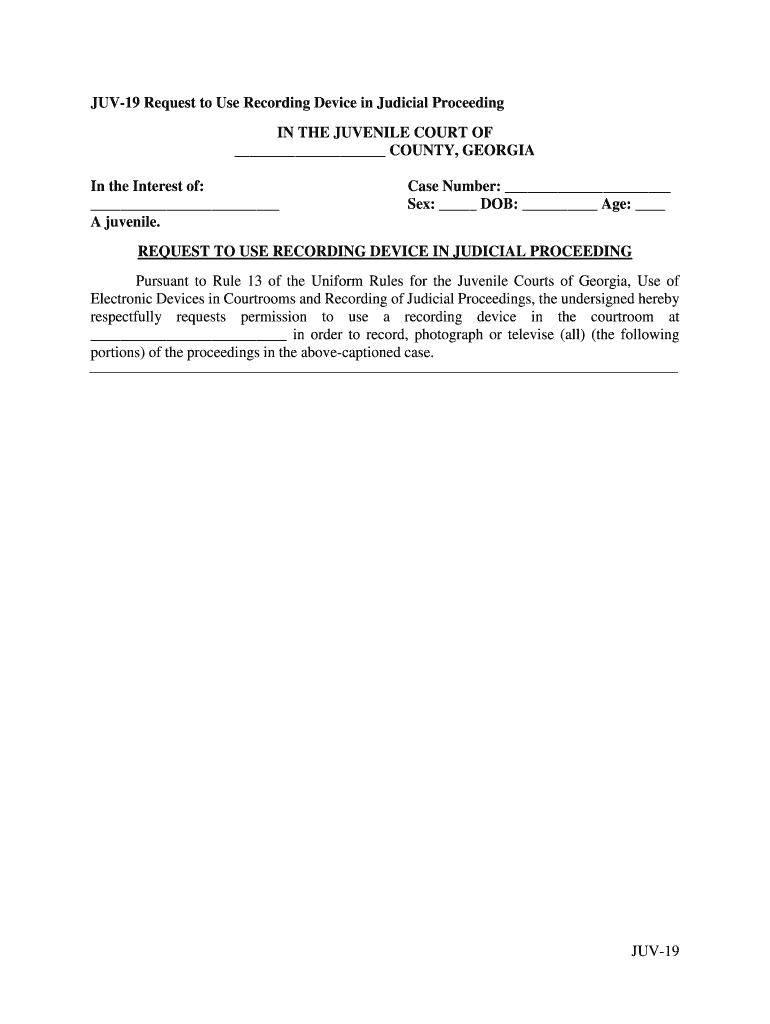
- Begin by entering the county name at the top of the form, followed by the juvenile's name in the designated field.
- Fill in the case number, sex, date of birth (DOB), and age of the juvenile in their respective fields.
- In the section requesting permission to use a recording device, specify which device you intend to use and where it will be located during proceedings.
- Indicate the date when you wish to commence recording, ensuring it is at least two days from your request date.
- Provide a brief explanation for your need to record or photograph the proceedings in the space provided.
- List the personnel responsible for operating the recording equipment, including their full names and contact information.
- Finally, sign and date the form at the bottom before submitting it for review.
Start using our platform today to easily fill out your Juvenile face sheet for free!
Fill out Juvenile face sheet online
It's free
It's free
Security and compliance
At DocHub, your data security is our priority. We follow HIPAA, SOC2, GDPR, and other standards, so you can work on your documents with confidence.
Learn more




