Type text, add images, blackout confidential details, add comments, highlights and more.
02. Sign it in a few clicks
Draw your signature, type it, upload its image, or use your mobile device as a signature pad.
03. Share your form with others
Send it via email, link, or fax. You can also download it, export it or print it out.
How to use or fill out breach contract with our platform
Ease of Setup
DocHub User Ratings on G2
Ease of Use
DocHub User Ratings on G2
Click ‘Get Form’ to open the breach contract in the editor.
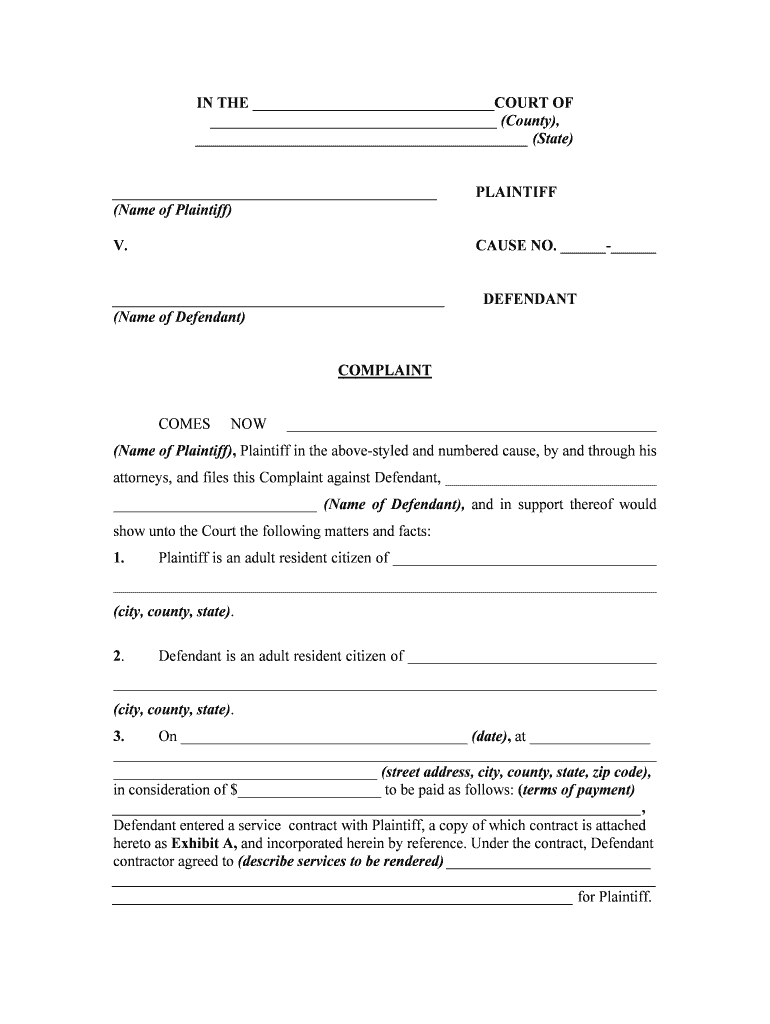
Begin by filling in the court name and location at the top of the document. This sets the jurisdiction for your case.
Enter the names of both the Plaintiff and Defendant in their respective fields, ensuring accuracy for legal purposes.
In section three, specify the date and address where the contract was formed, along with payment terms. This information is crucial for establishing context.
Detail the services agreed upon by the Defendant in this section. Be clear and concise to avoid ambiguity.
Outline any breaches of contract by the Defendant in section five. Provide specific details to support your claims.
Finally, calculate and enter any damages suffered due to these breaches, including attorney’s fees if applicable.
Start using our platform today to streamline your breach contract process for free!
BDocHub of contract examplesPenalty for bDocHub of contractBDocHub of contract PDFBDocHub of contract Definition in lawRemedies for bDocHub of contractWhat are the 4 types of bDocHub of contractWhen does bDocHub of contract become criminalBDocHub of contract Section
Security and compliance
At DocHub, your data security is our priority. We follow HIPAA, SOC2, GDPR, and other standards, so you can work on your documents with confidence.
Upon an obligors failure to perform an obligation to deliver a thing, or not to do an act, or to execute an instrument, the court shall grant specificRead more
Cookie consent notice
This site uses cookies to enhance site navigation and personalize your experience.
By using this site you agree to our use of cookies as described in our Privacy Notice.
You can modify your selections by visiting our Cookie and Advertising Notice.