Type text, add images, blackout confidential details, add comments, highlights and more.
02. Sign it in a few clicks
Draw your signature, type it, upload its image, or use your mobile device as a signature pad.
03. Share your form with others
Send pima county probate forms via email, link, or fax. You can also download it, export it or print it out.
How to use or fill out Arizona probate forms with our platform
Ease of Setup
DocHub User Ratings on G2
Ease of Use
DocHub User Ratings on G2
Click ‘Get Form’ to open the Arizona probate form in the editor.
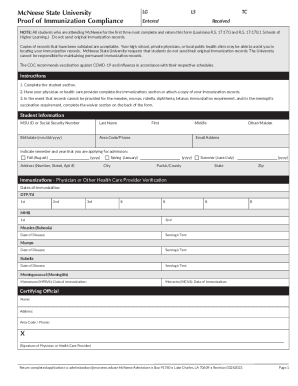
Begin with the 'Checklist for using this packet' to ensure you meet all eligibility criteria, such as being related to the deceased or having a legal interest in their property.
Fill out the 'Probate Cover Sheet' by providing your name, address, and contact information. Ensure accuracy as this will be used for court communications.
Complete the 'Application for Appointment' section. Specify whether there is a will and provide details about the deceased, including their date of death and last known address.
If applicable, fill out the 'Waiver of Bond' and 'Waiver of Right to Appointment' forms. These sections require signatures from relevant parties consenting to your appointment.
Review all entries for completeness and accuracy before submitting. Use our platform's features to save your progress and make edits as needed.
Start filling out your Arizona probate forms online for free today!
Arizona probate forms pdfFree arizona probate formsMaricopa county Probate formsArizona probate forms onlinePima County Probate FormsAZ probate case lookupInformal Probate Forms ArizonaYavapai county Probate Forms
Security and compliance
At DocHub, your data security is our priority. We follow HIPAA, SOC2, GDPR, and other standards, so you can work on your documents with confidence.
The forms available on this site are generic and may be accepted by courts statewide. Please note that each court might have their own preferred forms.Read more
by W Nussbaum 2015 Cited by 7 Mr. Berry served as the Court Administrator for the Delaware. County (Ohio) Juvenile and Probate Court(s) from 1984-2003 and was the FamilyRead more
Cookie consent notice
This site uses cookies to enhance site navigation and personalize your experience.
By using this site you agree to our use of cookies as described in our Privacy Notice.
You can modify your selections by visiting our Cookie and Advertising Notice.