Type text, add images, blackout confidential details, add comments, highlights and more.
02. Sign it in a few clicks
Draw your signature, type it, upload its image, or use your mobile device as a signature pad.
03. Share your form with others
Send form 218 via email, link, or fax. You can also download it, export it or print it out.
How to use or fill out abc 218 with our platform
Ease of Setup
DocHub User Ratings on G2
Ease of Use
DocHub User Ratings on G2
Click ‘Get Form’ to open it in the editor.
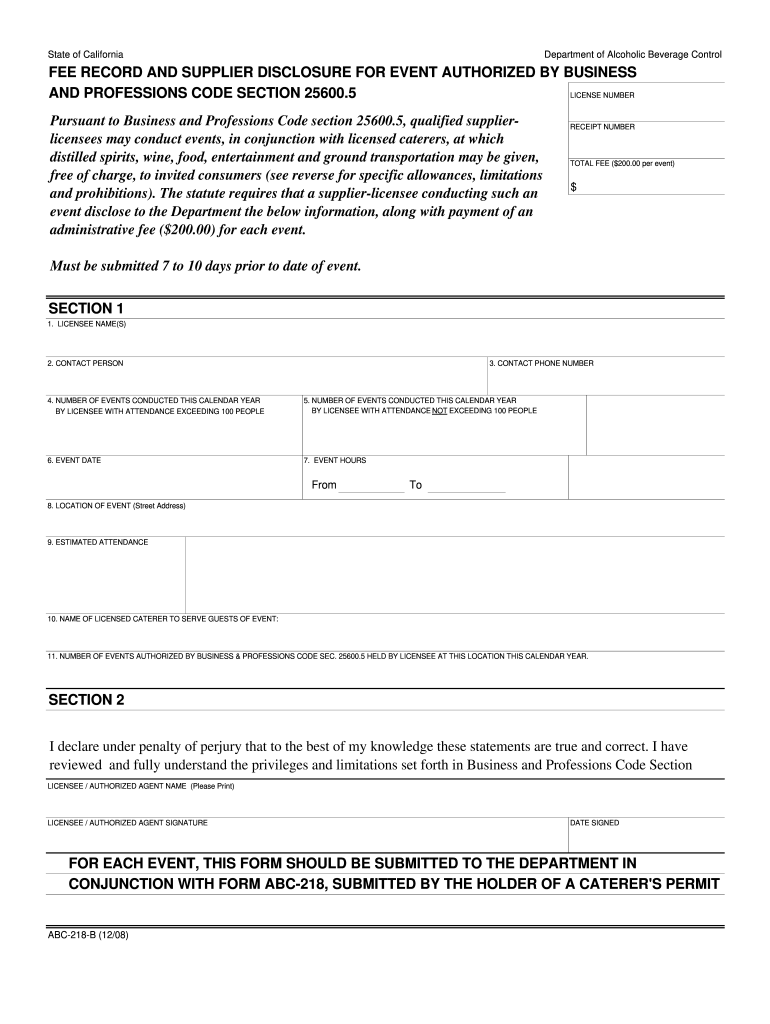
Begin by filling in Section 1 with your licensee name, contact person, and phone number. Ensure all details are accurate for smooth processing.
Indicate the number of events conducted this calendar year, both exceeding and not exceeding 100 attendees. This helps maintain compliance with regulations.
Specify the event date and hours, ensuring they align with your planned schedule. Use the time fields to clearly indicate start and end times.
Provide the location of the event, including street address, and estimate attendance numbers to facilitate proper planning.
Identify the licensed caterer serving guests at your event. This is crucial for adherence to legal requirements.
Finally, review your entries for accuracy before signing and dating the declaration statement at the bottom of Section 2.
Start using our platform today to streamline your form completion process for free!
Alcohol Service Policies and Licensing Requirements - Stanford
The appropriate ABC form (218 or 221) must be submitted to DPS at least 7 working days prior to the event. You must also provide the name, phone number andRead more
Postal Bulletin 22530 (October 10, 2019). Keep the Mail Safe
Oct 10, 2019 Welcome to the New Cyber Frontier: What You Need to Know to Stay Safe. The world changes fast, yet technology evolves even faster.Read more
Cookie consent notice
This site uses cookies to enhance site navigation and personalize your experience.
By using this site you agree to our use of cookies as described in our Privacy Notice.
You can modify your selections by visiting our Cookie and Advertising Notice.