




Here's how it works



How to use or fill out Mid-South Community College Employment Application - midsouthcc with DocHub

- Click ‘Get Form’ to open the Mid-South Community College Employment Application in our editor.
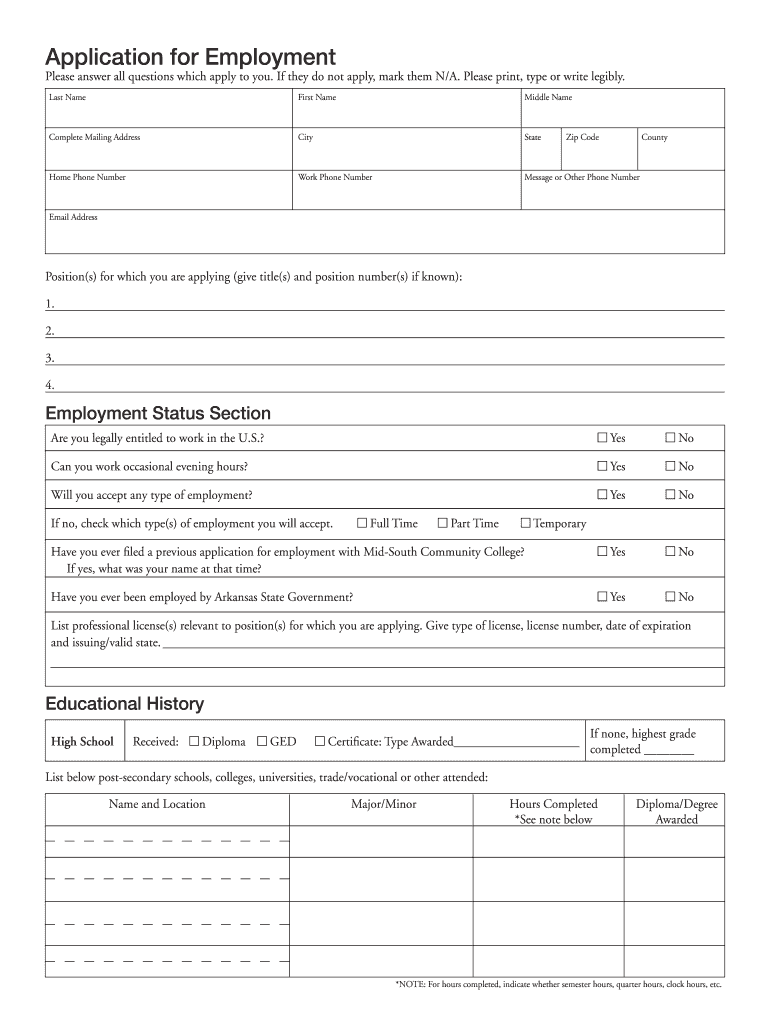
- Begin by filling in your personal information, including your last name, first name, and middle name. Ensure that you provide a complete mailing address along with your contact numbers.
- In the 'Position(s) for which you are applying' section, list the titles and position numbers of the jobs you are interested in. Be specific to enhance your application.
- Complete the Employment Status Section by answering questions regarding your eligibility to work in the U.S., availability for evening hours, and previous applications with Mid-South Community College.
- Fill out the Educational History section by providing details about your high school and any post-secondary education. Include degrees awarded and hours completed.
- In the Work History section, list all relevant employment experiences starting from your most recent job. Include details such as employer names, job duties, and reasons for leaving.
- Finally, review all sections for accuracy before signing and submitting your application through our platform.
Start using our editor today to complete your application effortlessly!
It's free
Got questions?
Can I sign my Mid-South Community College Employment Application - midsouthcc electronically?
According to eSignature laws, documents signed digitally have the same validity as those approved with pen and paper. You can electronically sign almost any business and personal paperwork. Four types of documents still call for wet signatures only - wills and testamentary trusts, court orders and other court forms, state statutes governing divorce, adoption, or other family law, and notice of cancellation of utility services. If you adhere to the rules and utilize a secure and compliant software solution, like DocHub, you can eSign your Mid-South Community College Employment Application - midsouthcc without printing it.
How do you edit Mid-South Community College Employment Application - midsouthcc online?
With DocHub, there are several convenient methods to edit your Mid-South Community College Employment Application - midsouthcc online. You can drag and drop the form and edit it directly at the DocHub website or use our browser extension to fill out your form right away. On top of that, you can edit your PDF on your phone, as DocHub works with all the accessible mobile platforms.
What division is ASU Mid-South?
Is ASU Mid-South a community college?
What is the acceptance rate at ASU Mid-South?
Security and compliance
At DocHub, your data security is our priority. We follow HIPAA, SOC2, GDPR, and other standards, so you can work on your documents with confidence.
Learn more




