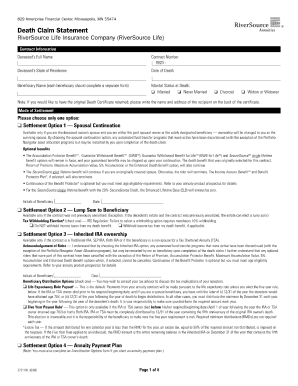
Type text, add images, blackout confidential details, add comments, highlights and more.
02. Sign it in a few clicks
Draw your signature, type it, upload its image, or use your mobile device as a signature pad.
03. Share your form with others
Send it via email, link, or fax. You can also download it, export it or print it out.
How to use or fill out invention disclosure images with our platform
Ease of Setup
DocHub User Ratings on G2
Ease of Use
DocHub User Ratings on G2
Click ‘Get Form’ to open the invention disclosure images in the editor.
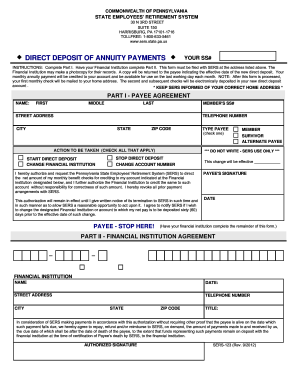
Begin by reviewing the qualifications section. Check the applicable box that indicates your eligibility for the Property Tax Credit. Remember, you can only check one box and must attach appropriate documentation.
Proceed to Line 2 and enter the amount of nontaxable social security benefits received. Refer to your SSA-1099 for accurate figures.
Continue filling out Lines 3 through 14, ensuring you provide all required information such as public assistance amounts, veteran benefits, and real estate taxes paid. Use our platform's features to easily navigate between sections.
Finally, review all entries for accuracy before submitting your completed form. Utilize our platform’s tools for easy editing and signing.
Start using our platform today to streamline your form completion process for free!
Fill out invention disclosure images online It's free
An Invention Disclosure Form (IDF) is a confidential document used by innovators, typically employees of a company, to document their inventions or innovations. This form includes a detailed description of the invention, accompanied by supporting data and experimental results.
What is an invention disclosure statement?
An invention disclosure, or invention disclosure report, is a confidential document written by a scientist or engineer for use by a companys patent department, or by an external patent attorney, to determine whether patent protection should be sought for the described invention.
How to fill invention disclosure form?
A complete Invention Disclosure should include the following information: Inventor information: Make sure that inventors are listed and numbered in the order that they should appear on official documents. Technical Background of Invention. Closest related art. Description of Technology and Suggested Scope:
How to write an invention disclosure?
Invention Disclosure Breakdown Title of the Invention. Use a brief title, omitting any confidential information, acronyms, and trademarks (title should be generic). Brief Summary. Voice of the Inventor. Invention Support. Publication Dates. Commercial Potential. Contributors. Attorney-Client Privileged Communication.
Is invention disclosure the same as patent?
Invention disclosures are the beginning of the patenting process. At its core, an invention disclosure is the first notification that an invention has been created, and establishes the description and chronology of an invention.
Related Searches
Invention Disclosure FormInvention Disclosure Form exampleInvention Disclosure form PDFInvention disclosure vs patentUSPTO Invention Disclosure formInvention Disclosure Form WordGoogle patents
Security and compliance
At DocHub, your data security is our priority. We follow HIPAA, SOC2, GDPR, and other standards, so you can work on your documents with confidence.
An invention disclosure form is a document used to capture detailed information about a new invention or discovery. The first step in the patent application process, the form plays a crucial role in protecting intellectual property.
What is an IDF for patents?
An invention disclosure is the notification of the creation of an invention provided by the inventor candidate in the form of an Invention Disclosure Form (IDF).
Related links
CMI Invention Disclosures
CMI researchers have created many invention disclosures and filed dozens of patent applications, with more than four dozen patents issued.Read more
Images were captured using phase contrast under 40x magnification. Figure 2: Microscopy of GFP R bodies inside HEK cells. HEK-293 cells were incubated with.Read more
Cookie consent notice
This site uses cookies to enhance site navigation and personalize your experience.
By using this site you agree to our use of cookies as described in our Privacy Notice.
You can modify your selections by visiting our Cookie and Advertising Notice.