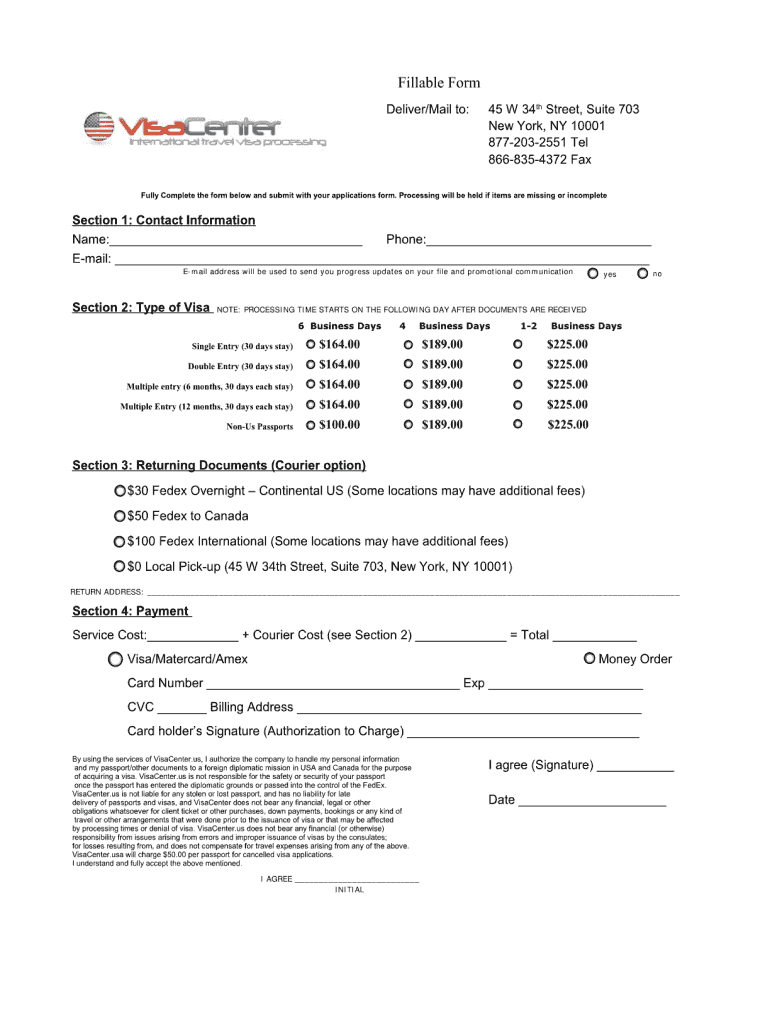
Type text, add images, blackout confidential details, add comments, highlights and more.
02. Sign it in a few clicks
Draw your signature, type it, upload its image, or use your mobile device as a signature pad.
03. Share your form with others
Send it via email, link, or fax. You can also download it, export it or print it out.
How to use or fill out china visa v 2013 with our platform
Ease of Setup
DocHub User Ratings on G2
Ease of Use
DocHub User Ratings on G2
Click ‘Get Form’ to open the china visa v 2013 in the editor.
Begin by entering your personal information in the designated fields, including your full name, date of birth, and nationality. Ensure that all details match your passport for accuracy.
Next, provide your contact information. Fill in your address, phone number, and email. This is crucial for communication regarding your visa application.
In the travel details section, specify your intended dates of travel and purpose of visit. Be clear and concise to avoid any confusion during processing.
Finally, review all entered information for completeness and accuracy before submitting. Use our platform’s editing tools to make any necessary adjustments easily.
Start using our platform today to fill out your china visa v 2013 form online for free!
China visa compensationChina visa declarationVisa for China Application Form downloadVisa Loss Declaration FormStatement of consent Chinese visa compensation
Security and compliance
At DocHub, your data security is our priority. We follow HIPAA, SOC2, GDPR, and other standards, so you can work on your documents with confidence.
Mar 20, 2013 When visas are thus oversubscribed, only persons with a priority date earlier than the cut-off date are entitled to be allotted a visa number.Read more
Cookie consent notice
This site uses cookies to enhance site navigation and personalize your experience.
By using this site you agree to our use of cookies as described in our Privacy Notice.
You can modify your selections by visiting our Cookie and Advertising Notice.