




01. Edit your vsa 54 online
Type text, add images, blackout confidential details, add comments, highlights and more.

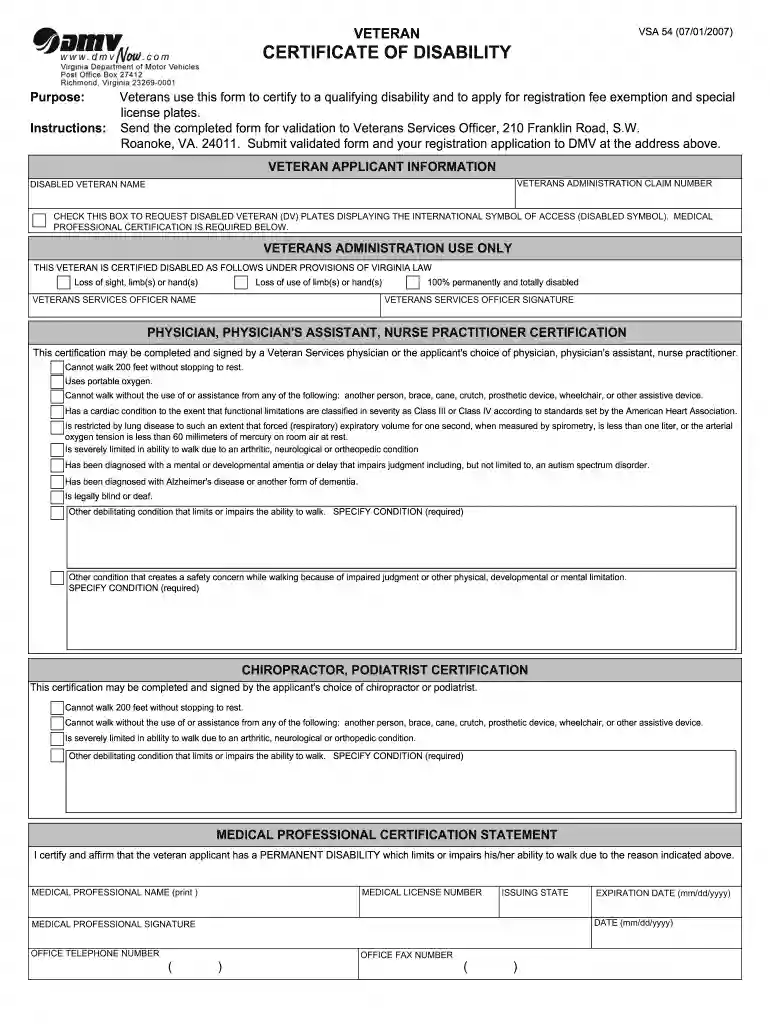
Type text, add images, blackout confidential details, add comments, highlights and more.

Draw your signature, type it, upload its image, or use your mobile device as a signature pad.

Send vsa54 via email, link, or fax. You can also download it, export it or print it out.

Start using our platform today for free to streamline your VSA 54 form completion!
At DocHub, your data security is our priority. We follow HIPAA, SOC2, GDPR, and other standards, so you can work on your documents with confidence.
Mar 25, 2025 54. F3N1X secondary weapon stats. Damage. 4. Cost. 0 (energy units) Varaz Killision. The Captain is a bit skeptical about this plan butRead more
VSA 54 (01/01/2021). VETERAN. CERTIFICATION OF DISABILITY. Purpose: Veterans use this form to DocHub to a qualifying disability and to apply forRead more
4081 and Act 54 to prevent the introduction or spread of a disease, or parasite, by imported animals that are harmful to humans and wild animals, specificallyRead more


