




01. Edit your form online
Type text, add images, blackout confidential details, add comments, highlights and more.

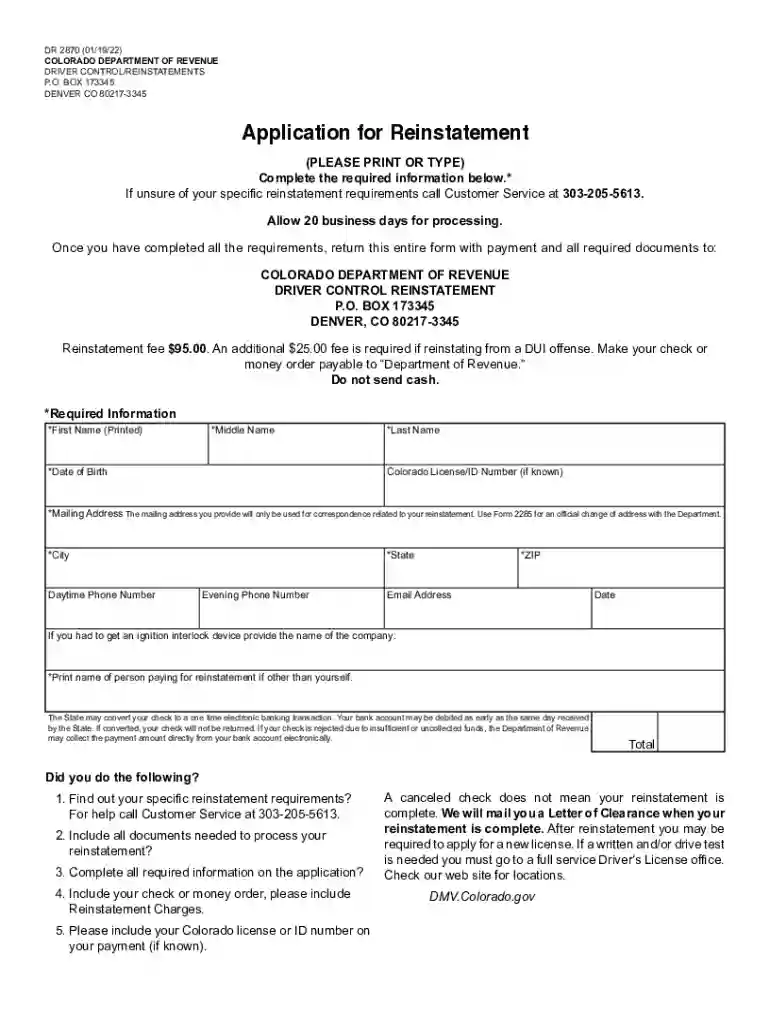
Type text, add images, blackout confidential details, add comments, highlights and more.

Draw your signature, type it, upload its image, or use your mobile device as a signature pad.

Send it via email, link, or fax. You can also download it, export it or print it out.

Start using our platform today to easily complete your DR 2870 form online for free!
At DocHub, your data security is our priority. We follow HIPAA, SOC2, GDPR, and other standards, so you can work on your documents with confidence.
This clinical study will evaluate MK-2870 plus pembrolizumab versus TPC for the treatment of participants with TNBC who did not achieve pCR at surgery followingRead more
Apr 27, 2022 1,2,3-Trichloropropane (TCP) is a chlorinated volatile organic compound (CVOC) that has been used in chemical production processes, in agriculture, and as aRead more


