Type text, add images, blackout confidential details, add comments, highlights and more.
02. Sign it in a few clicks
Draw your signature, type it, upload its image, or use your mobile device as a signature pad.
03. Share your form with others
Send texas mechanics lien form pdf via email, link, or fax. You can also download it, export it or print it out.
How to use or fill out mechanic lien travis county with our platform
Ease of Setup
DocHub User Ratings on G2
Ease of Use
DocHub User Ratings on G2
Click ‘Get Form’ to open the mechanic lien form in the editor.
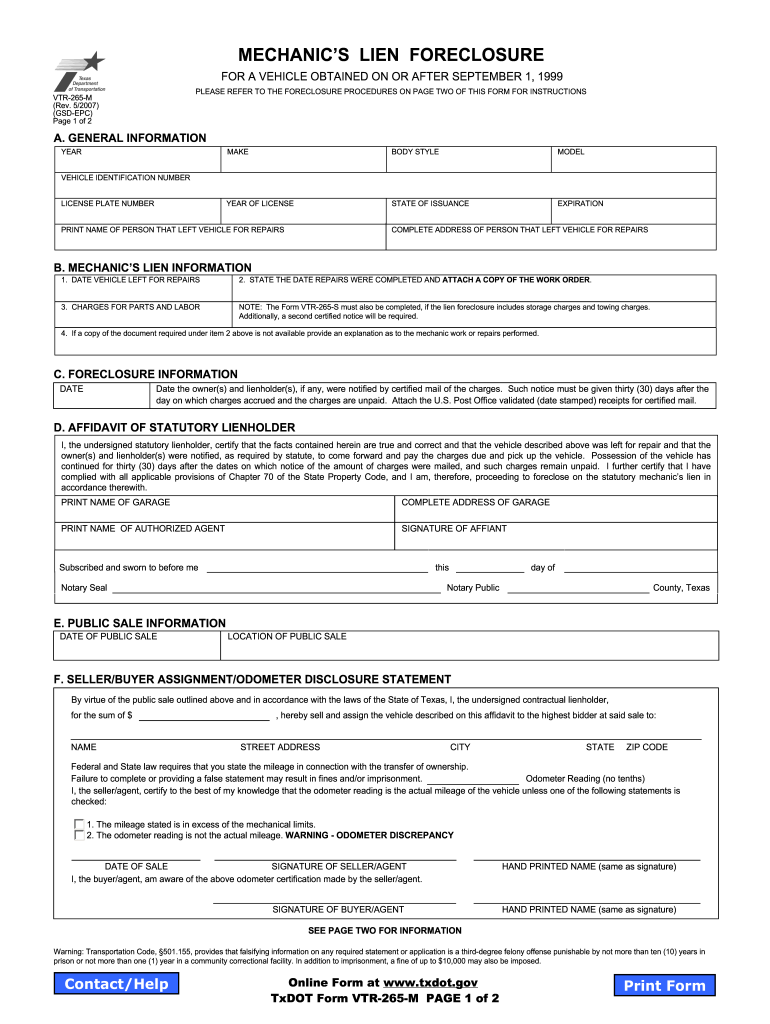
Begin by filling out Section A, which includes general information about the vehicle. Enter the year, make, model, and vehicle identification number (VIN). Ensure you provide accurate details for the person who left the vehicle for repairs.
In Section B, input the date when the vehicle was left for repairs and state when repairs were completed. Attach a copy of the work order if available. If not, provide an explanation of the repairs performed.
Complete Section C by noting the date when notifications were sent to owners and lienholders regarding unpaid charges. Attach validated receipts for certified mail as proof.
Proceed to Section D to certify that all information is true and correct. This includes printing your name and signing as the authorized agent.
Finally, review all sections for accuracy before submitting your completed form through our platform.
Start using our editor today to fill out your mechanic lien form quickly and efficiently!
Fill out mechanic lien travis county online It's free
Mechanic lien travis county requirementsMechanic lien travis county costTravis County public Records SearchLien search Travis CountyTravis County deed records online freeTravis County Clerk OfficeTravis County lien search freeTravis County Marriage Records
Security and compliance
At DocHub, your data security is our priority. We follow HIPAA, SOC2, GDPR, and other standards, so you can work on your documents with confidence.
PUBLIC SALE If charges remain unpaid, the mechanic may sell the vehicle at public sale anytime on or after the 31st day after a copy of the notice orRead more
Travis County Deed Records - The Portal to Texas History
Recorded copies of liens filed by individuals or firms (lumber dealers, corporations, artisans, laborers, mechanics, or subcontractors) who provide labor or
Cookie consent notice
This site uses cookies to enhance site navigation and personalize your experience.
By using this site you agree to our use of cookies as described in our Privacy Notice.
You can modify your selections by visiting our Cookie and Advertising Notice.