Type text, add images, blackout confidential details, add comments, highlights and more.
02. Sign it in a few clicks
Draw your signature, type it, upload its image, or use your mobile device as a signature pad.
03. Share your form with others
Send becu withdrawal limit via email, link, or fax. You can also download it, export it or print it out.
How to use or fill out becu phone with our platform
Ease of Setup
DocHub User Ratings on G2
Ease of Use
DocHub User Ratings on G2
Click ‘Get Form’ to open the becu phone document in the editor.
Begin by filling out your personal information in the designated fields, including your name, address, and contact details. Ensure accuracy for seamless processing.
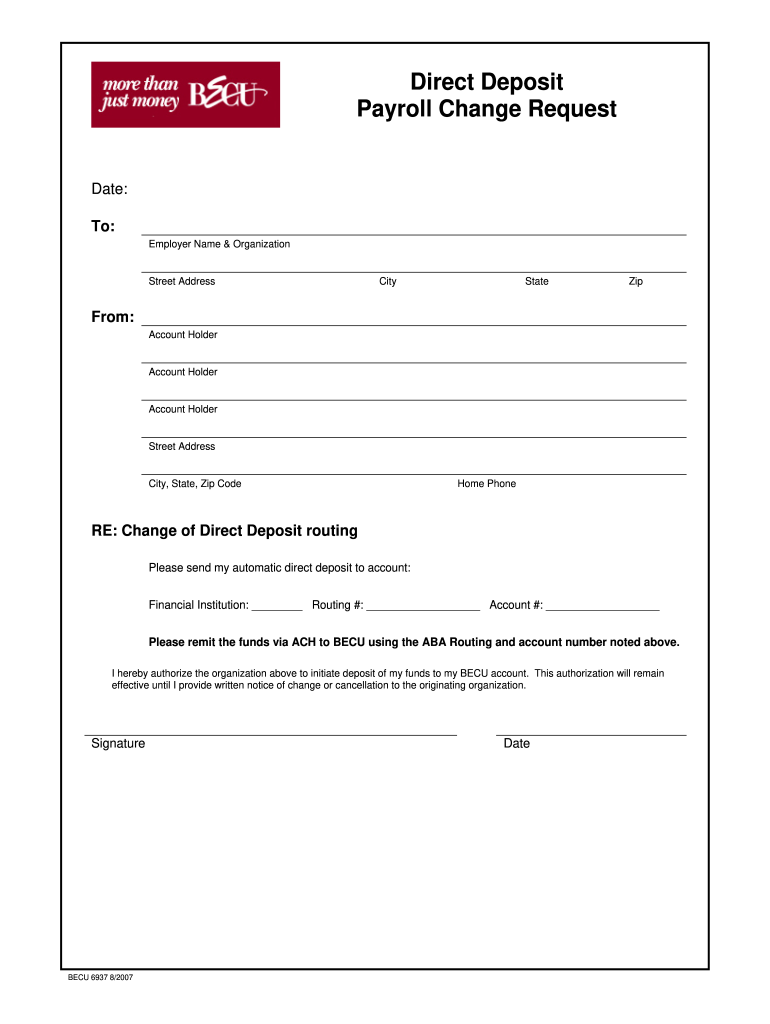
For direct deposit setup, locate the section labeled 'Direct Deposit Payroll Change Request.' Enter your employer's details and your BECU account information, including the routing number 325081403.
In the 'Account Closure Request' section, provide details of your old account that you wish to close. Make sure all checks have cleared before submitting this request.
If switching automatic payments, fill out the 'Automatic Payment Change Notification' section with your new BECU account information and notify billers accordingly.
Review all entered information for accuracy before finalizing. Use our platform’s features to save or print your completed forms as needed.
Start using our platform today for free to streamline your becu phone form completion!
800-233-2328 becu.org PO Box 97050 Seattle, WA 98124-
If you want to change your account number(s), please call us at 800-233-2328 or visit a BECU location to make the change in person. Find one near you at becu.Read more
Boeing Employees Credit Union (BECU), with ATM. 1066 Lakeway Dr. (800) 233-2328. ATM (non-bank connected). 208 W Holly St. Bank of America ATM. 137 S SamishRead more
Cookie consent notice
This site uses cookies to enhance site navigation and personalize your experience.
By using this site you agree to our use of cookies as described in our Privacy Notice.
You can modify your selections by visiting our Cookie and Advertising Notice.