Type text, add images, blackout confidential details, add comments, highlights and more.
02. Sign it in a few clicks
Draw your signature, type it, upload its image, or use your mobile device as a signature pad.
03. Share your form with others
Send fl 395 example via email, link, or fax. You can also download it, export it or print it out.
How to use or fill out fl395 with our platform
Ease of Setup
DocHub User Ratings on G2
Ease of Use
DocHub User Ratings on G2
Click ‘Get Form’ to open the FL-395 in the editor.
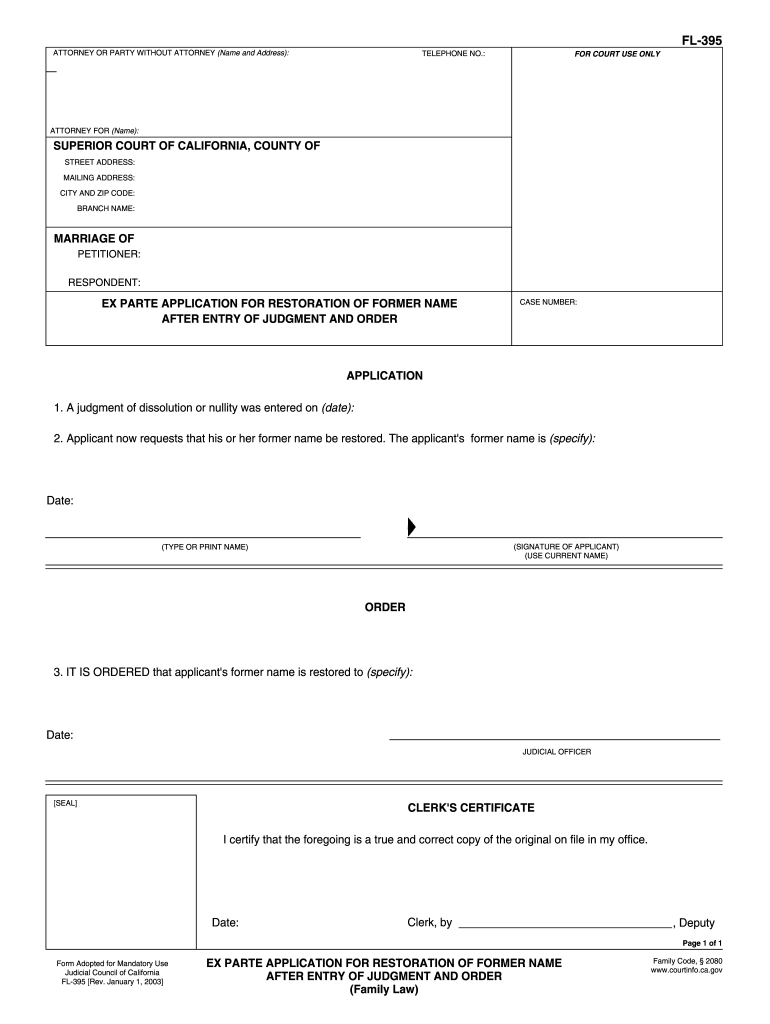
Begin by entering your name and address in the 'ATTORNEY OR PARTY WITHOUT ATTORNEY' section. Ensure that your contact information is accurate for any court communications.
Fill in the 'FOR COURT USE ONLY' section with relevant details, including the case number and court information such as street address and branch name.
In the 'APPLICATION' section, specify the date when the judgment of dissolution or nullity was entered. Then, provide your former name that you wish to restore.
Sign and date the application at the bottom, ensuring you use your current name for clarity.
If applicable, complete the 'ORDER' section where a judicial officer will later fill in their decision regarding your request.
Finally, utilize our platform's features to save or print your completed form. Remember to press 'Clear This Form' for privacy after printing.
Start using our platform today to easily fill out FL-395 for free!
ex parte application for restoration of former name
Ex Parte Application for Restoration of Former Name After
Ex Parte Application for Restoration of Former Name After Entry of Judgment and Order (FL-395). Tell the court that a judgment for divorce or nullity wasRead more
Cookie consent notice
This site uses cookies to enhance site navigation and personalize your experience.
By using this site you agree to our use of cookies as described in our Privacy Notice.
You can modify your selections by visiting our Cookie and Advertising Notice.