Type text, add images, blackout confidential details, add comments, highlights and more.
02. Sign it in a few clicks
Draw your signature, type it, upload its image, or use your mobile device as a signature pad.
03. Share your form with others
Send it via email, link, or fax. You can also download it, export it or print it out.
How to use or fill out adopt 210 with our platform
Ease of Setup
DocHub User Ratings on G2
Ease of Use
DocHub User Ratings on G2
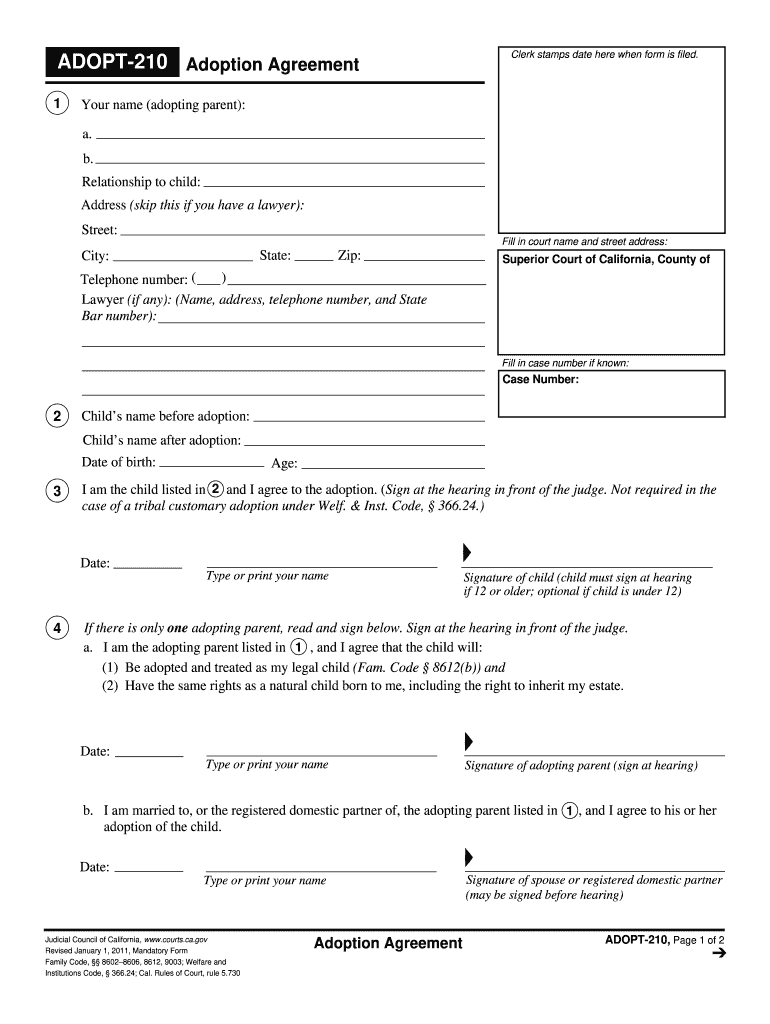
Click ‘Get Form’ to open the adopt 210 in the editor.
Begin by entering your name as the adopting parent in the designated field. If you have a lawyer, provide their details; otherwise, skip this section.
Fill in the court name and address where the adoption will be filed, including state, city, and zip code.
Input the child's name before and after adoption along with their date of birth and age.
If applicable, ensure that the child signs at the hearing if they are 12 or older. For adopting parents, sign where indicated to confirm your agreement to adopt.
For stepparent adoptions, include your signature as the legal parent agreeing to the adoption.
Once completed, utilize our platform's features to save or print your form. Remember to press 'Clear This Form' for privacy after printing.
Start filling out your adopt 210 form today for free using our platform!
Okla. Admin. Code 210:10-2-1 - Parents rights concerning
The Parents Bill of Rights instructs that parents have broad and inalienable rights concerning their minor children and that these rights are reserved toRead more
The Parsons Corporation (Parsons) prepared this Principles and Practices document under contract to the Air Force Center for Environmental Excellence (AFCEERead more
Cookie consent notice
This site uses cookies to enhance site navigation and personalize your experience.
By using this site you agree to our use of cookies as described in our Privacy Notice.
You can modify your selections by visiting our Cookie and Advertising Notice.